
Inviting Teammates In ATZ CRM
How to invite your teammates?
Section titled “How to invite your teammates?”Inviting teammates to ATZ CRM fosters collaboration and ensures everyone is on the same page. Follow these steps:
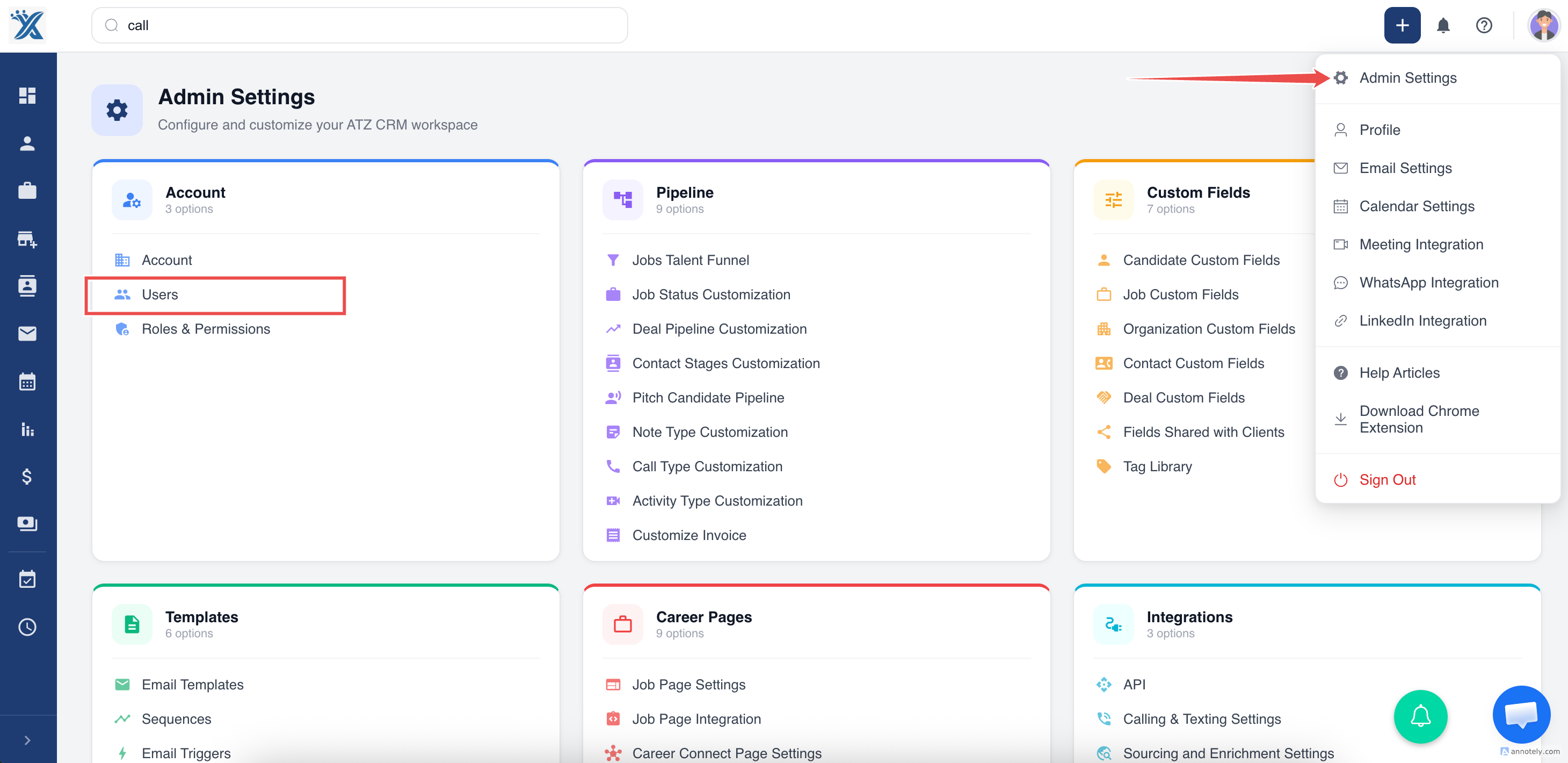
Step 1: Go to the Settings:
Step 2: Select Users from the settings menu.
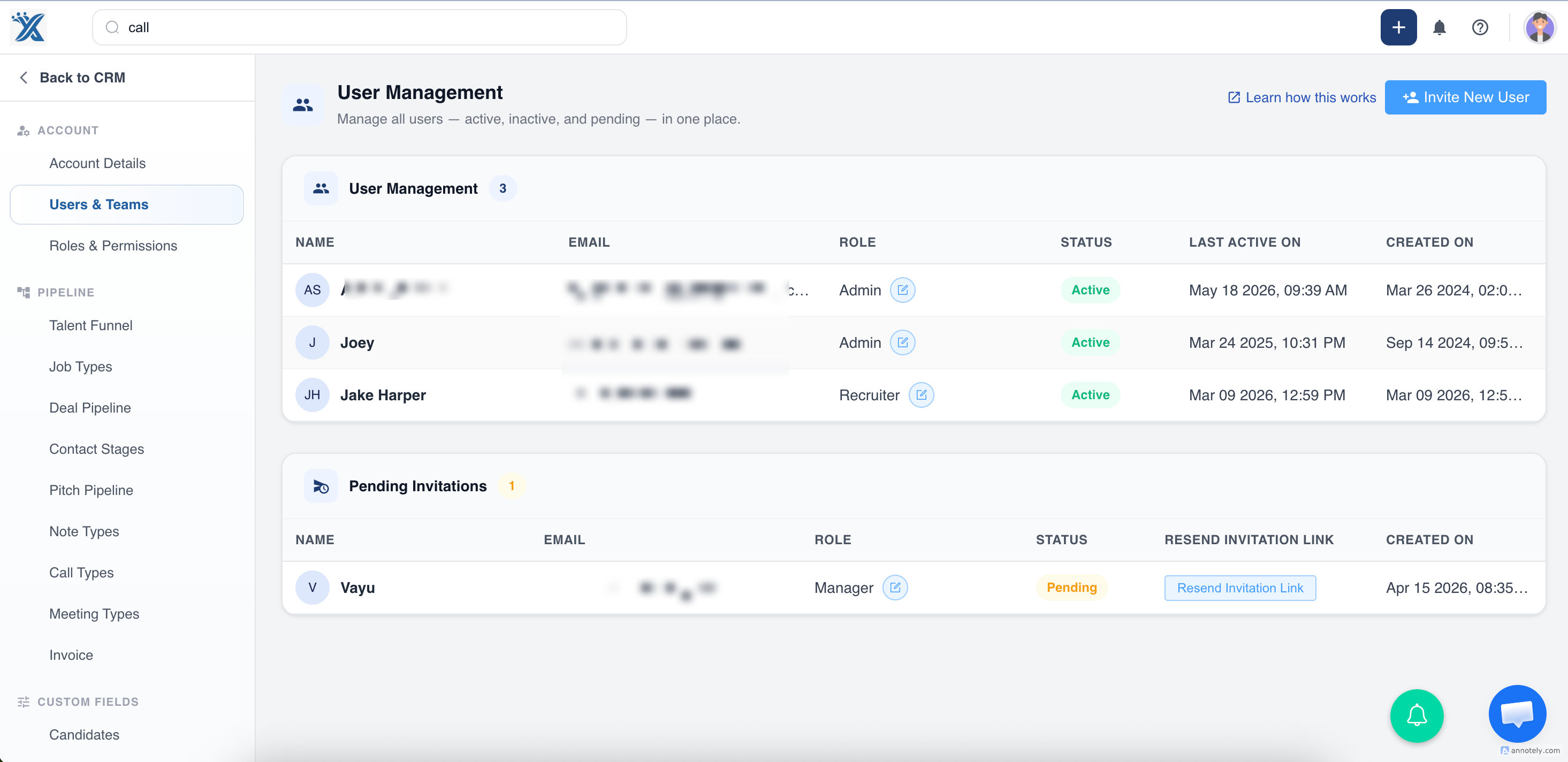
Step 3: Click the Invite new user button.
Step 4: Fill details-
- First, Last Name
- Enter the email address of the teammate you want to invite.
- Assign roles based on their responsibilities (e.g., Admin, Manager, Recruiter,Consultant).
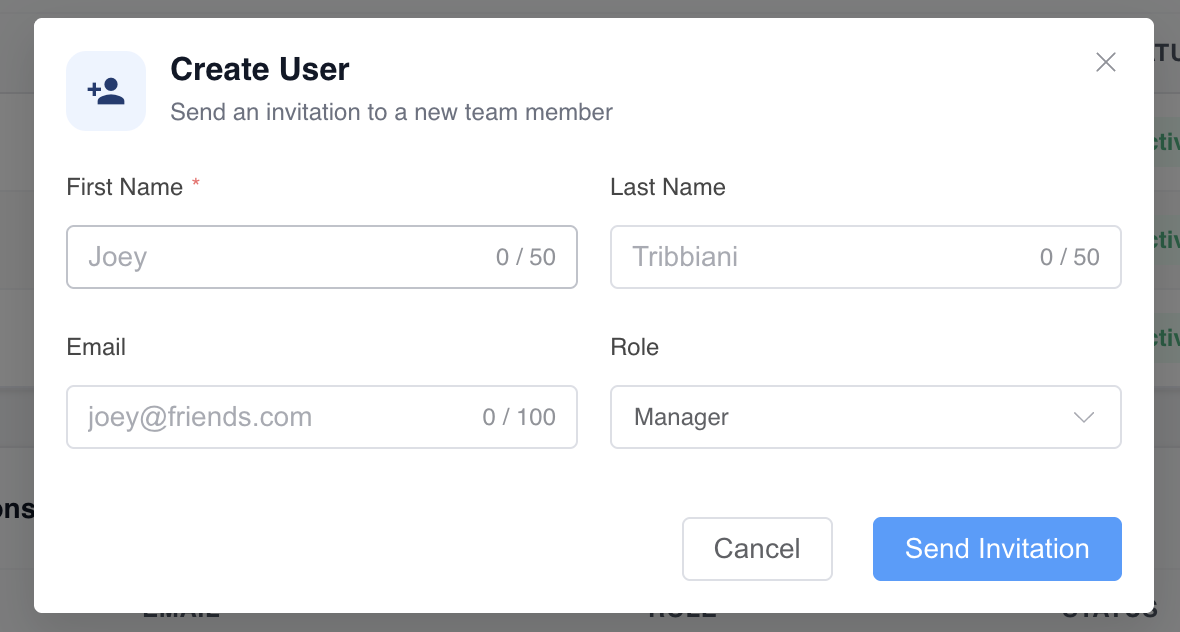
Step 6: Click Send Invitation.
Your teammates will receive an email invitation with a link to join your ATZ CRM account.
What are the different user roles in ATZ CRM?
Section titled “What are the different user roles in ATZ CRM?”The “Role” defines the actions a user can perform and the information they can access. You can also create custom Roles & Permission.
- Ad min
- Consultant
- Manager
- Recruiter
Inviting teammates ensures better collaboration and efficient use of CRM features across your team.
Start building your team by inviting your teammates to ATZ CRM today!