
Account Snapshot Report
In ATZ CRM, the Account Snapshot Report is divided into four sections, offering a concise snapshot of candidates, jobs and deals across various stages.
This report visually illustrates the candidate, job and deal pipelines.
Accessing the Account Summary Report
Section titled “Accessing the Account Summary Report”To view the report:
- Navigate to the Reports section.
- Select the Account Snapshot Report.
Report Segments
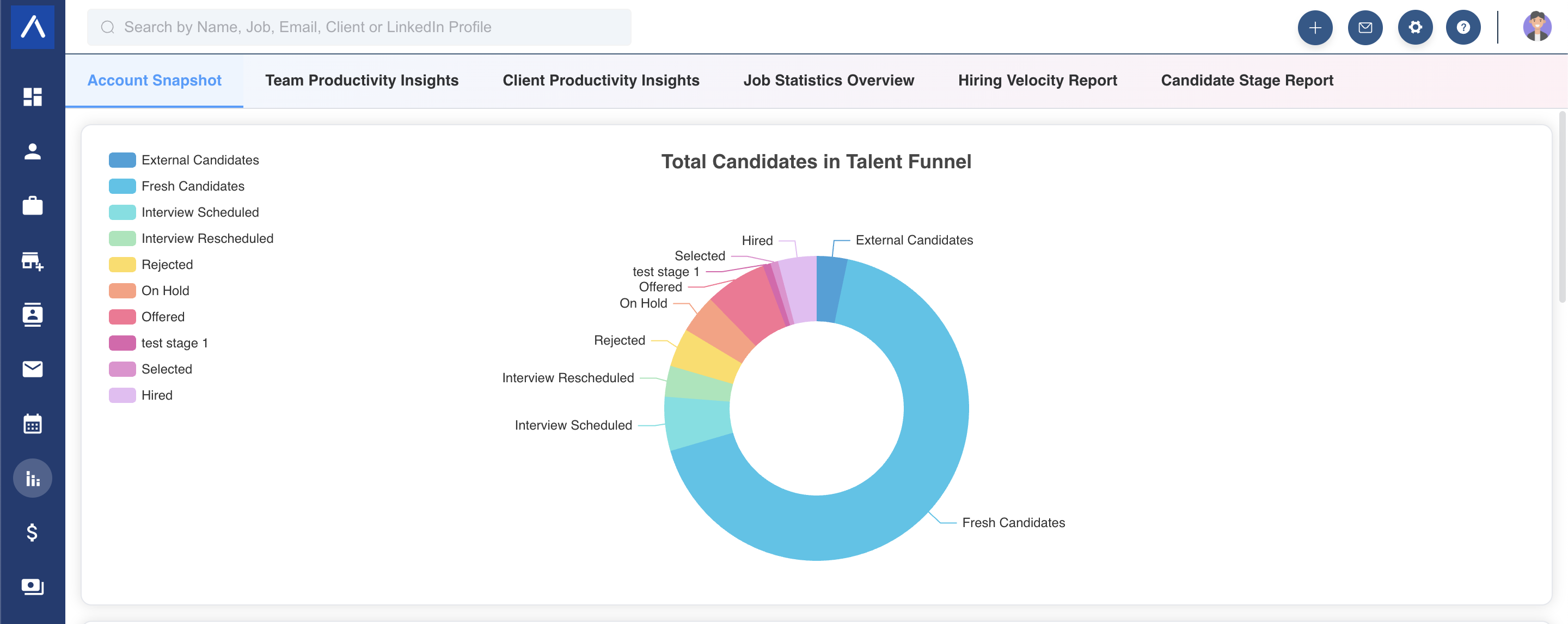
Section titled “Report Segments”- Candidate Pipeline Distribution: This chart displays the percentage breakdown of candidates across different hiring stages.
 2. Job Status Breakdown:
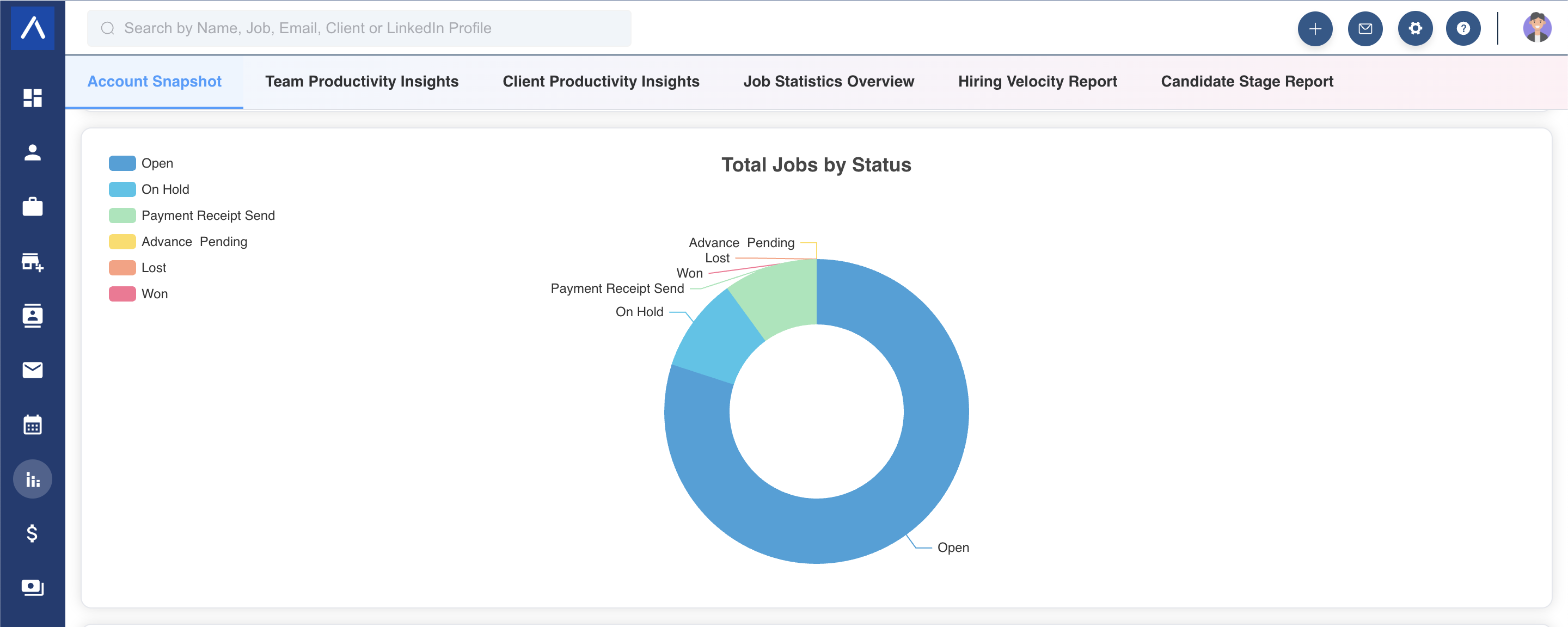
This graph shows the percentage of jobs in each status, highlighting their distribution.
2. Job Status Breakdown:
This graph shows the percentage of jobs in each status, highlighting their distribution.
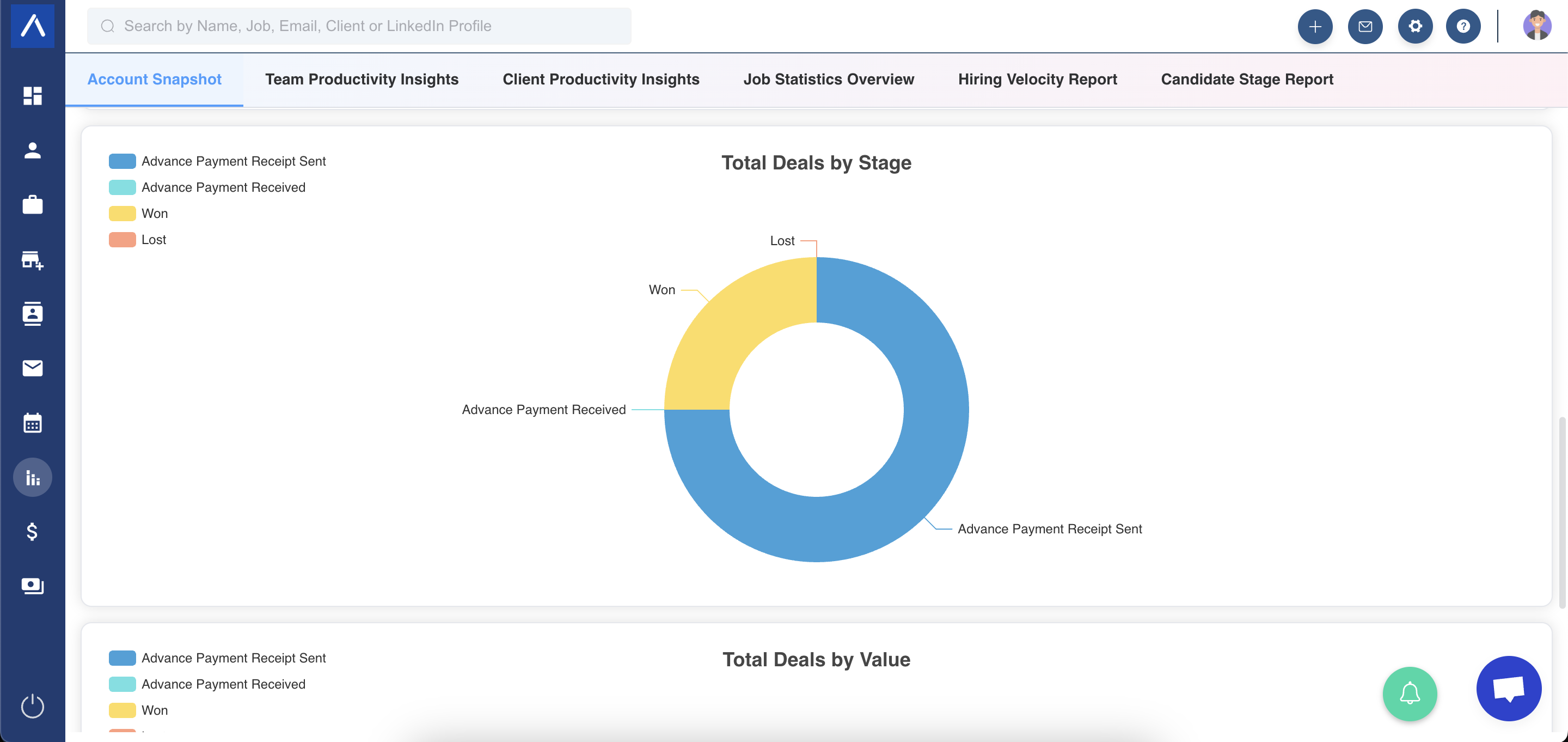
 3. Deal Volume Breakdown This graph shows the percentage of deals in each stage, highlighting their distribution.
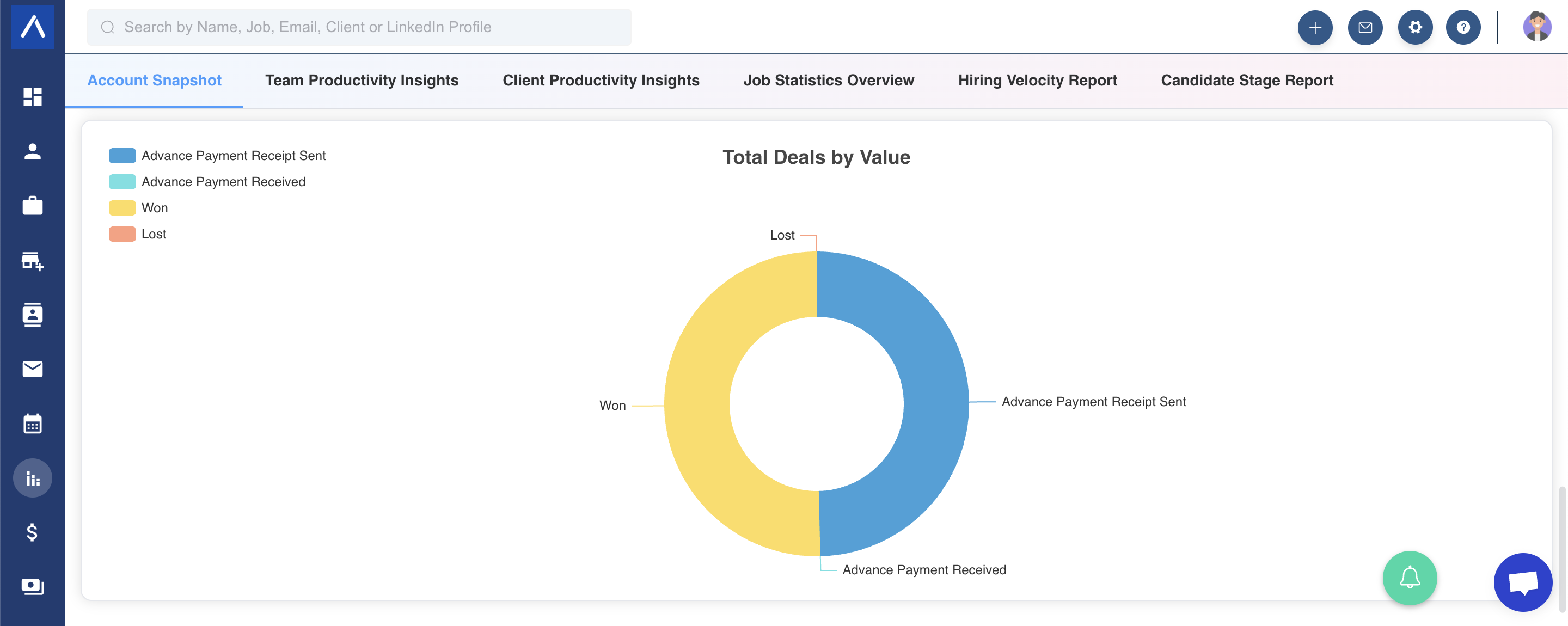
 4. Deal Value Distribution This chart illustrates the spread of deals based on their monetary value across various stages.
Exporting Graphs
Section titled “Exporting Graphs”You can export any of the generated charts by clicking the three-line icon located in the top-right corner of each graph.
We hope this guide simplifies your use of the Account Snapshot Report!?