
Bulk Emailing Candidates And Contacts
Manually sending emails to individual recipients can quickly become a tedious and time-consuming task. To help you save time, ATZ CRM offers a simple bulk email feature designed for efficiency and personalization.
Steps to Send Bulk Emails
Section titled “Steps to Send Bulk Emails”Step 1: Navigate to the Candidates or Contacts List Page
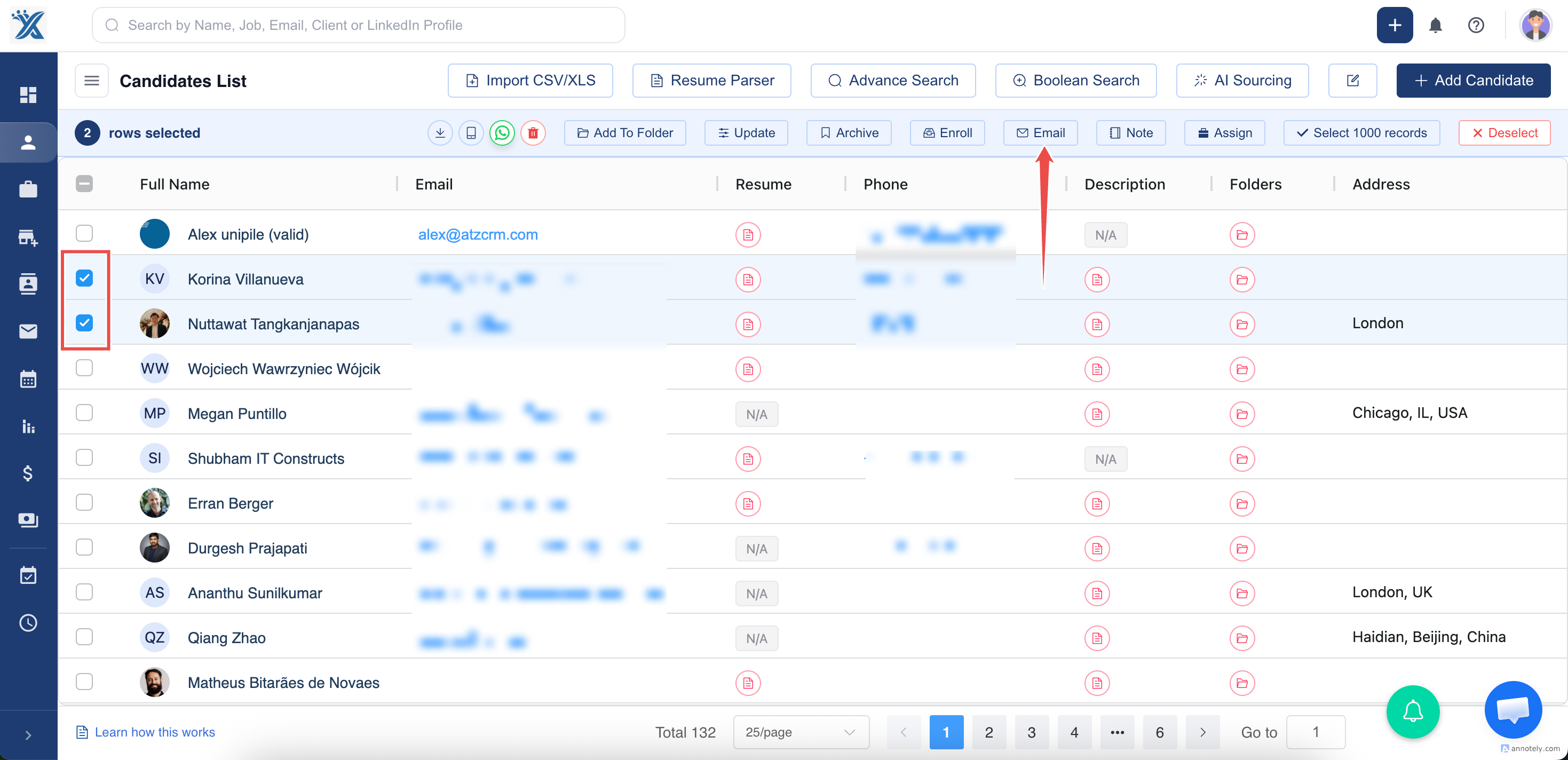
Step 2: Go to the list of candidates or contacts in your ATZ CRM dashboard.
Use the checkboxes to select the individuals you want to email. You can select multiple recipients at once.
Step 3: After selecting the desired candidates or contacts, locate and click the Email button in the header bar
Step 4: Compose Your Email
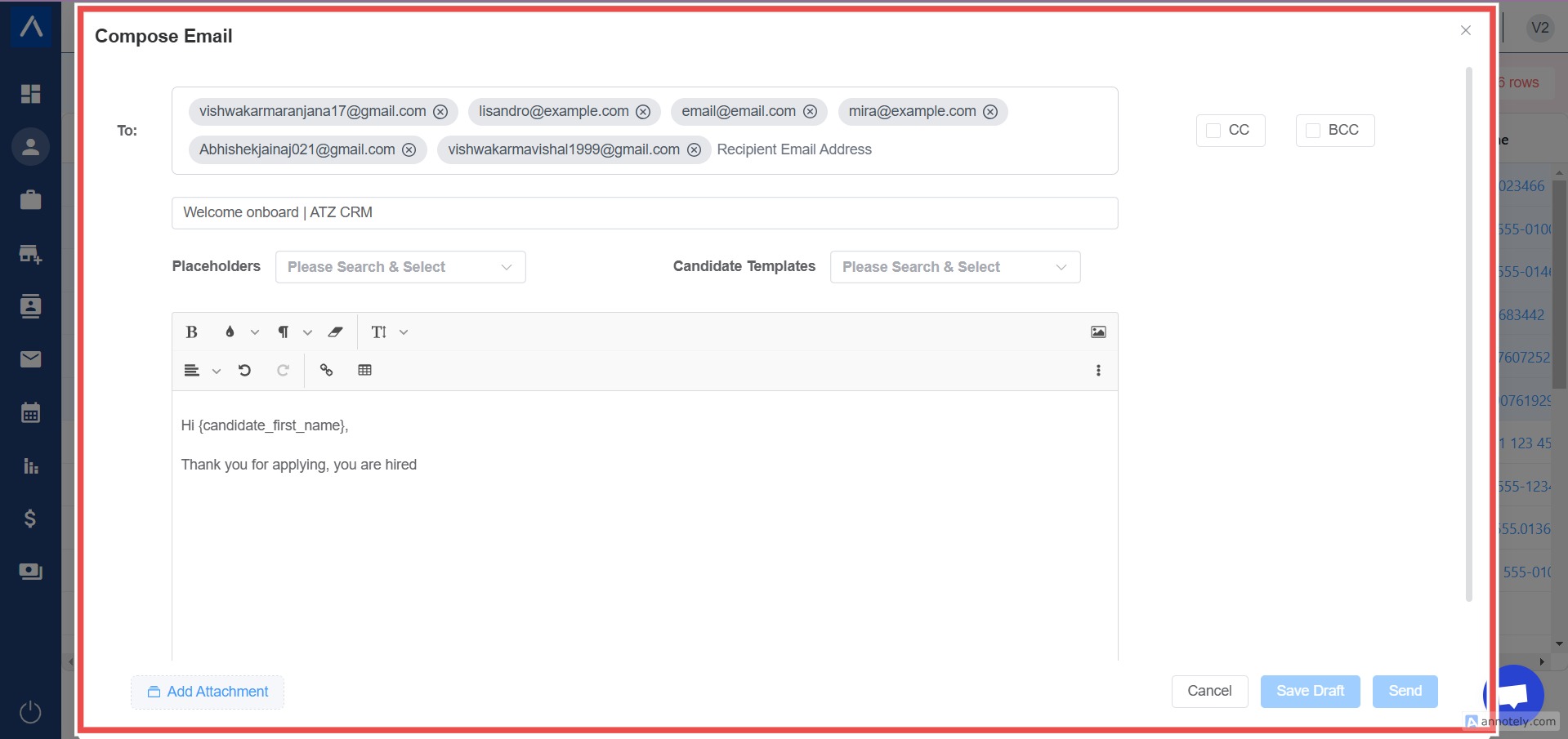
- In the email editor, write your message.
- Use email templates and placeholders (e.g., {FirstName} ) to automatically personalize the email for each recipient.
- Add any necessary attachments.
Step 5: Click on Send
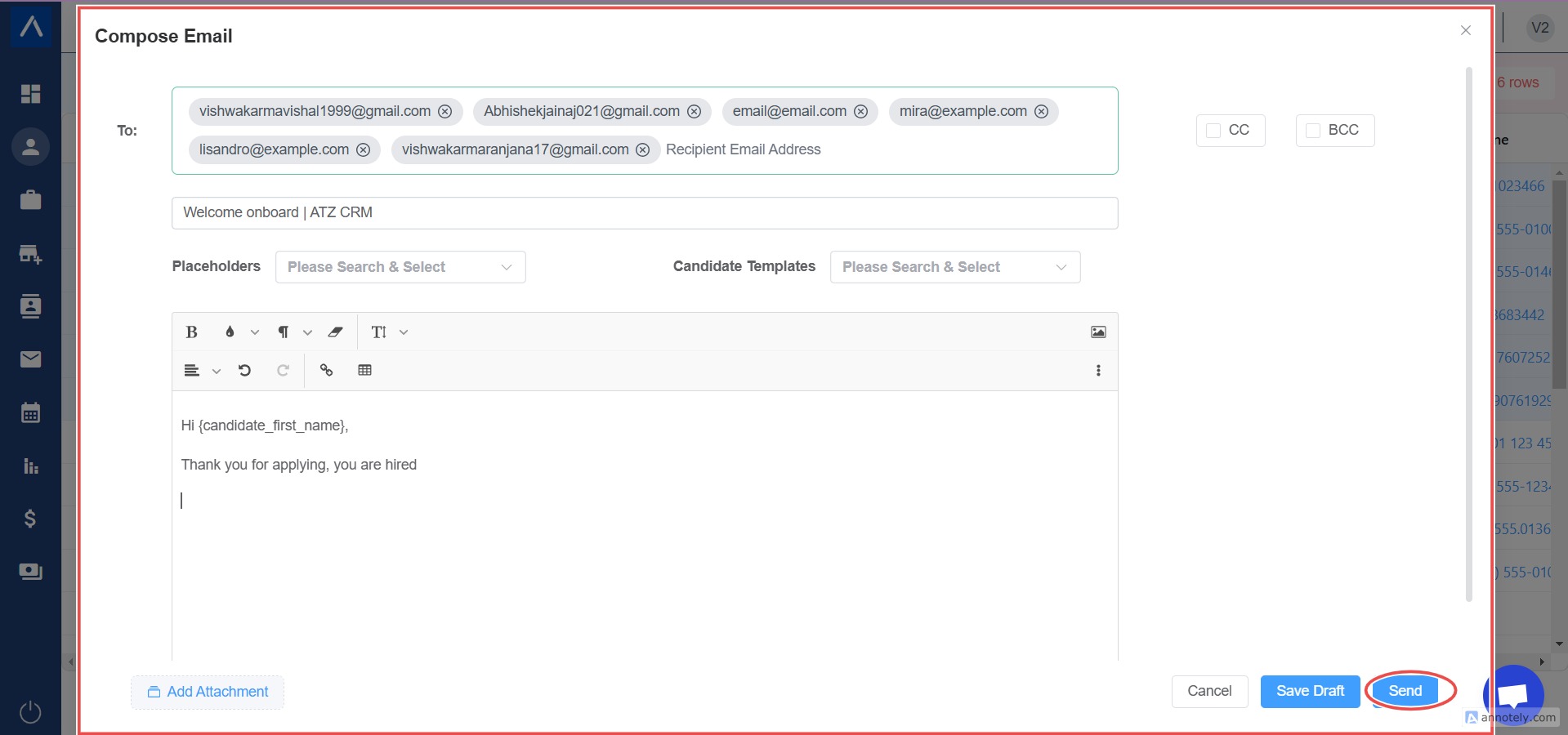
By following these steps, you can efficiently send bulk emails using ATZ CRM while maintaining a personalized and professional touch
Hope This Helps!