
How to Manage Candidate Pipeline in the Client Portal
The Candidate Pipeline in the Client Portal allows you to view and manage candidates submitted for your active jobs. You can track their progress, update stages, and add remarks for better collaboration with your recruiter.
Note: The Client Portal is an add-on feature of ATZ CRM, available separately from the standard ATZ CRM subscription. For details on accessing this feature or pricing, contact our support team via the in-app chat or email us at support@atzcrm.com.
Accessing the Candidate Pipeline
Section titled “Accessing the Candidate Pipeline”-
Login to the Client Portal.
Section titled “Login to the Client Portal.” - Navigate to the Job List page.
- Make sure you are on the Active Jobs tab. NOTE: candidate pipeline will only be visible for active jobs
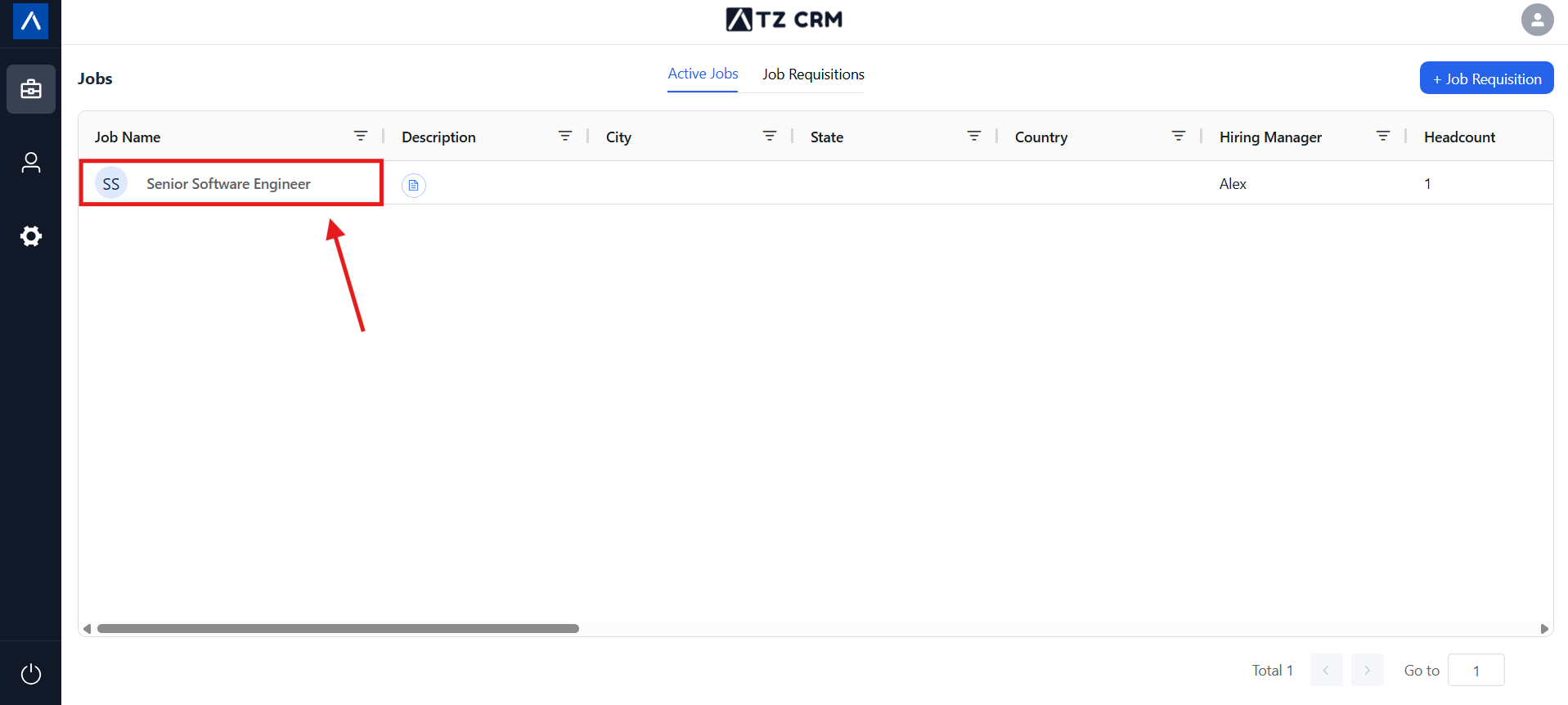
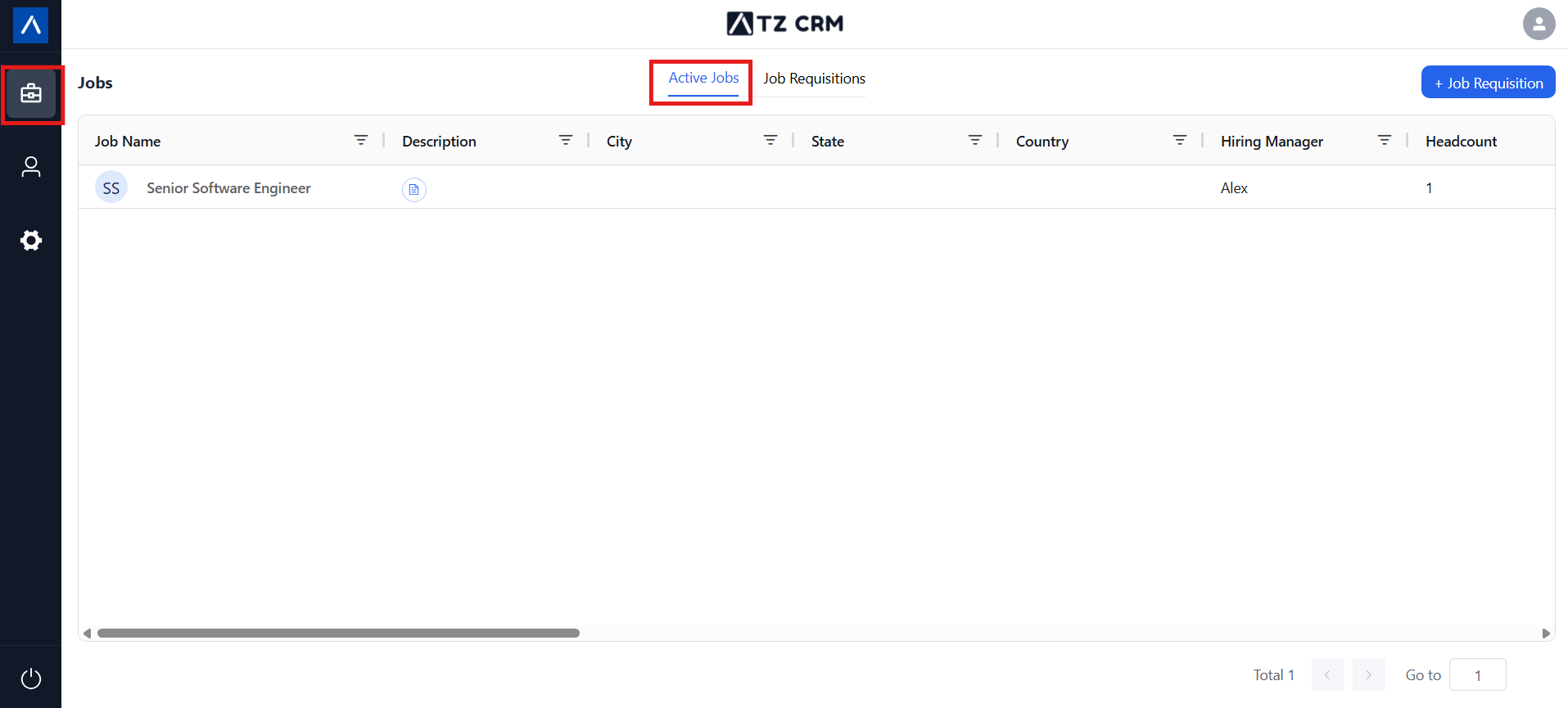 3. Choose a Job.
- Click on any active job to open its details.
Candidate Pipeline Views
Section titled “Candidate Pipeline Views”-
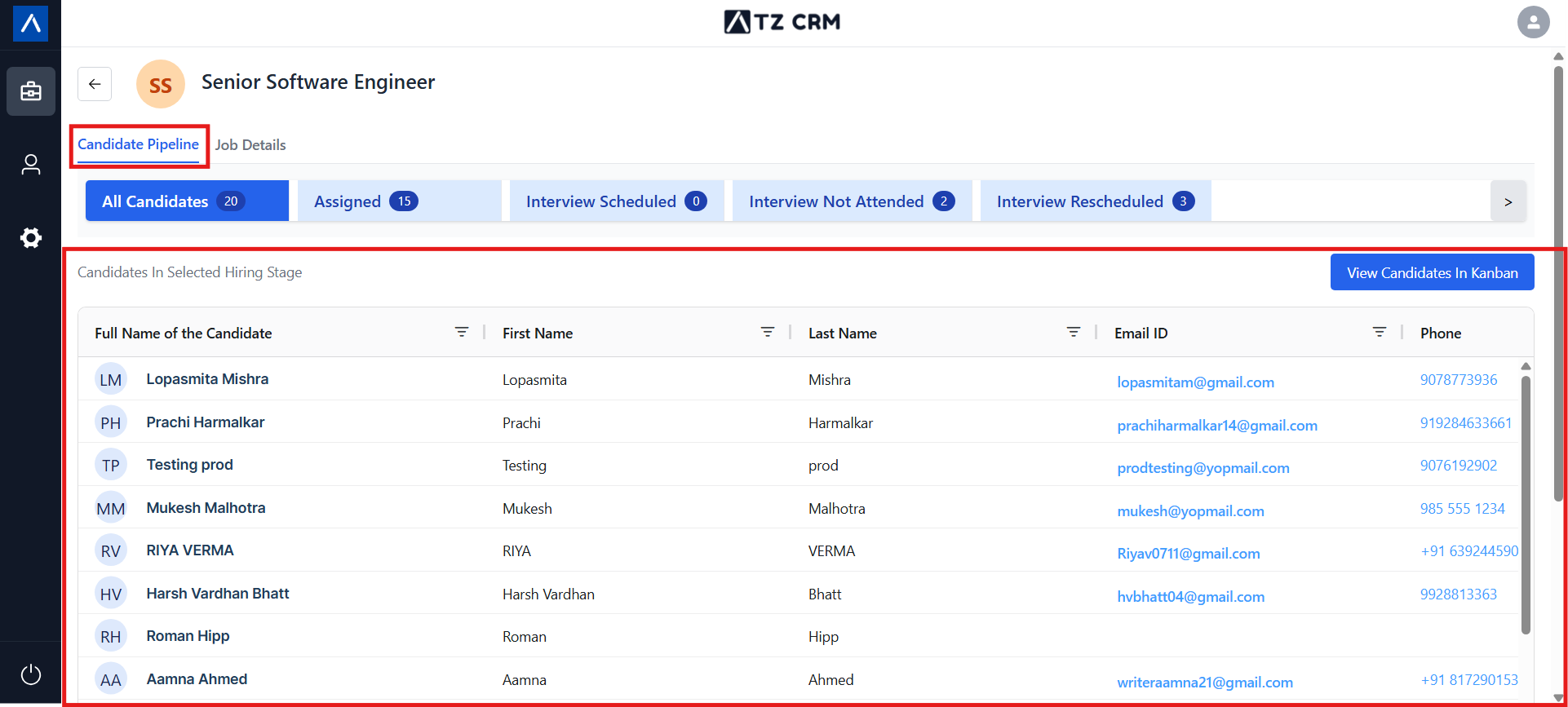
List View
Section titled “List View”
- Displays all candidates in a simple table format with their details.
 2. Kanban View
- Visualize the pipeline in stages.
- Drag and drop candidates between stages for quick updates.
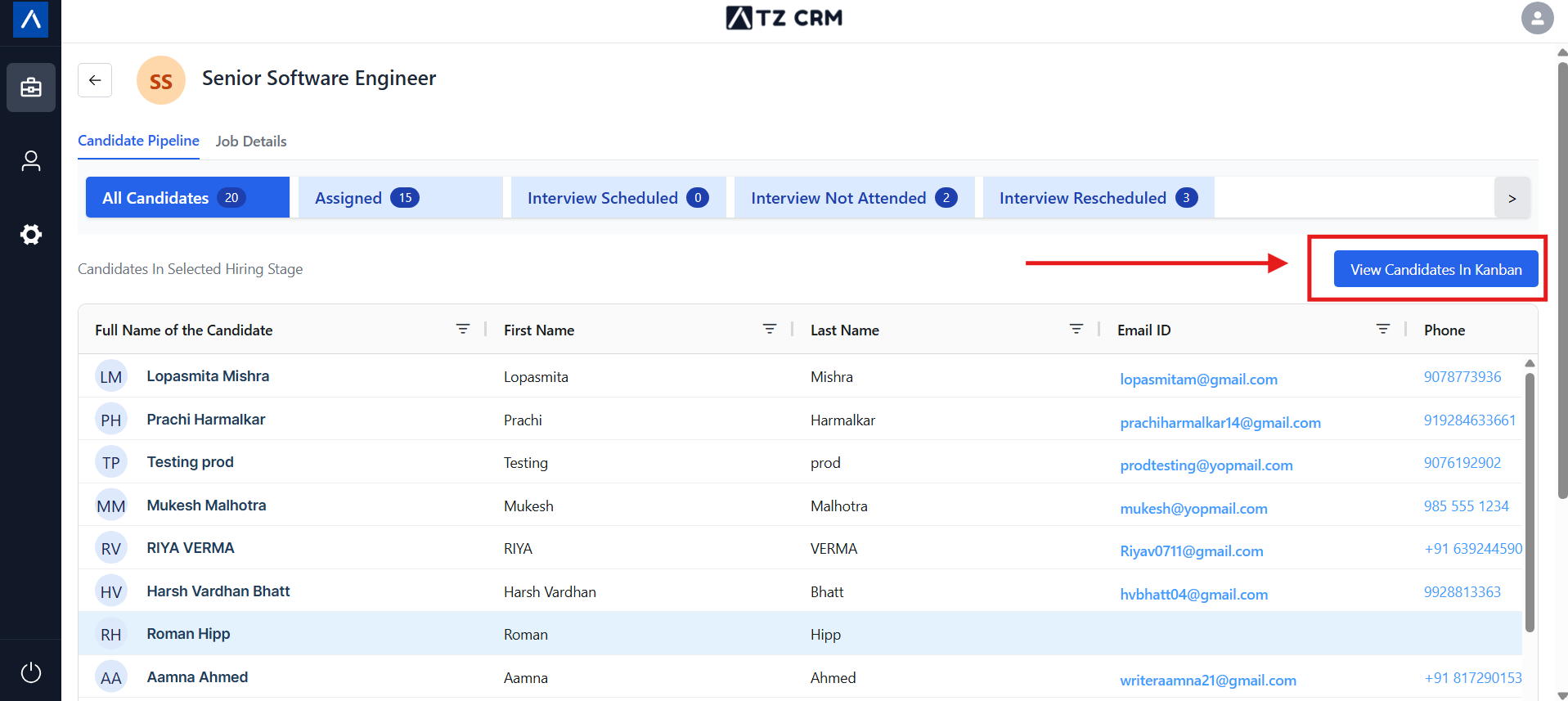
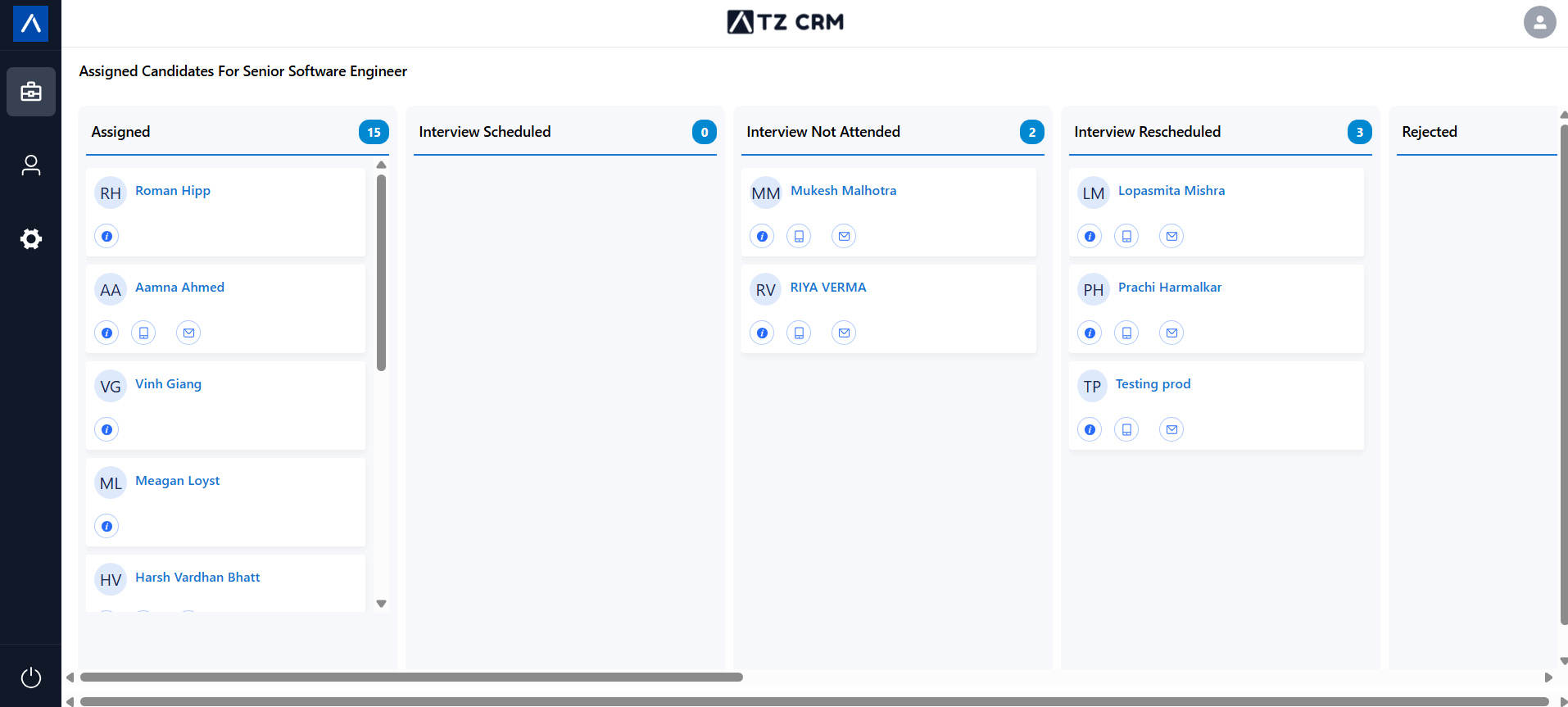
- Note: You can only move candidates to the stages allowed by the ATZ CRM recruiter.
Managing Candidates
Section titled “Managing Candidates”Add Remarks
Section titled “Add Remarks”- You can leave comments/remarks on individual candidates while changing stage.
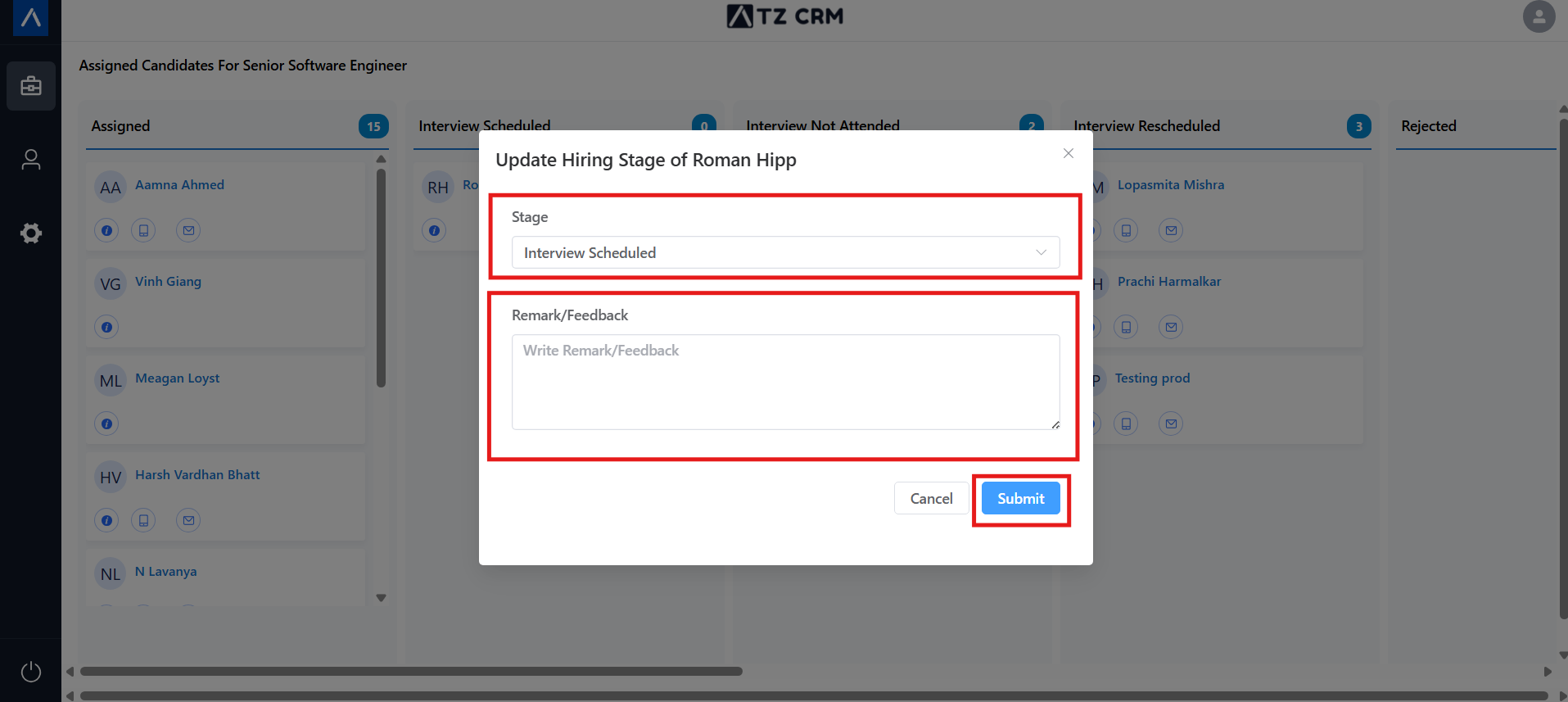
- Change Stages
- Update the candidate’s status by Drag and drop (e.g., move from “Interview Scheduled” to “Offer Sent”).
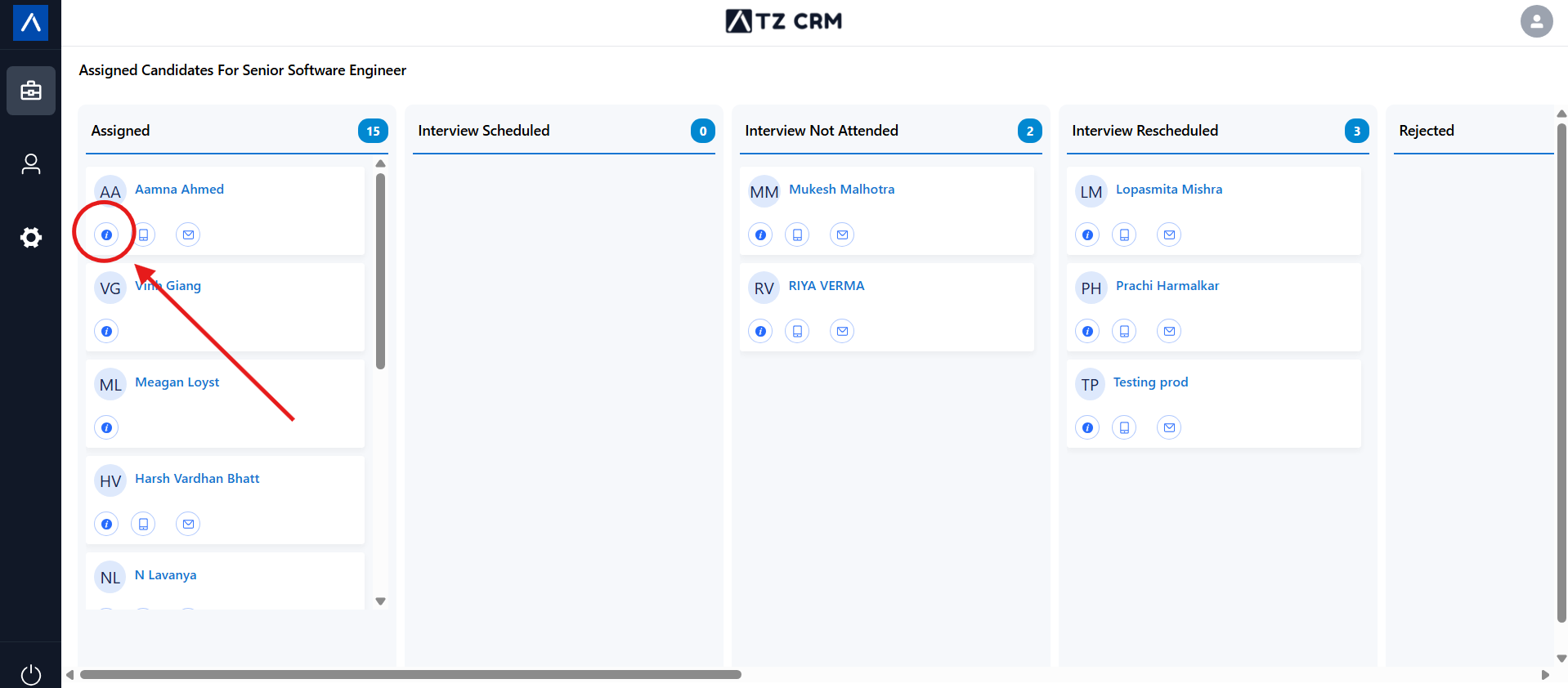
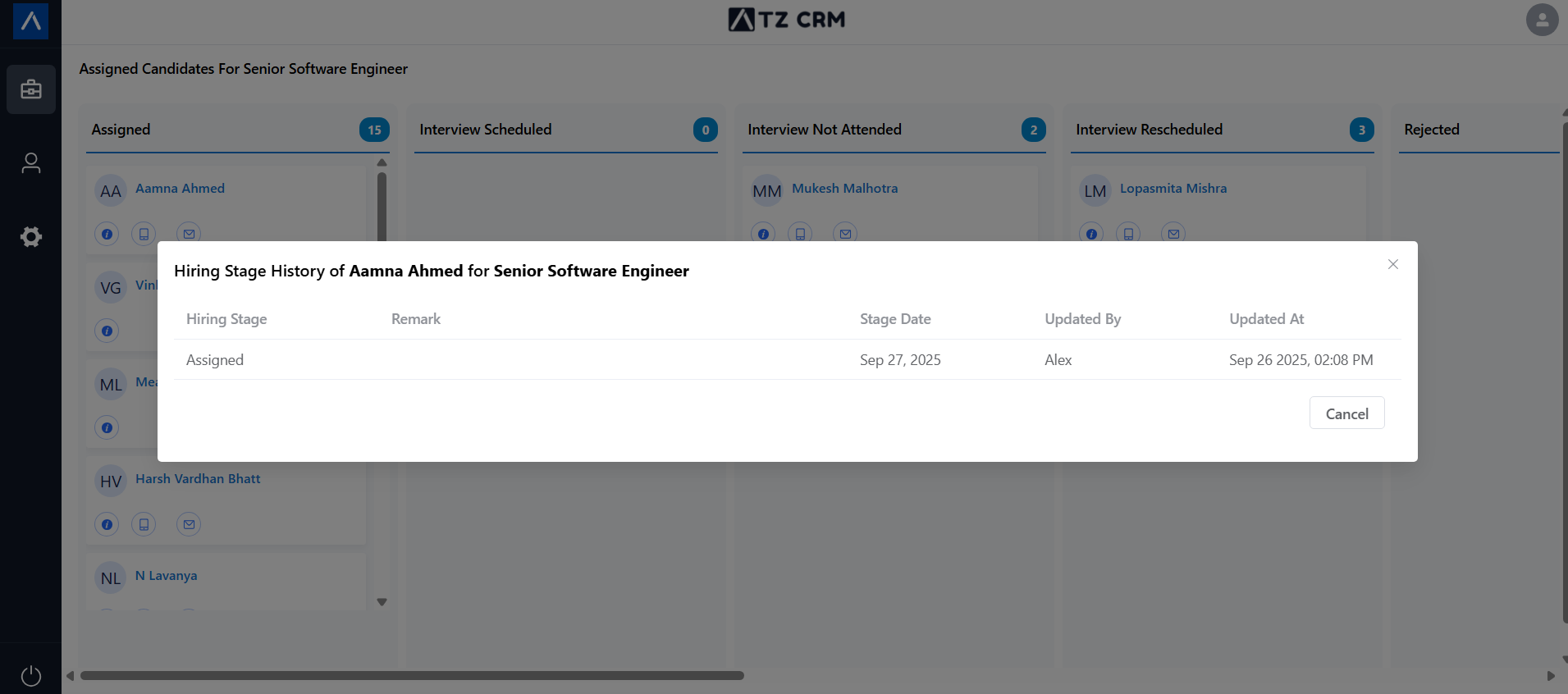
- View All remarks
- View All remarks
Notes & Tips
Section titled “Notes & Tips”- Both views (List and Kanban) are synced, so updates in one will reflect in the other.
- Remarks help recruiters understand your feedback and make decisions faster.
- Use the Kanban view for a big-picture overview of the hiring pipeline.
✨ That’s how you can manage the candidate pipeline easily from the Client Portal.