
How to Edit, Rename, or Delete Your Folders in ATZ CRM
Folders in ATZ CRM provide a streamlined way to manage candidates Here’s a step-by-step guide to help you edit, rename, or delete your Folders (Focus Groups)
Accessing the Folder Options
Section titled “Accessing the Folder Options”Step 1: Navigate to the Job section in ATZ CRM.
Section titled “Step 1: Navigate to the Job section in ATZ CRM.”Step 2: Locate the “hamburger” menu on the top left
Section titled “Step 2: Locate the “hamburger” menu on the top left”Editing or Renaming a Folder
Step 3: Click on the “View/Add Folder” button from the menu.
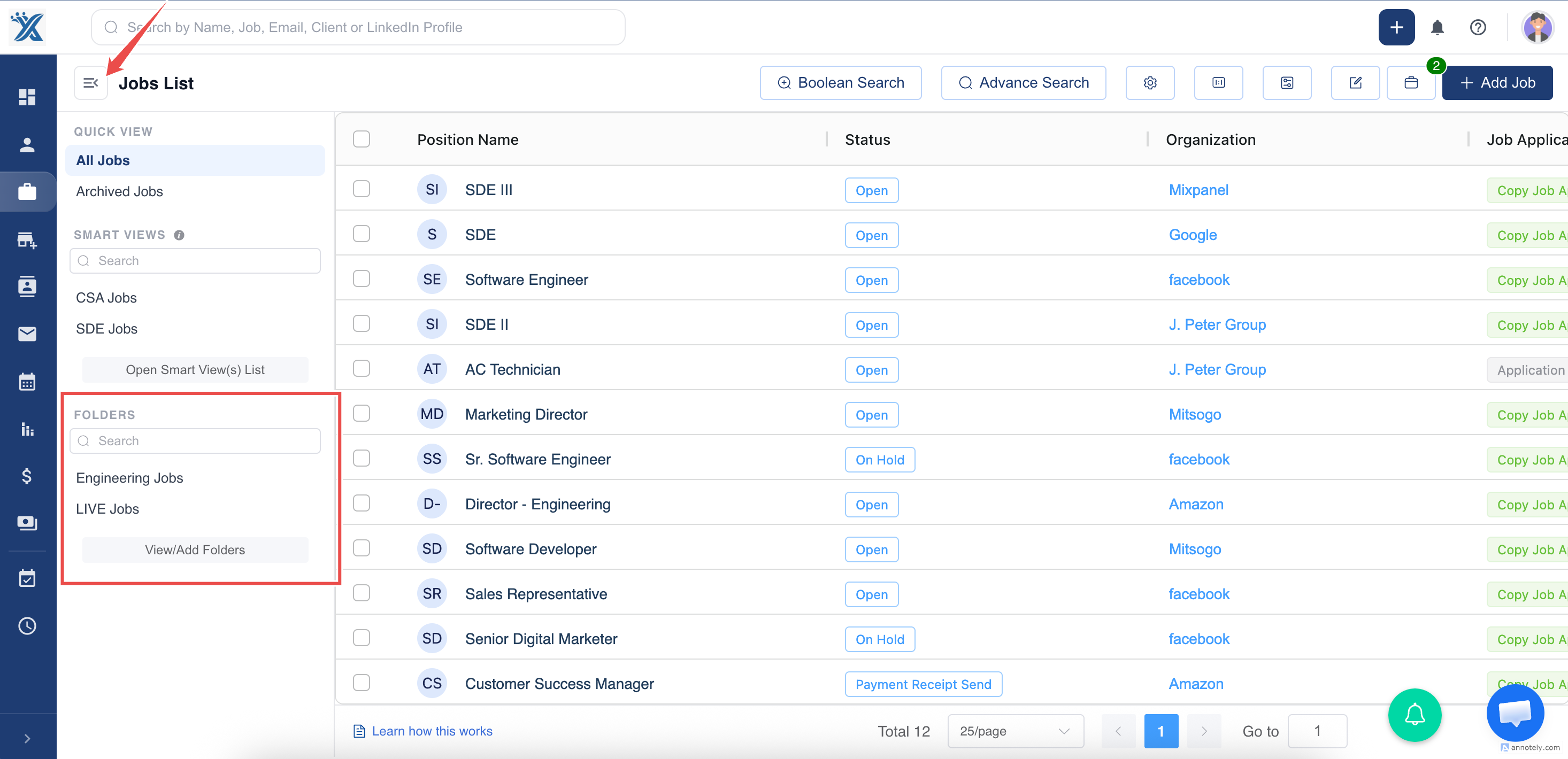
Step 4: You can now update or delete the Folders
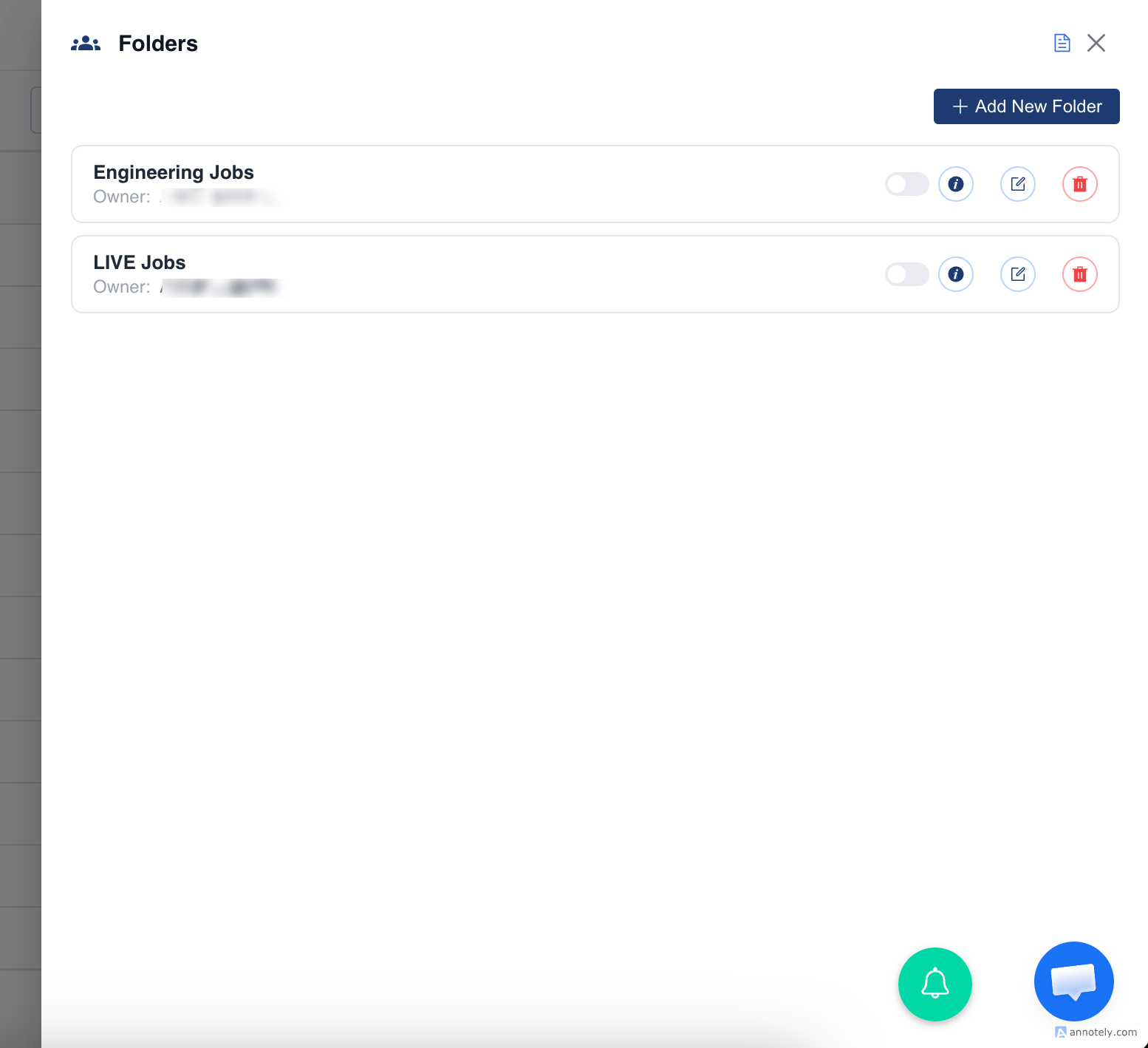
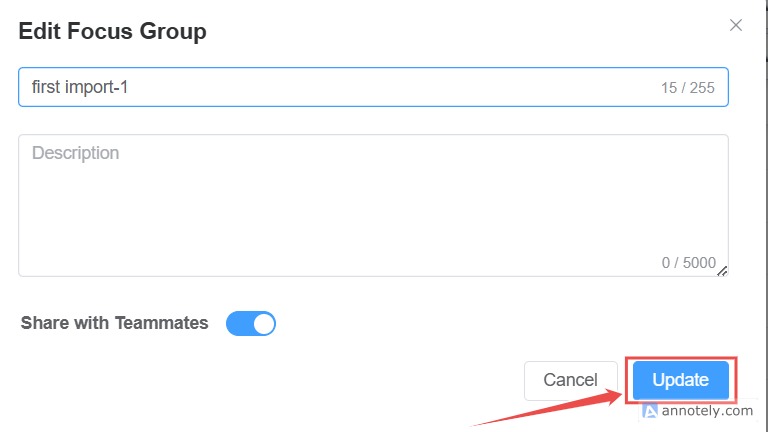
Deleting a Folders
Choose the Delete option from the menu.
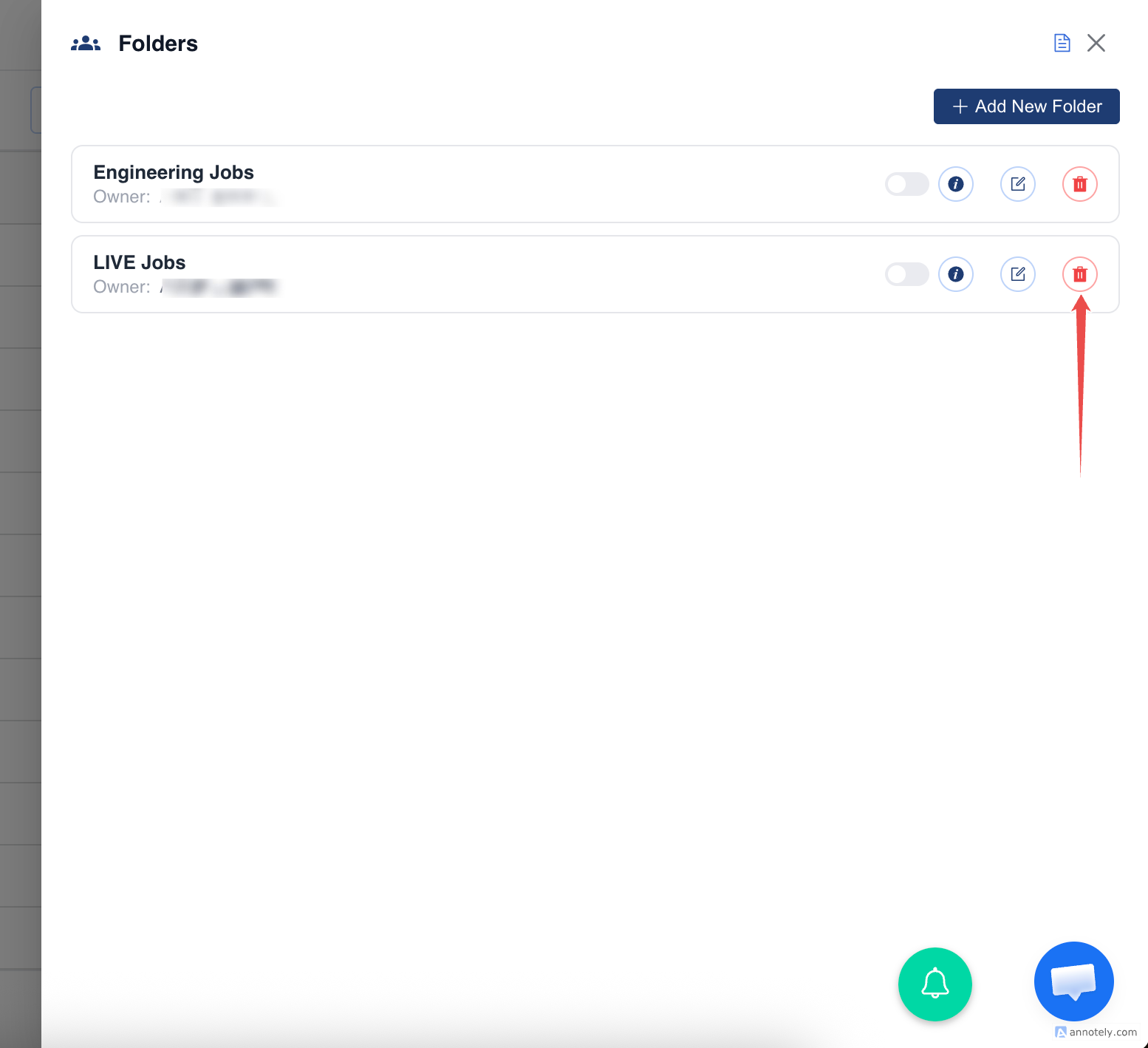
Confirm the deletion when prompted. Be cautious as this action is irreversible.
Adding a New Folder
Section titled “Adding a New Folder”> Use the Add button available in the Folder section.
Section titled “> Use the Add button available in the Folder section.”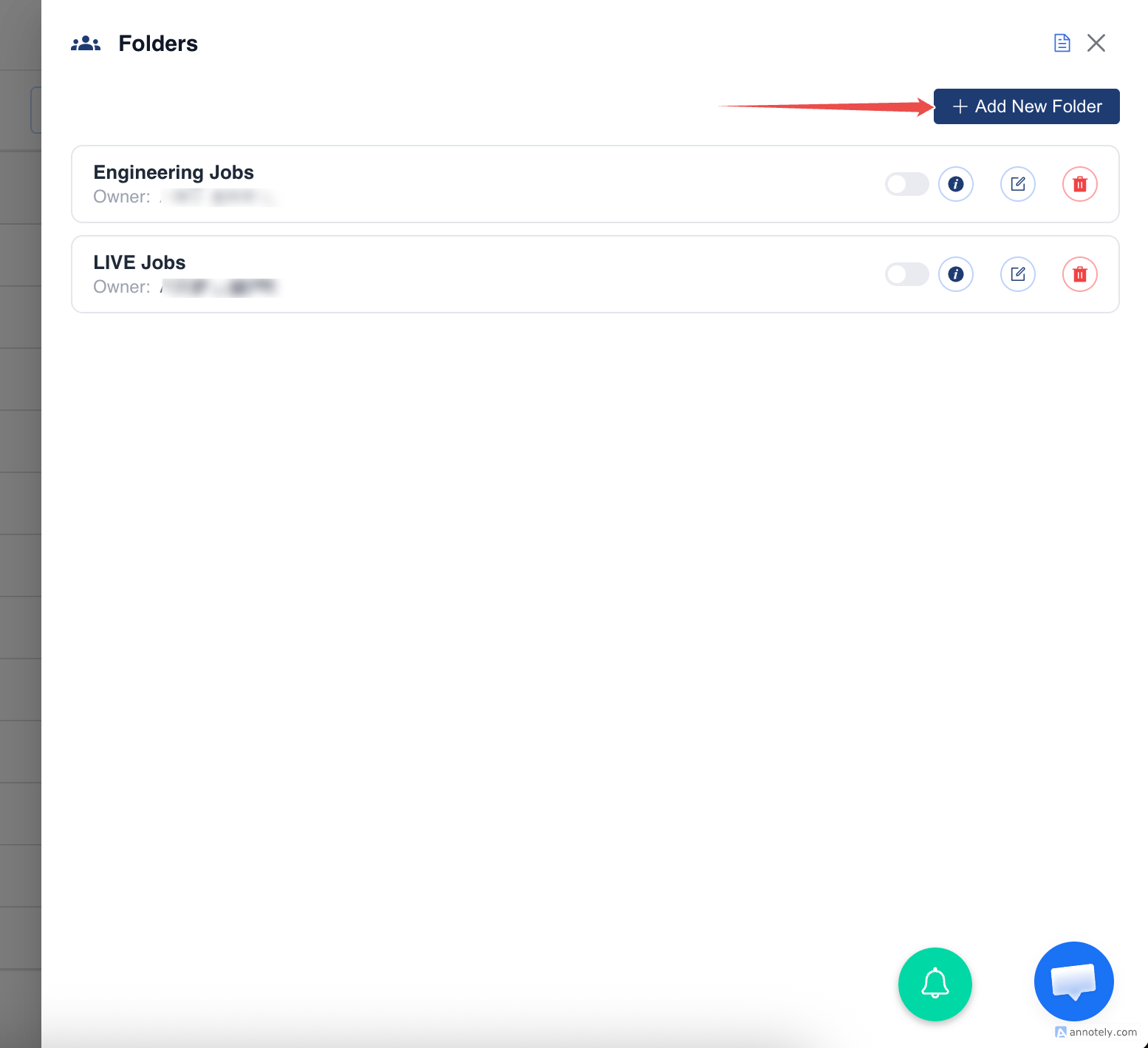
Enter the required details for the new Folder.
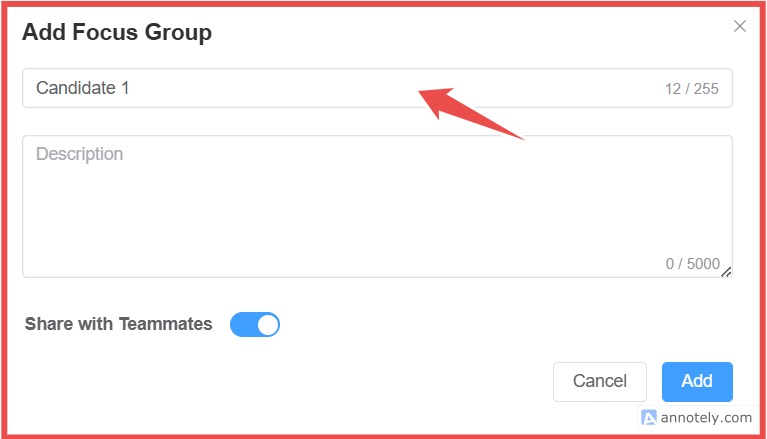
Click Add to create the Folder
For further assistance, reach out to the ATZ CRM support team.