
How to Edit or Delete Candidate Screening Questions in ATZ CRM
Managing candidate screening questions in ATZ CRM is simple. Just like adding new questions, you can edit or delete existing ones directly from the Candidate Questions section. Follow the steps below to modify or remove questions as needed.
Editing a Candidate Screening Question
Section titled “Editing a Candidate Screening Question”If you need to update an existing screening question, you can do so in a few easy steps:
- Log in to your ATZ CRM account.
- Navigate to Settings
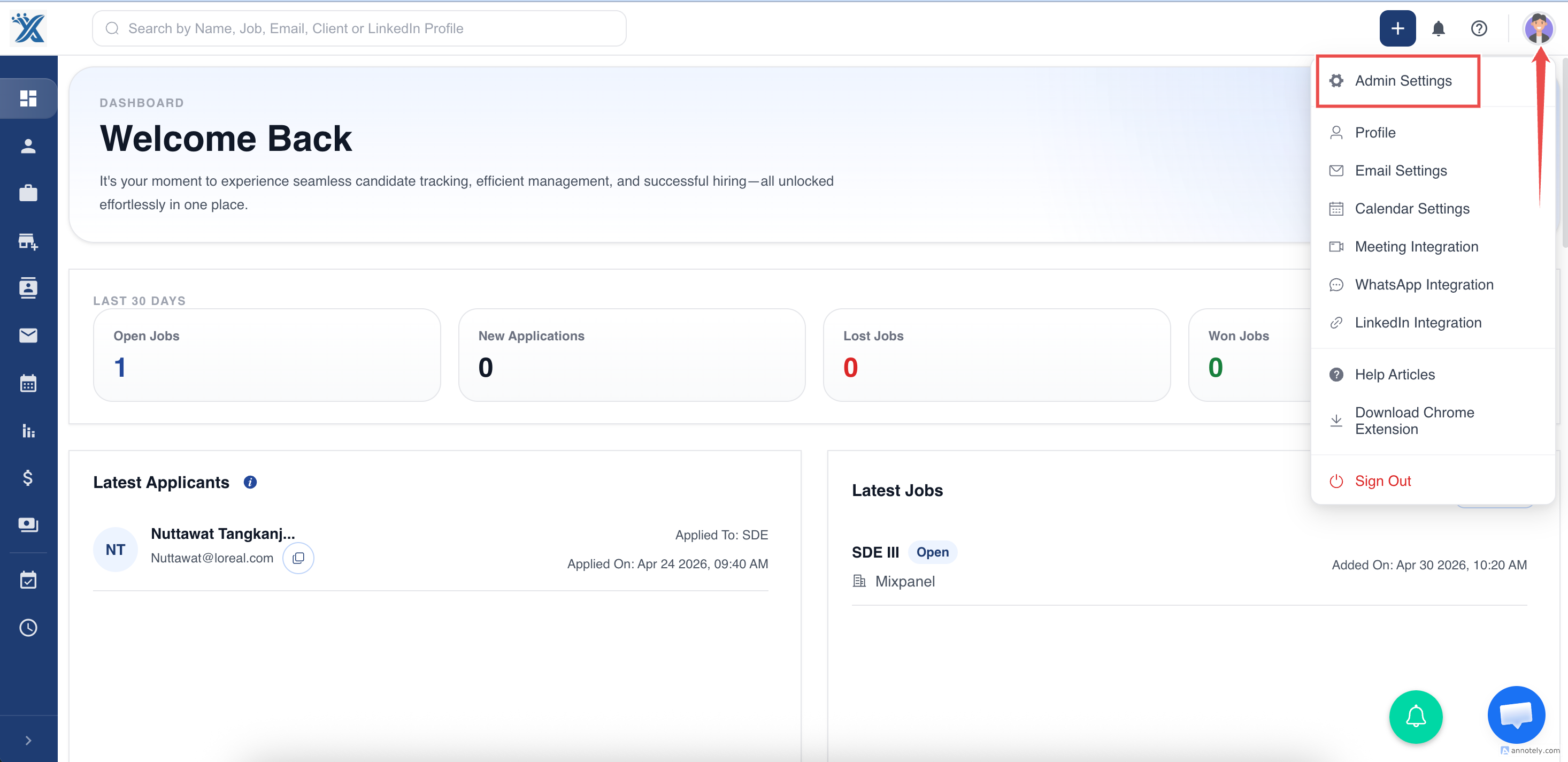
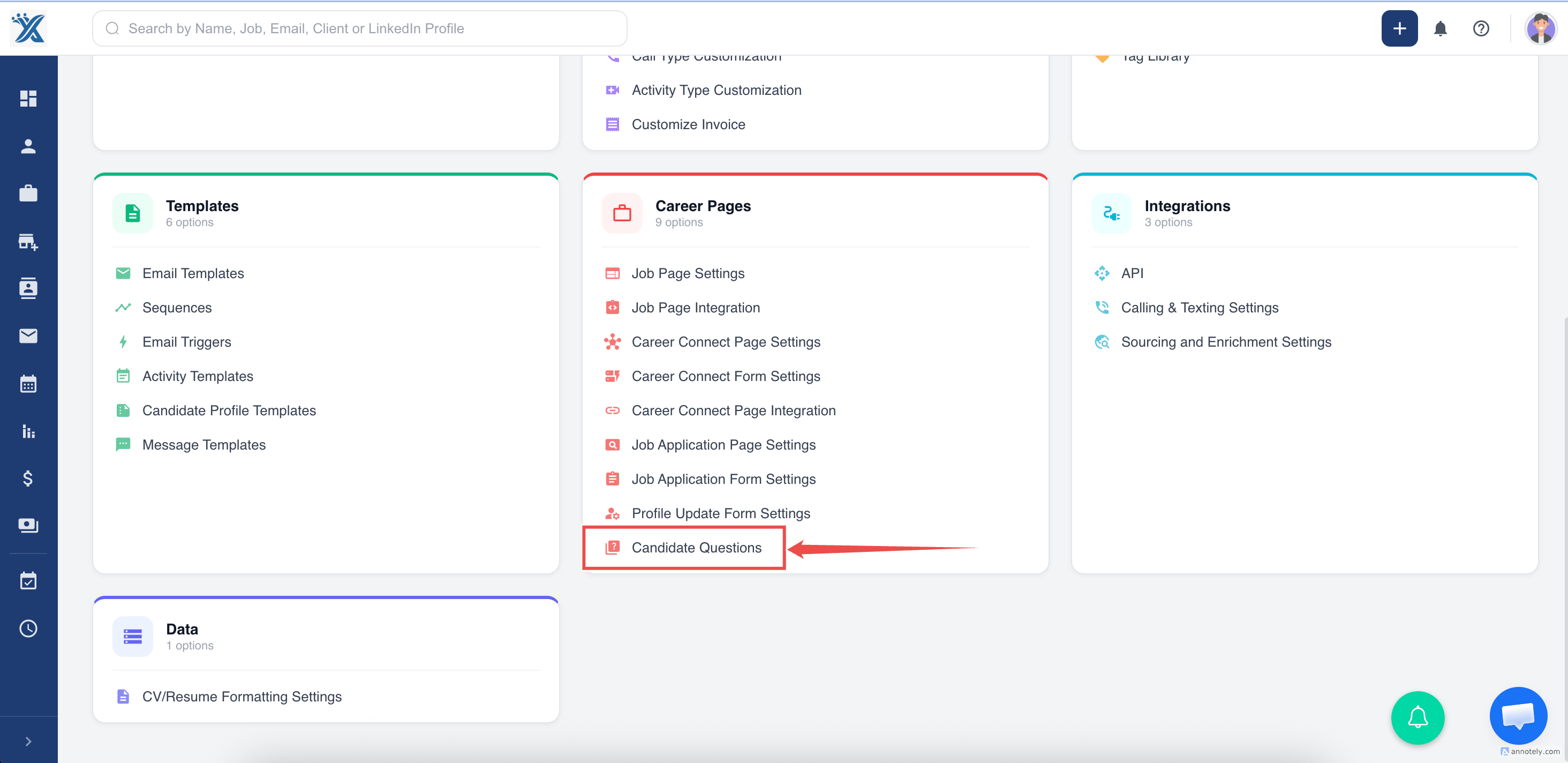
- Locate the Candidate Questions section.
- Find the question you want to edit and click the Edit button.
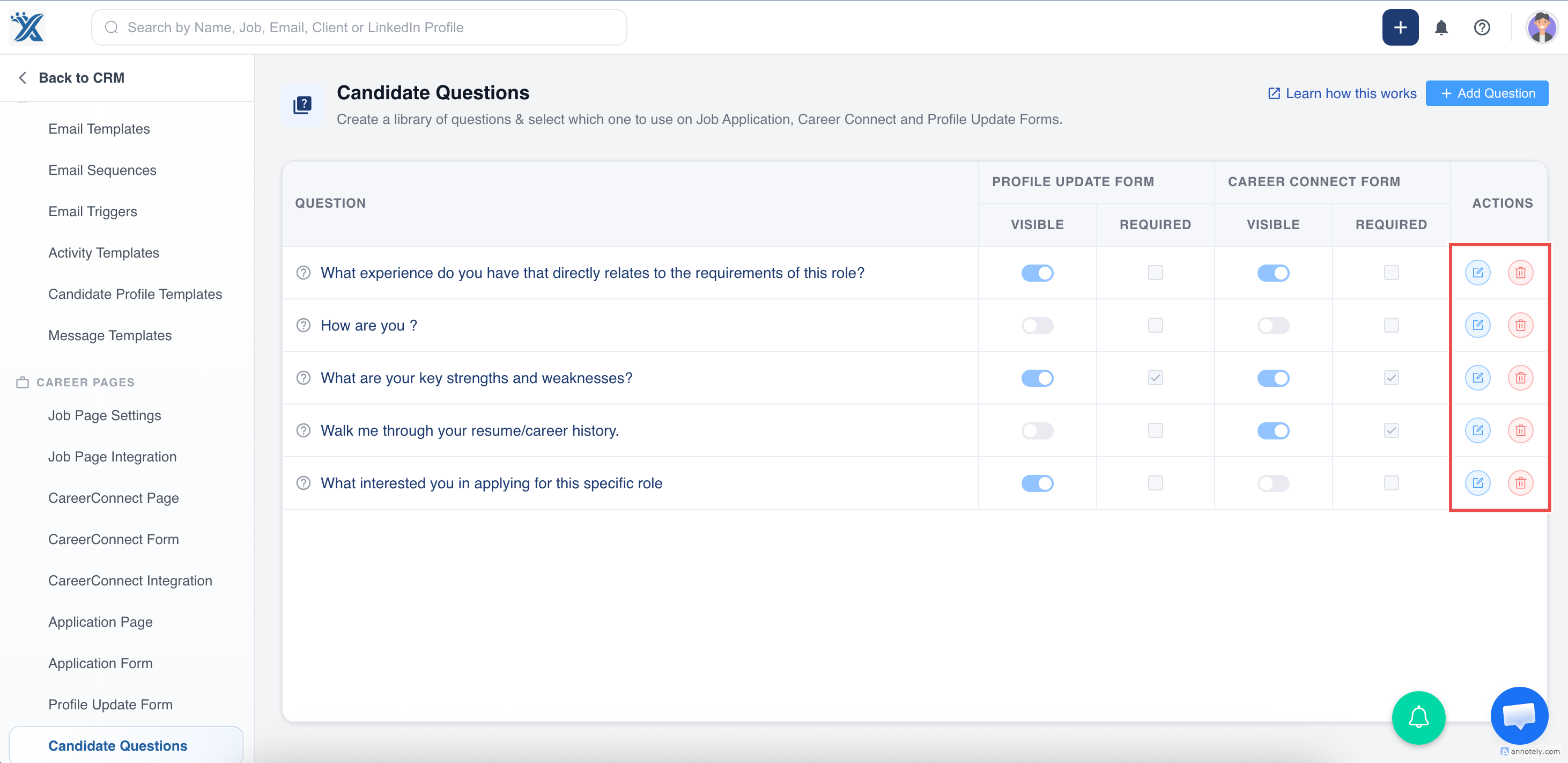
- Modify the question as needed.
- Click Save to apply the changes.
Deleting a Candidate Screening Question
Section titled “Deleting a Candidate Screening Question”If a question is no longer needed, you can delete it permanently.
-
Log in to your ATZ CRM account.
-
Navigate to Settings.
-
Locate the Candidate Questions section.
-
Find the question you want to remove and click the Delete button.
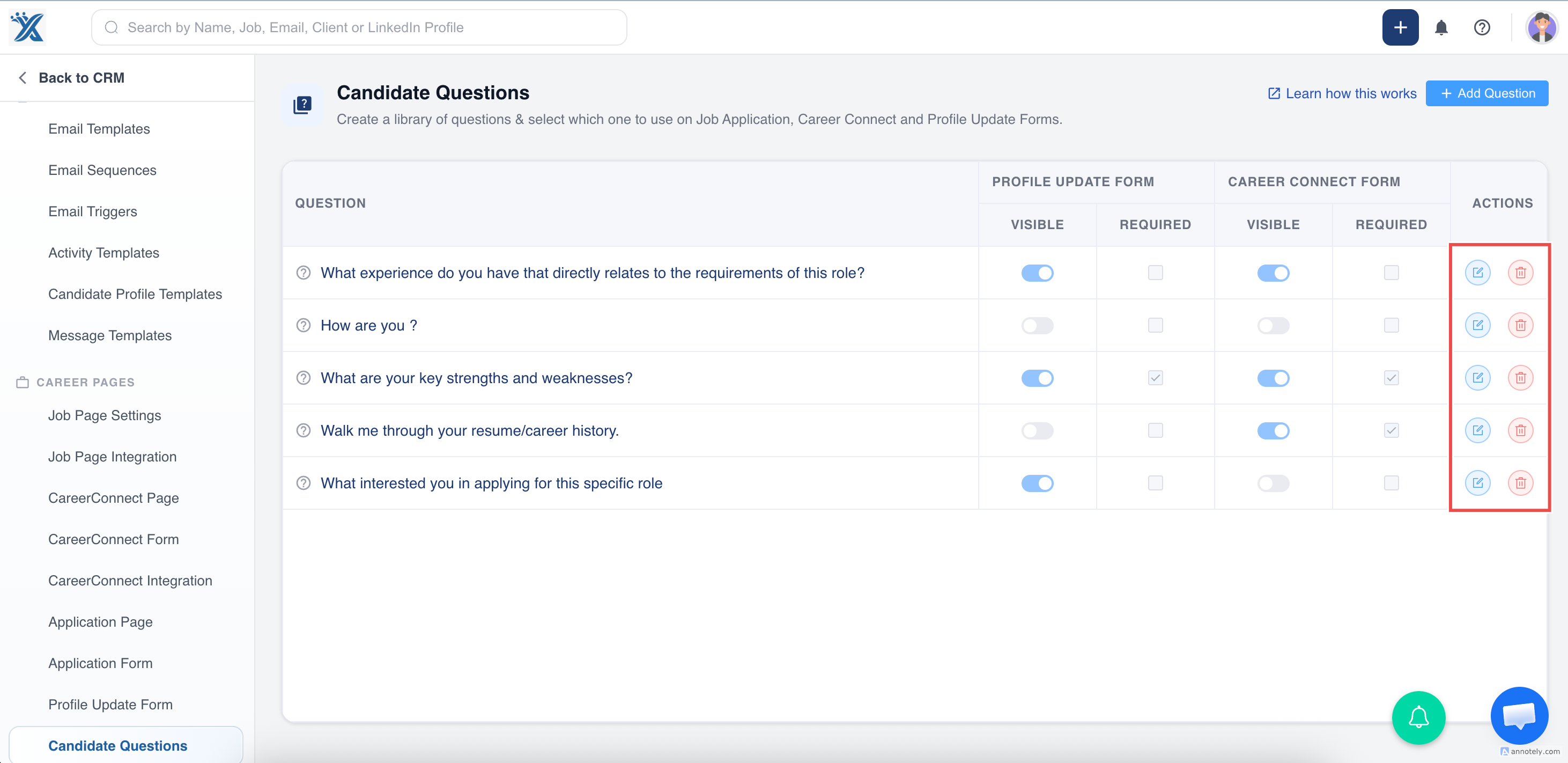
- Confirm the deletion when prompted. Once deleted, the question cannot be recovered.
Things to Keep in Mind
Section titled “Things to Keep in Mind”- Editing a question will update it for all new applicants, but previous responses will remain unchanged.
- Deleting a question removes it permanently, along with any responses tied to it.
- Ensure that no essential data is lost before making changes.
By following these simple steps, you can keep your candidate screening questions up to date, ensuring a smooth hiring process. For further assistance, feel free to reach out!
Hope this helps:)