
How to Create Email Templates in ATZ CRM
ATZ CRM allows you to create and manage email templates to streamline your communication processes. Follow these steps to create an email template in ATZ CRM:
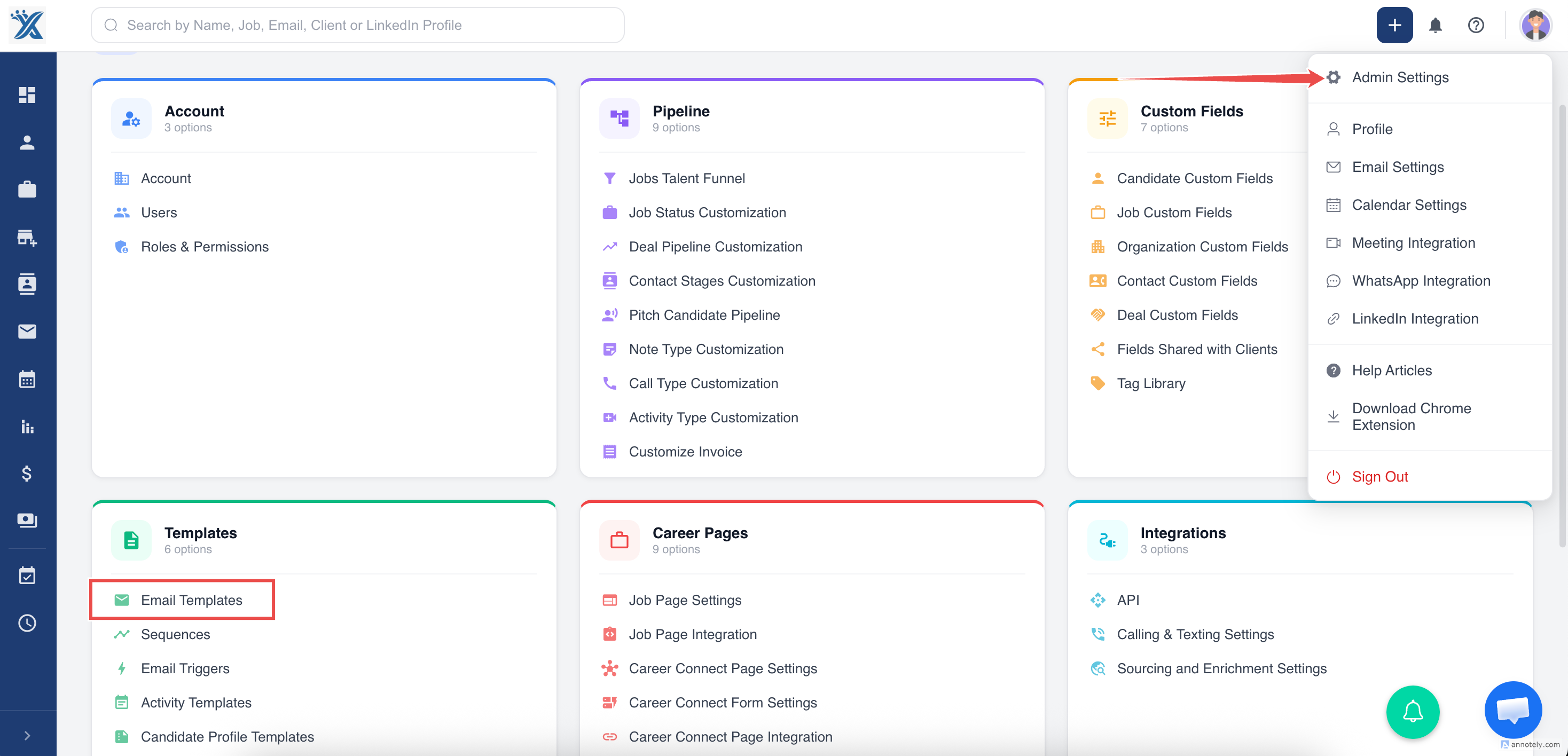
Step 1:** From the Dashboard, locate and click on the **Settings
Section titled “Step 1:** From the Dashboard, locate and click on the **Settings”Step 2: Select Email Templates from the menu.
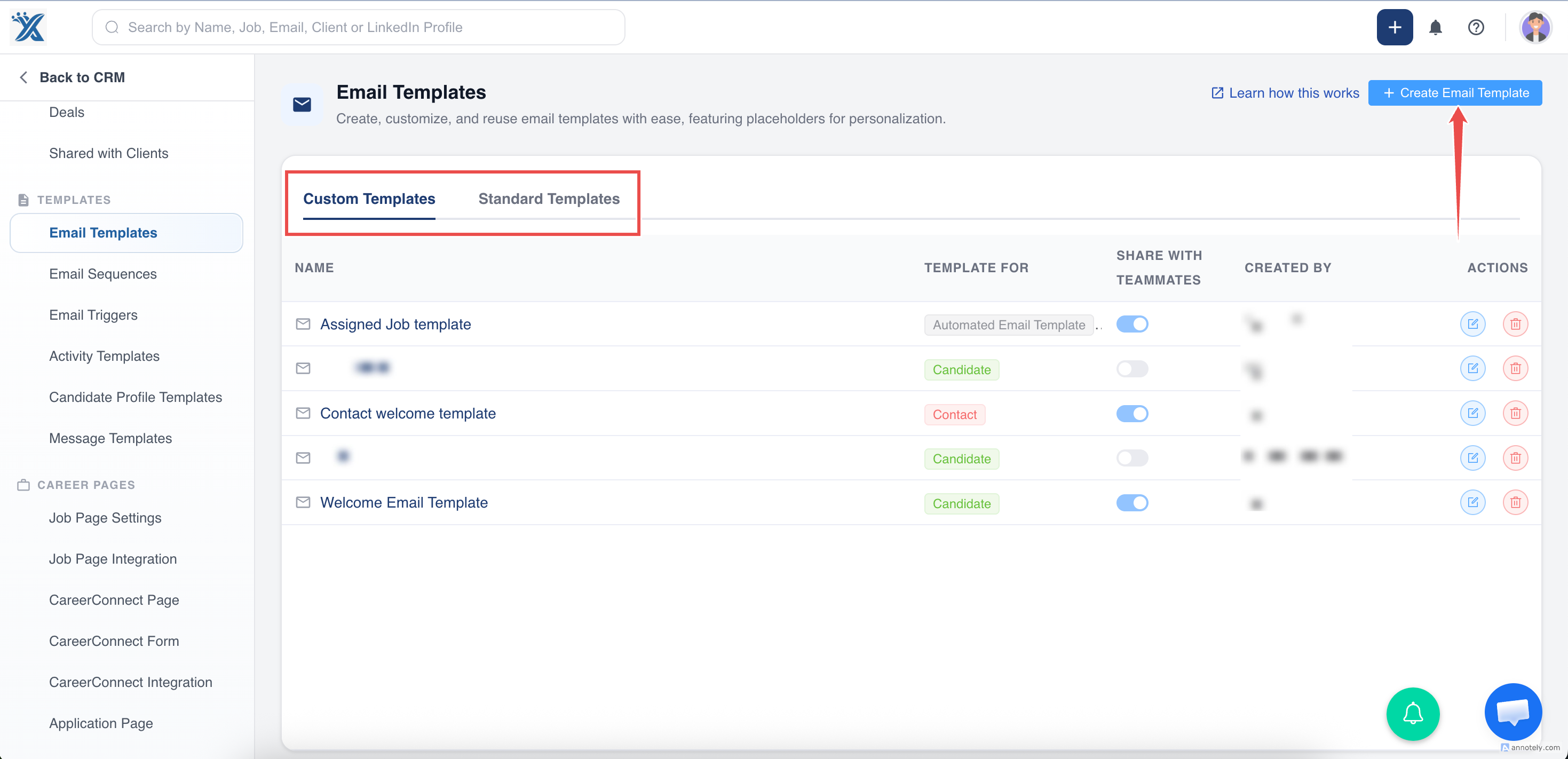
Step 3: On the Email Templates page, click the + Create email Template option.
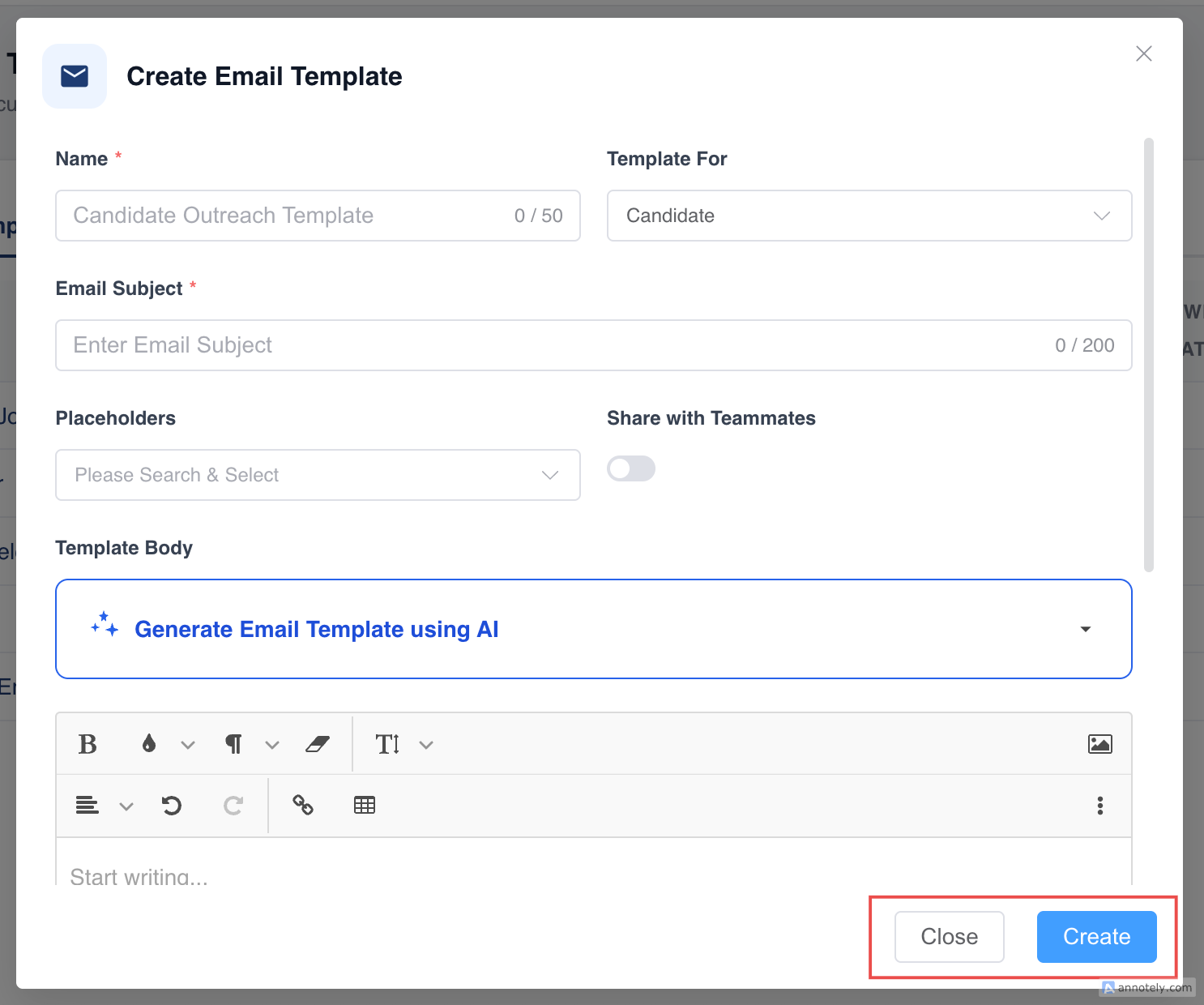
Step 4: Fill the fields
-
Provide a descriptive Template Name to help identify the template easily.
-
Select the Module that the template will belong to (automated email, Contacts, or Candidate).
-
Email subject - In the Subject field, enter the subject line for your email.
4.Placeholders:
Insert placeholders (e.g. FirstName ) to personalize your email. These placeholders pull data from the CRM records.
5.Use the Email Body editor to create the content of your email
You can format text using the text editor for bold, italics, bullet points, and more.
share with teammates
Step 5: Once done with the format click on create
By following these steps, you can efficiently create and manage email templates in ATZ CRM ensuring consistent and professional communication with your clients.