
Assigning Owners to Records
In ATZ CRM, assigning owners to records (such as candidates, leads, or job openings) is a key feature that helps streamline the workflow and ensure clear accountability within your team. The ” owner ” of a record is typically the team member responsible for managing and moving the record through its respective process or stages.
Here’s how assigning owners to records generally works in ATZ CRM:
-
Click on the Candidates Entity in ATZ CRM.
-
Open the candidate profile or the record you wish to assign to a recruiter.
-
On the detail page, click on the Owner Button.
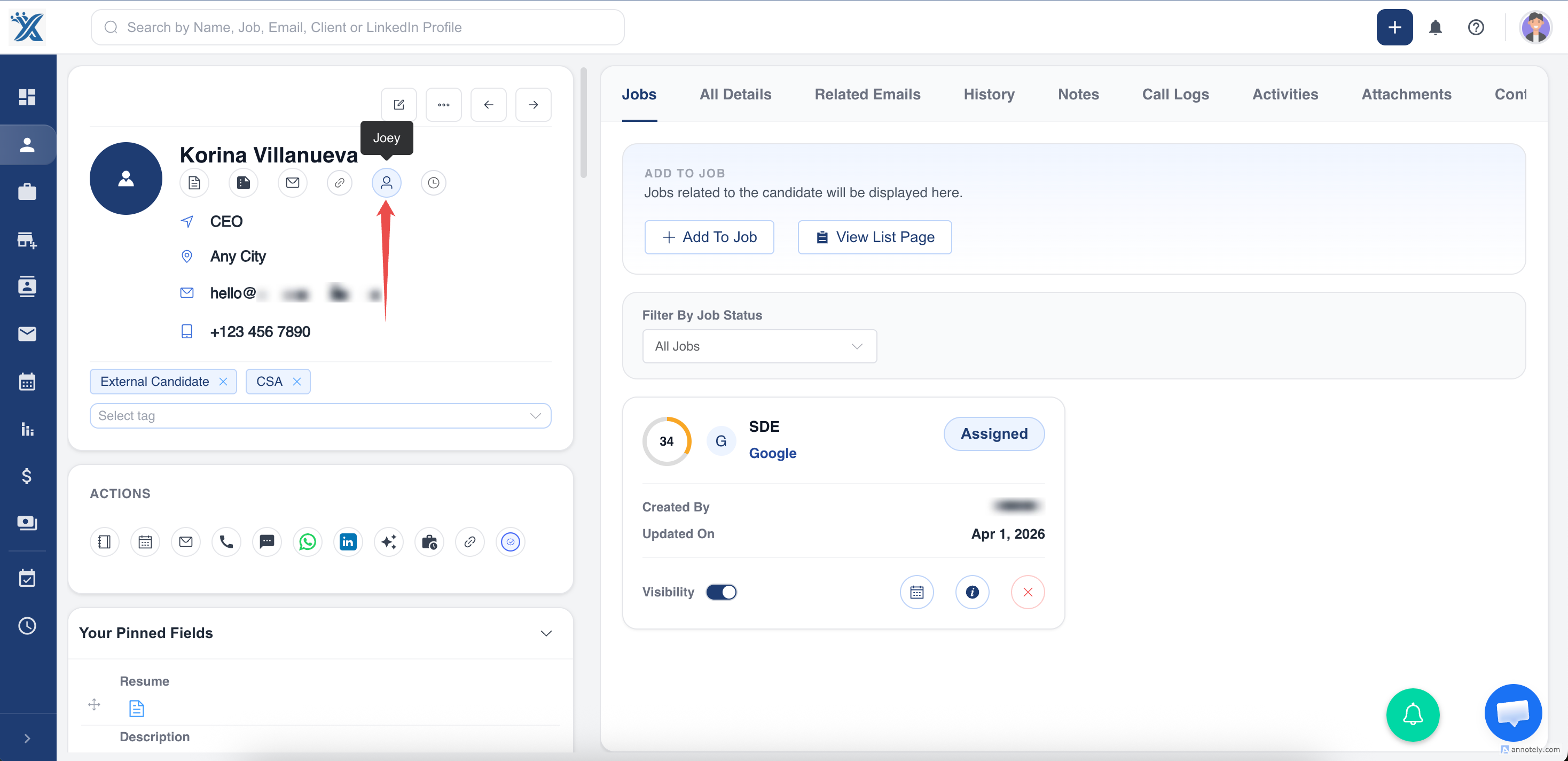
-
Select the team member from a dropdown list of available users.
-
Click on Confirm and save the changes. The new owner will now have access to manage the record.
Done, you have assigned owner to a record in ATZ CRM successfully!
Hope this helps:)