
Managing Talent Funnels (Hiring Pipelines) in ATZ CRM
When managing talent funnels inside ATZ CRM, flexibility is key. The platform allows you to fully customize your job funnels so that your recruitment process stays smooth and efficient. Whether you’re adding new stages, modifying existing ones, or cleaning up your funnels, it’s crucial to know how to do it properly.
Step 1: Understanding the Jobs Talent Funnel in ATZ CRM
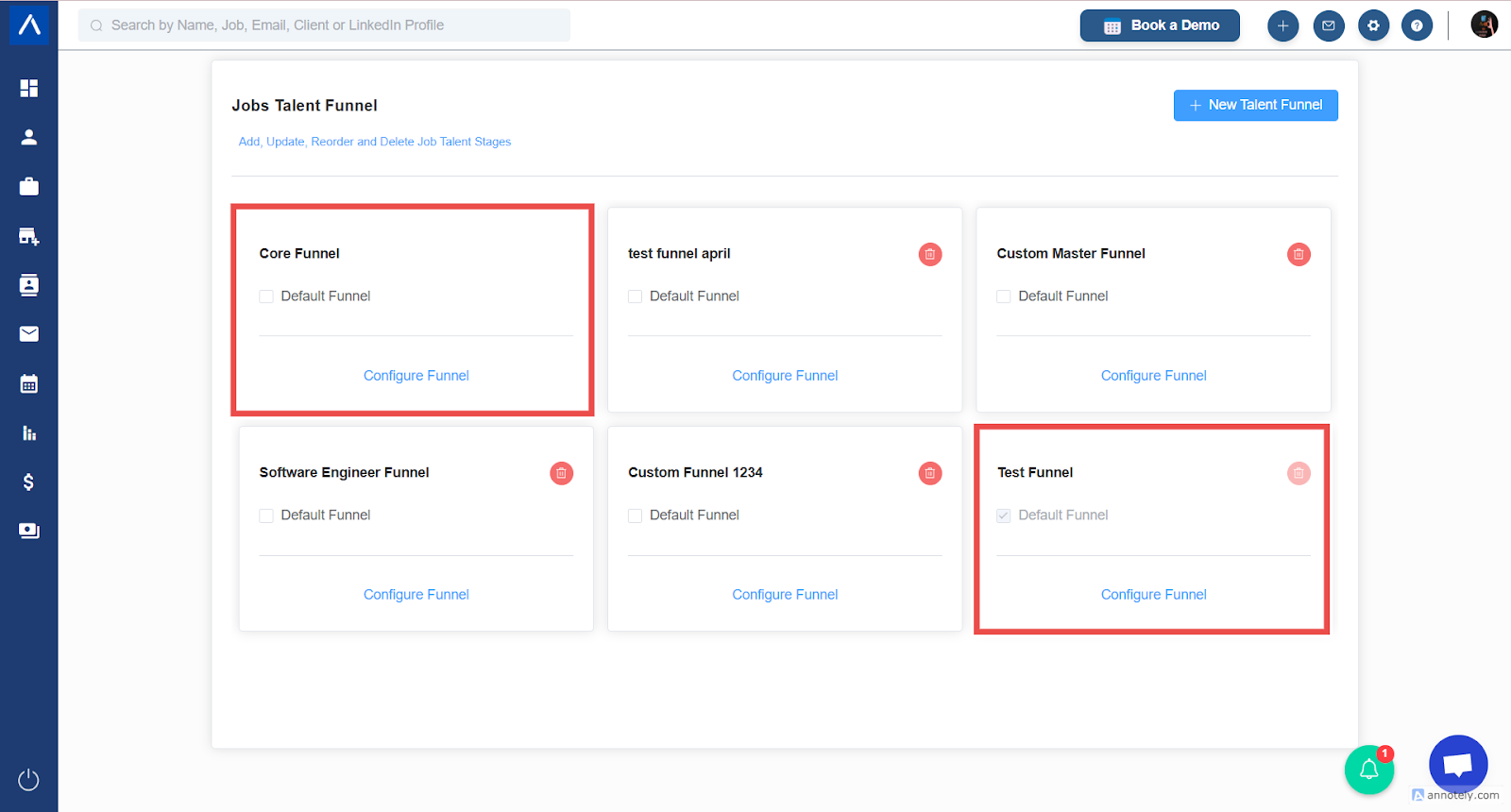
Section titled “Step 1: Understanding the Jobs Talent Funnel in ATZ CRM”Before you start making changes, it’s important to know how the Jobs Talent Funnel works inside ATZ CRM:
- Every funnel can be deleted or modified.
- The two funnels that cannot be deleted are:
- Default Funnel: The funnel selected automatically for new jobs.
- Core Funnel: The parent funnel that serves as the master structure and custom funnel can be created from core funnel.
Note: In general cases, Core Funnel is the default funnel.
Changes made in the Core Funnel affect all other funnels derived from it.
Step 2: Adding a New Stage
Section titled “Step 2: Adding a New Stage”Adding new stages is easy:
- Go to the edit core funnel view in ATZ CRM and click Add Stage inside the funnel editor.
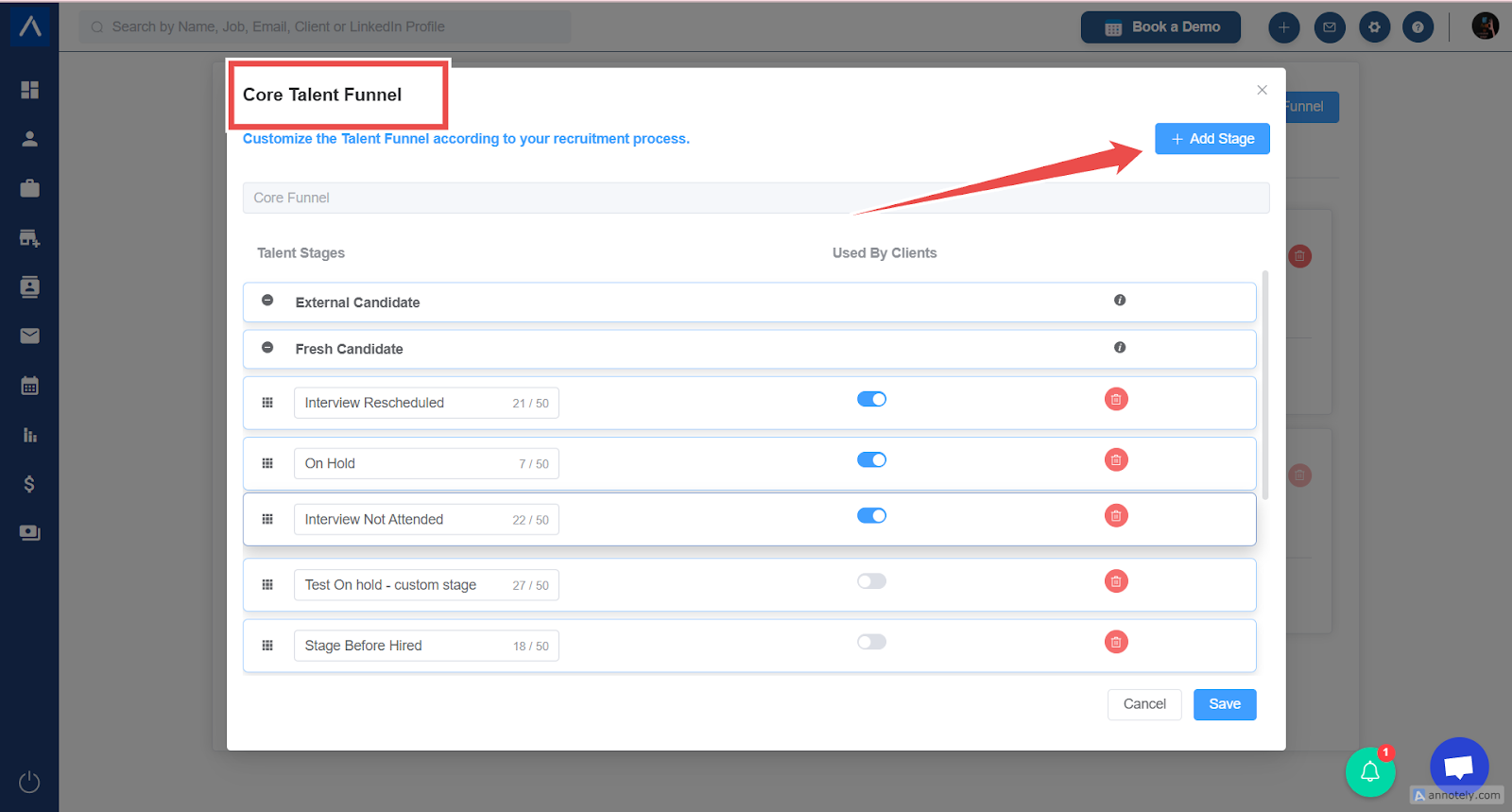
- Enter the name for the new stage (e.g., “Test Stage Selected”).
- Place it where you want in the sequence (for example, after “Rejected”).
- Save your changes.
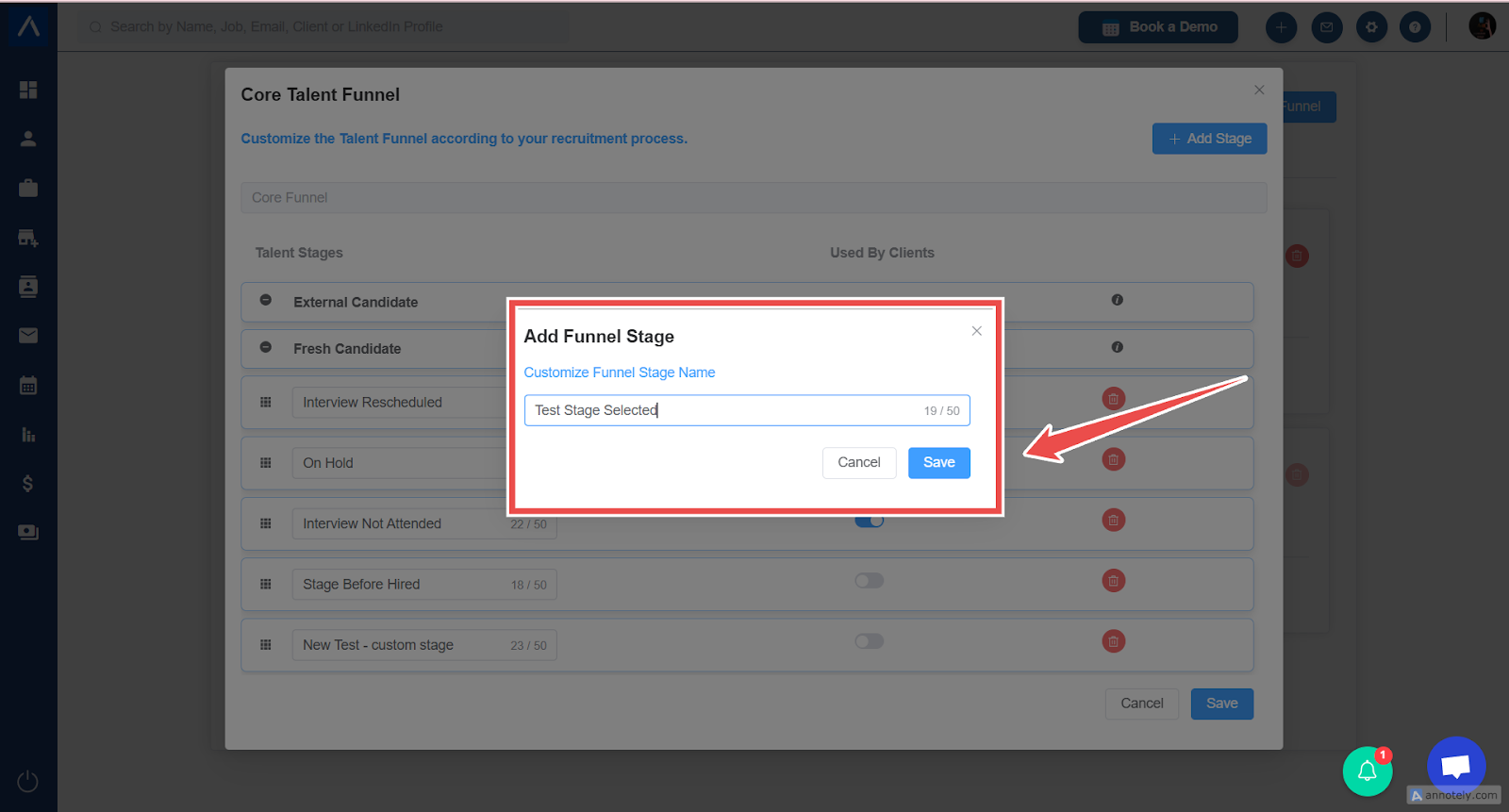
The new stage will now be part of your job pipeline!
Step 3: Modifying an Existing Stage
Section titled “Step 3: Modifying an Existing Stage”To edit an existing stage:
- Go to the edit core funnel view in ATZ CRM and locate the stage you want to edit.
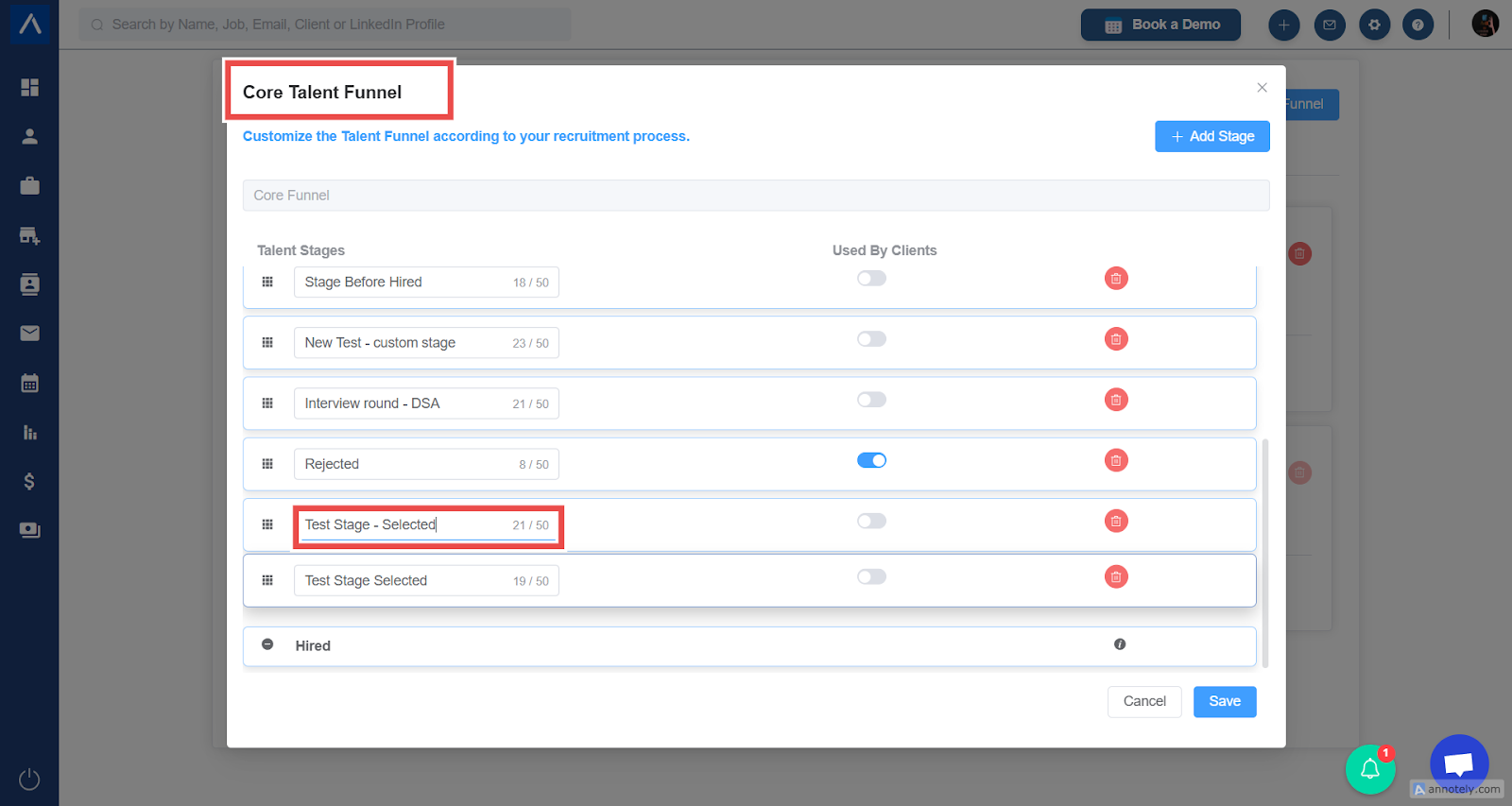
- Update the stage name as needed.
- Rearrange the order of stages to match your hiring flow.
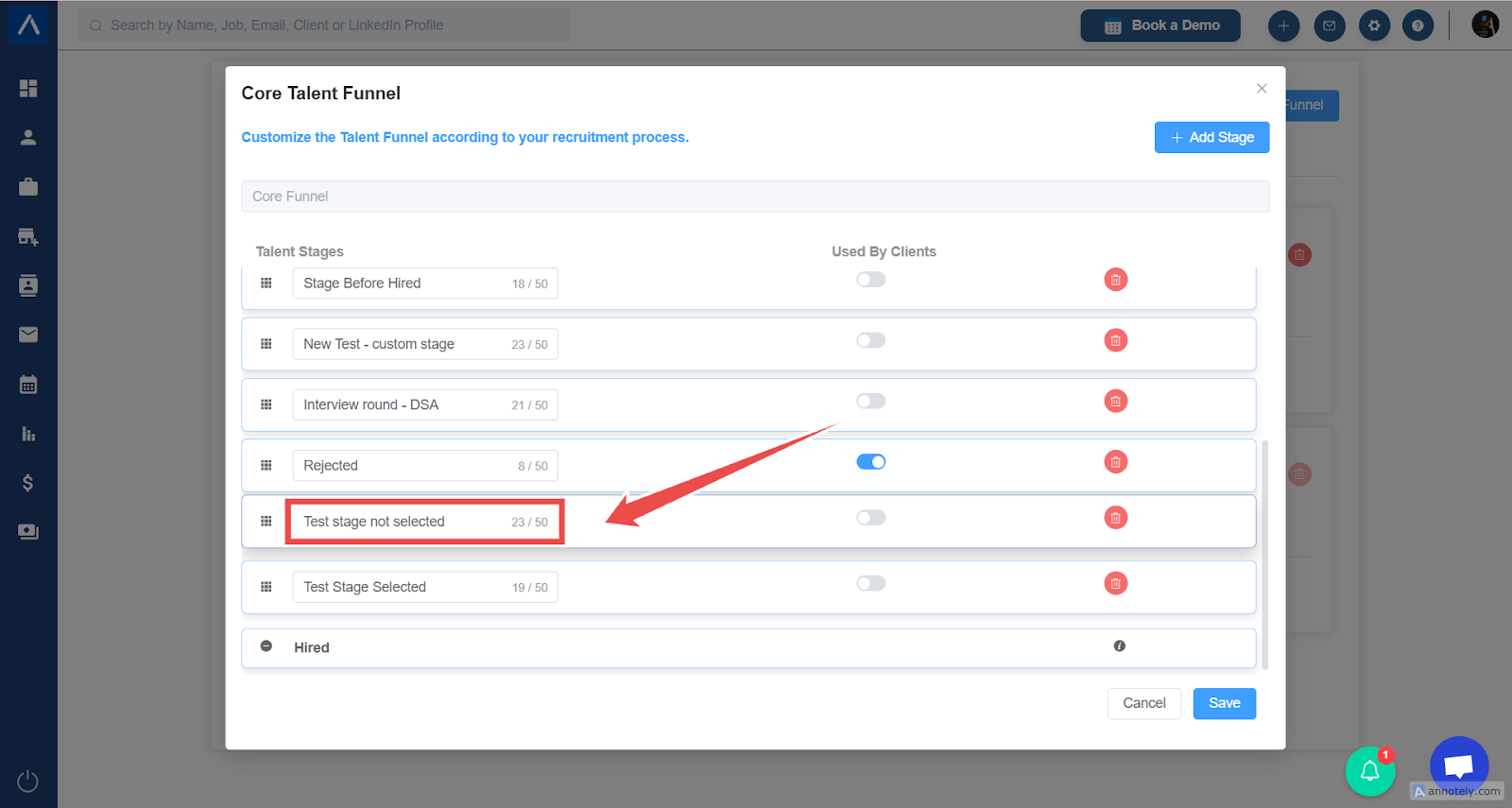
- Changes are instantly reflected across jobs using that funnel.
Step 4: Deleting a Stage from a Funnel
Section titled “Step 4: Deleting a Stage from a Funnel”To delete a stage:
- Go to the edit core funnel view in ATZ CRM and locate the stage you want to delete.
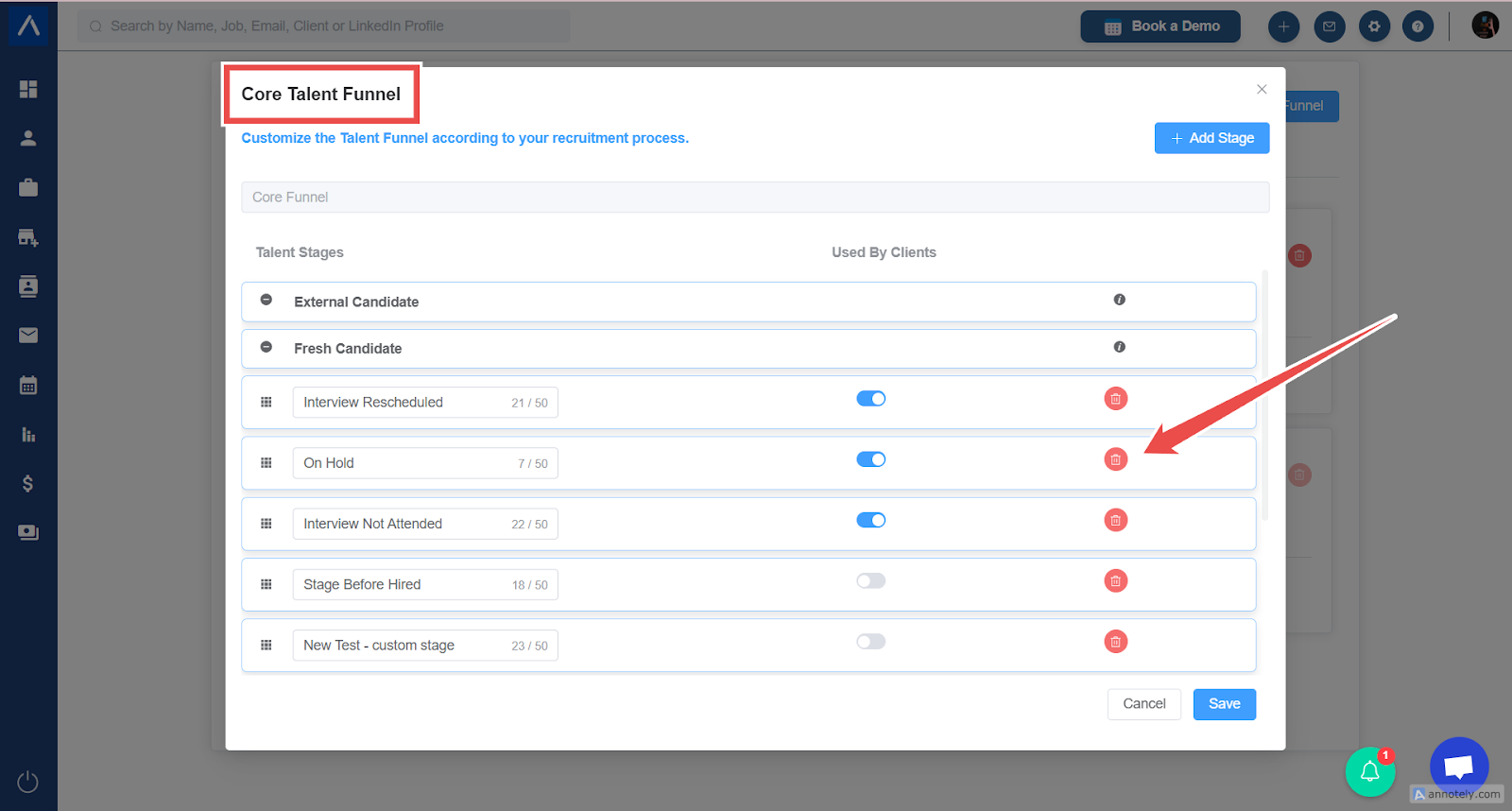
- Click the delete icon.
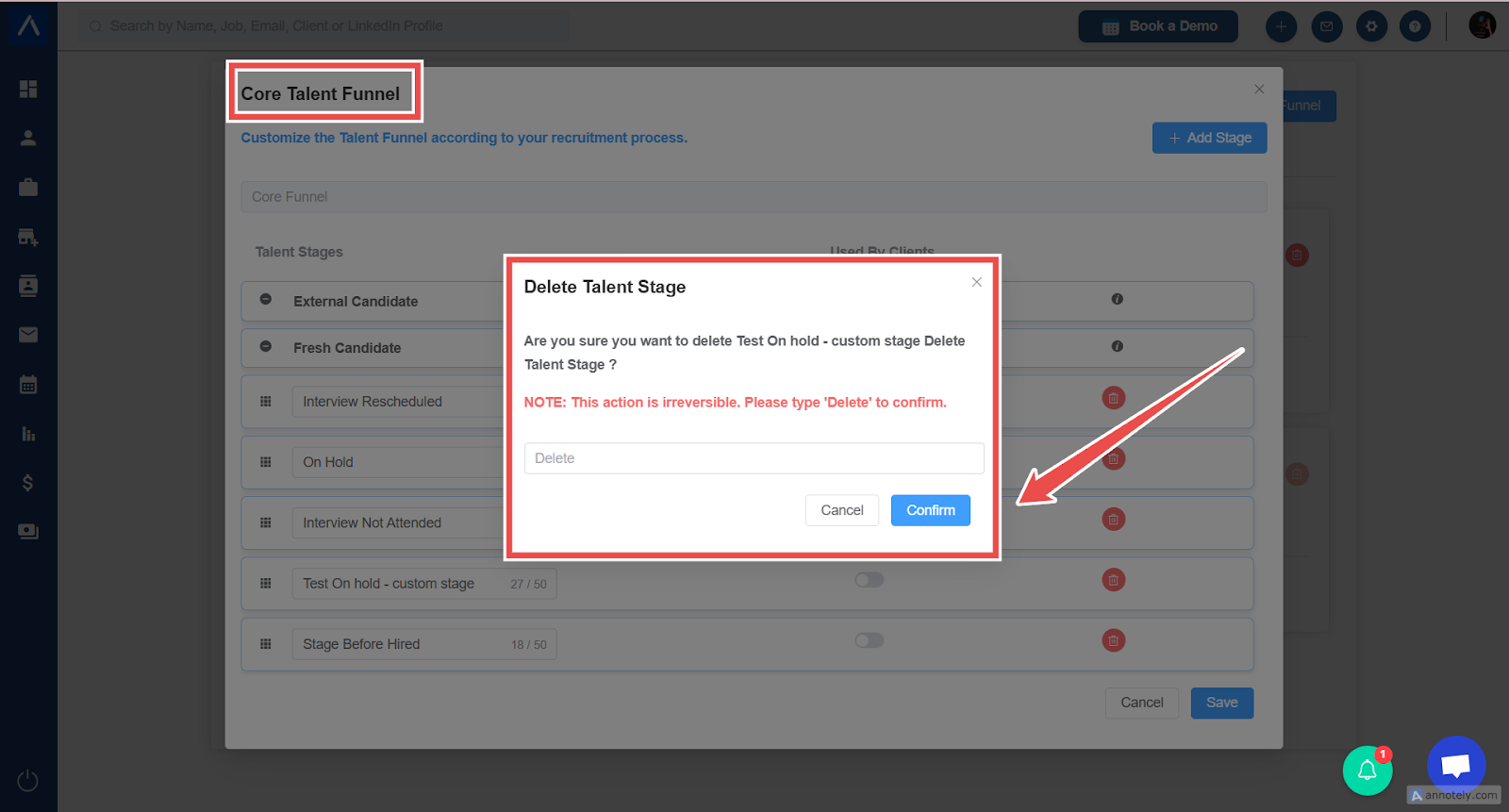
- If the stage contains candidates, ATZ CRM will prompt you:
- Select another stage to transfer candidates before proceeding with deletion.
- Confirm and the stage will be removed safely.
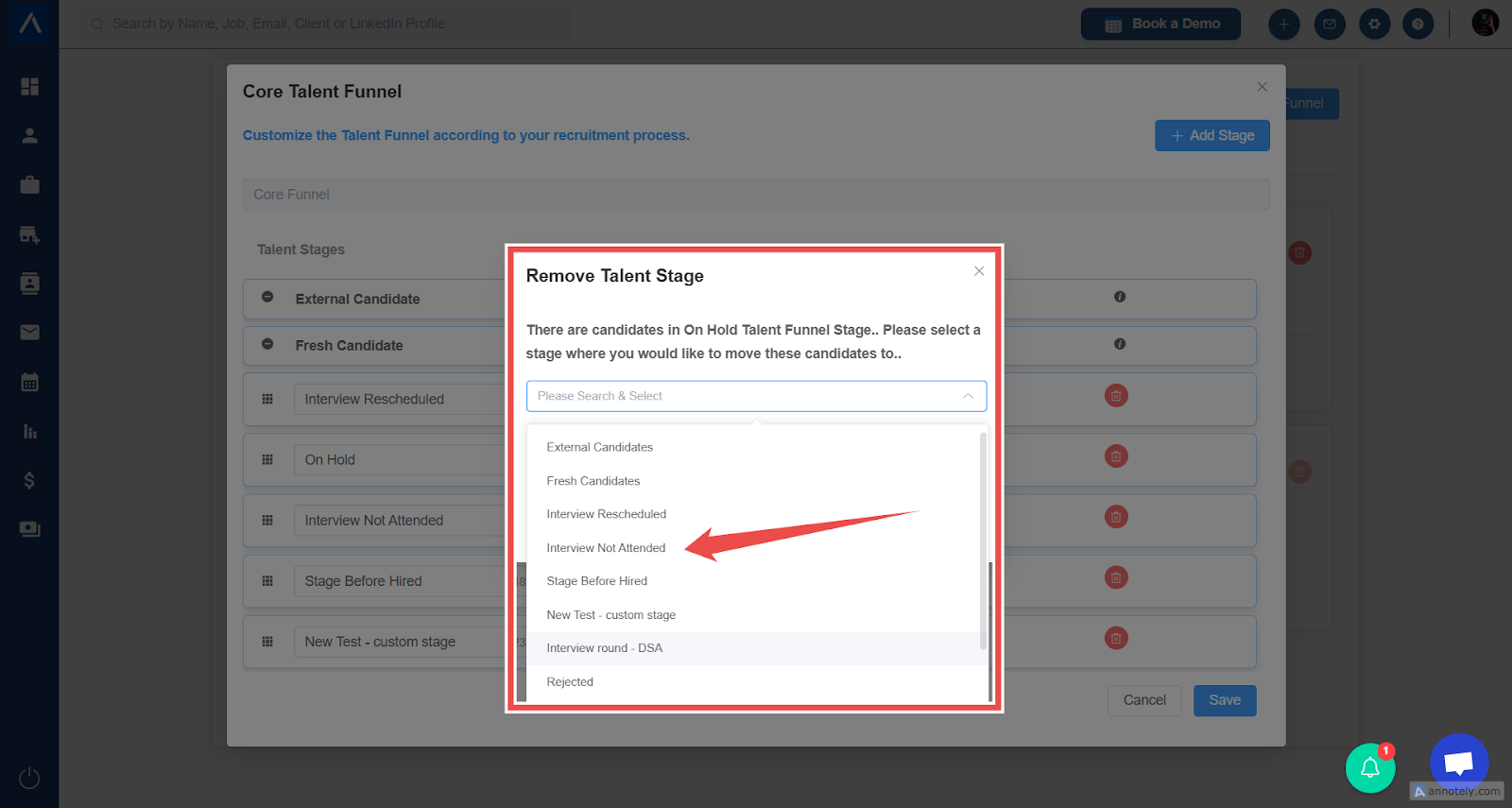
Note: Deleting a stage from the Core Funnel also deletes it from any custom funnel stage.
Step 5: Creating a Custom Funnel
Section titled “Step 5: Creating a Custom Funnel”Need a specific process for a certain job type? Here’s how to create a Custom Funnel in ATZ CRM:
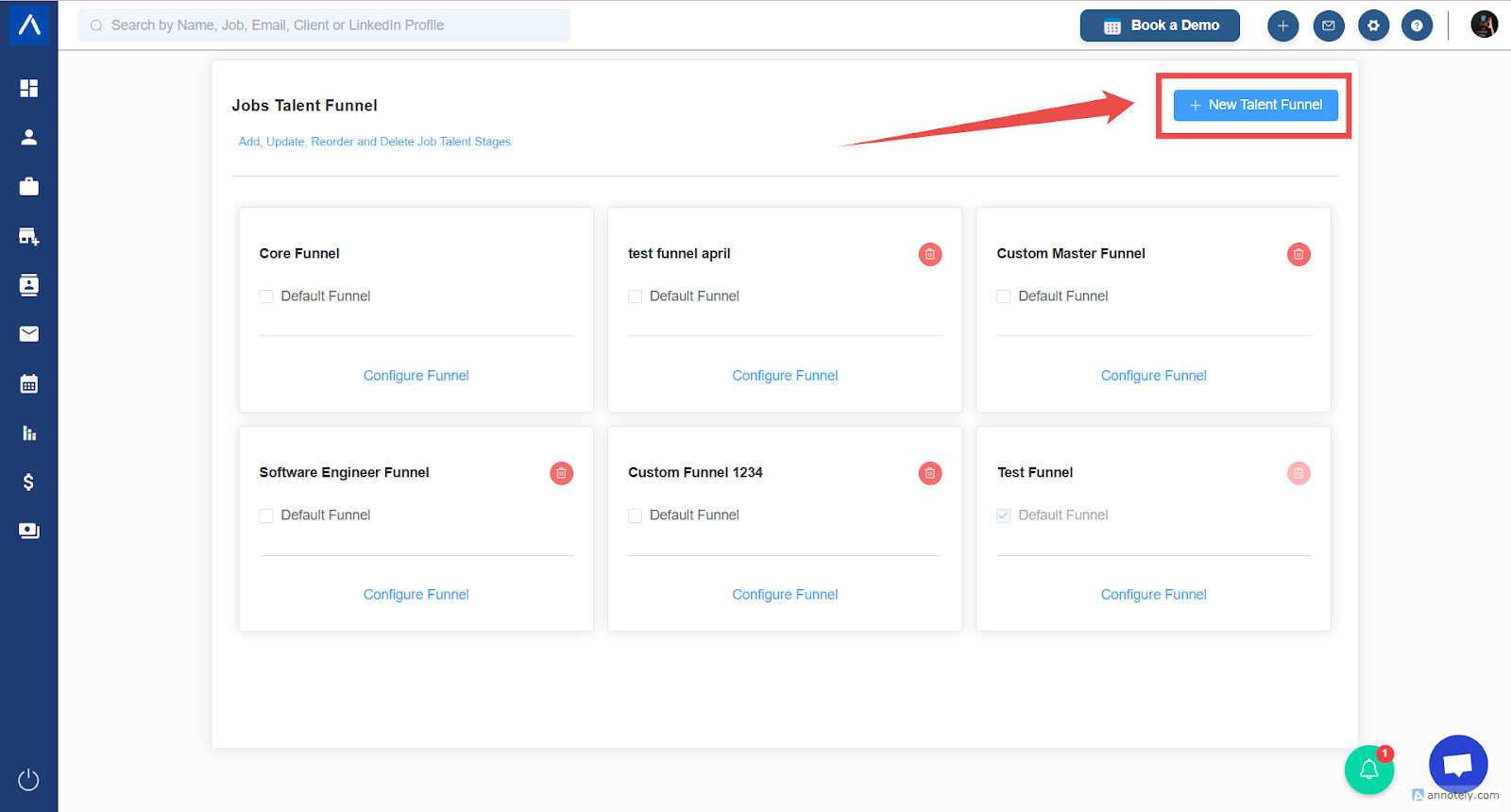
- Click New Funnel.
- Name the funnel (e.g., “Test Funnel April”).
- Select the stages you want to include.
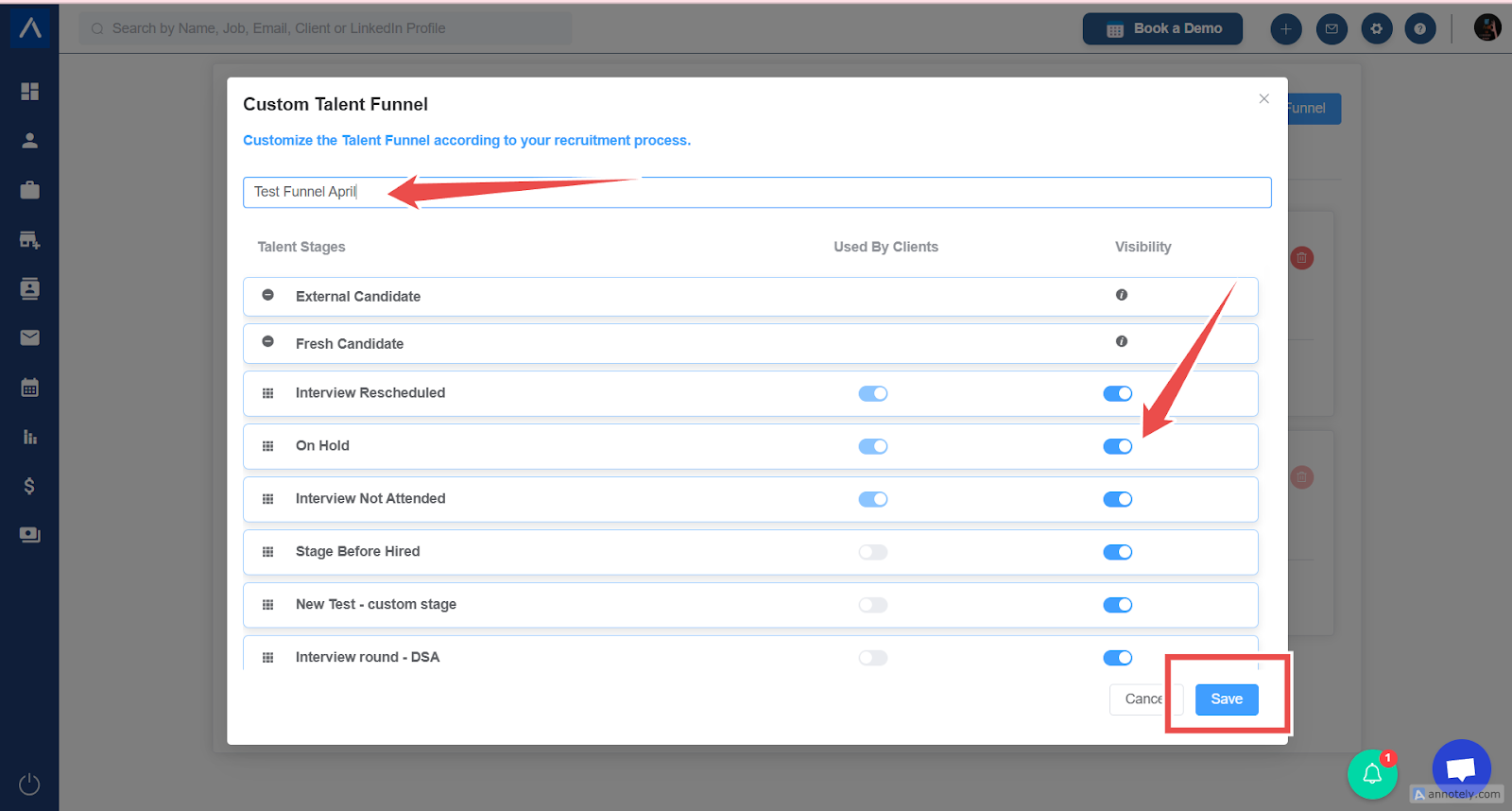
- Arrange them in your preferred order.
- Save.
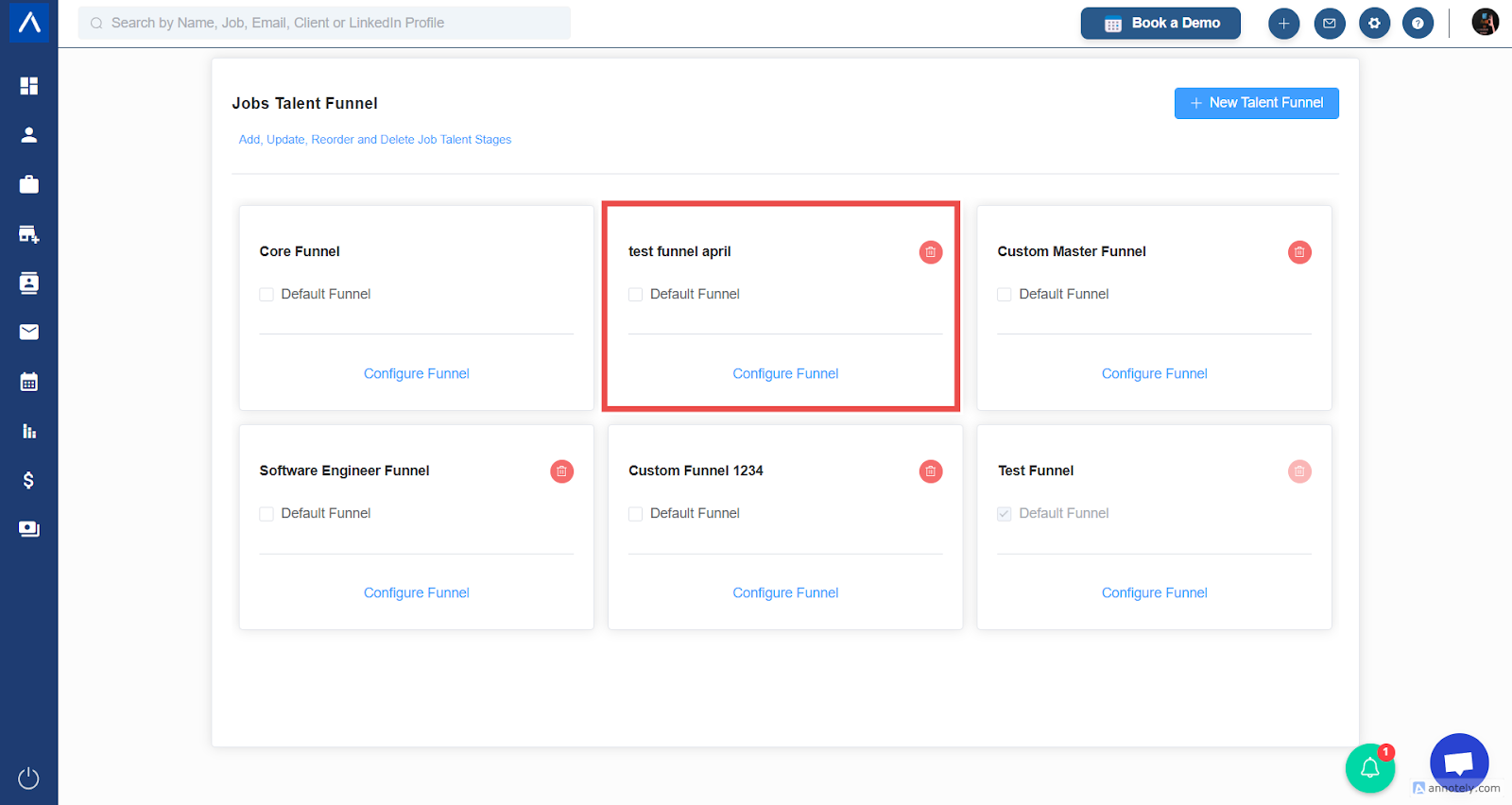
Now, your custom funnel is ready for use!
Step 6: Default Funnel Behavior in ATZ CRM
Section titled “Step 6: Default Funnel Behavior in ATZ CRM”When creating a new job:
- ATZ CRM automatically applies the default funnel.
- Important: Once a job is created with a particular funnel, you cannot change the funnel later.
Always double-check your funnel selection before finalizing the job!
Get ready to organize your recruitment process better with ATZ CRM! For further enquiries, do contact us and our team.