
How To Add/Edit Activities In ATZ CRM
Activities in ATZ CRM can include tasks, meetings, calls, or events. These help teams organize schedules, track deadlines, and ensure that important customer engagements are not missed.
Section titled “Activities in ATZ CRM can include tasks, meetings, calls, or events. These help teams organize schedules, track deadlines, and ensure that important customer engagements are not missed.”This guide will help you navigate the “Activities” module in ATZ CRM and provide step-by-step instructions to add or edit activities effectively.
Step 1: Access Activities Section
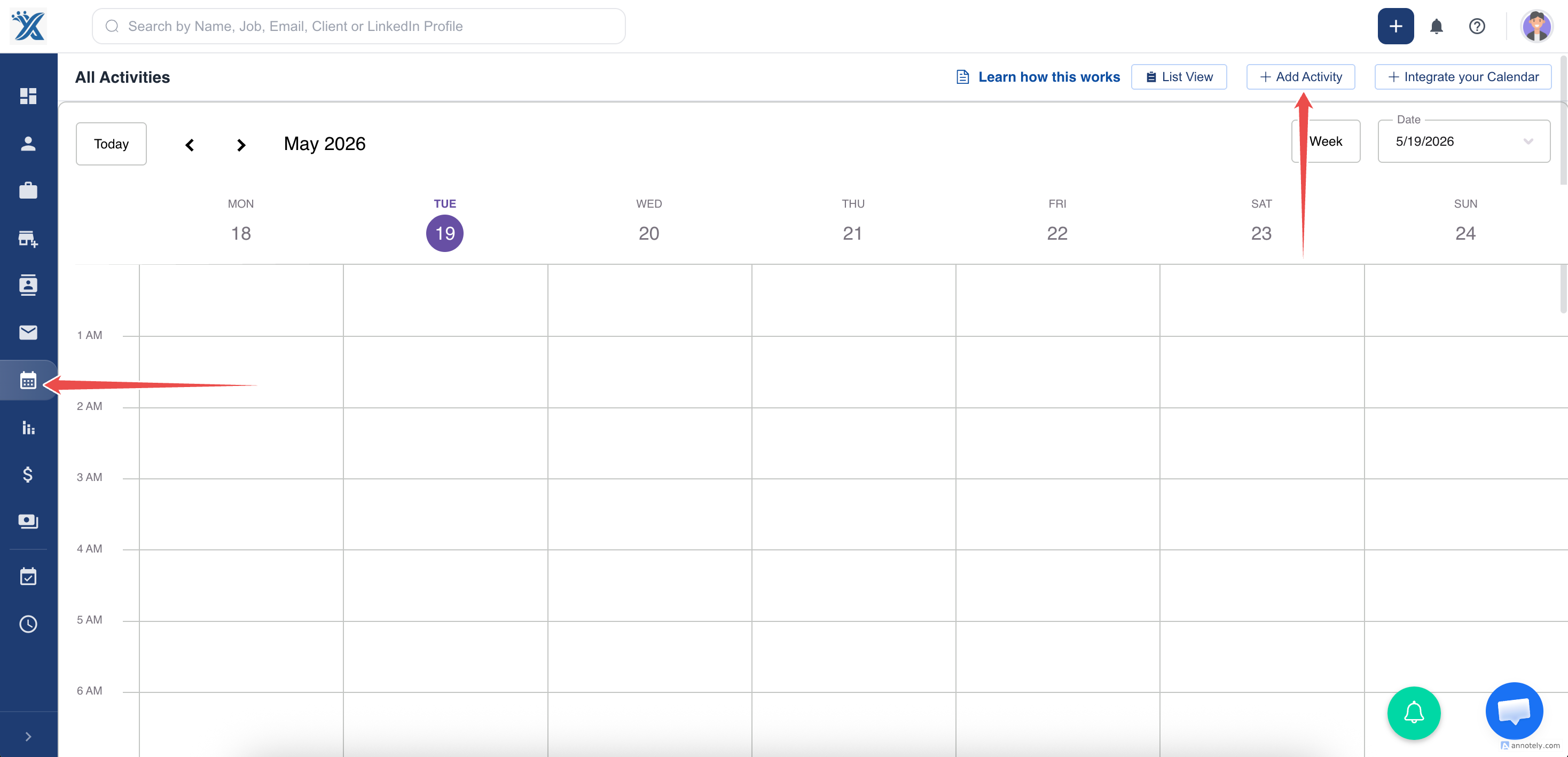
Section titled “Step 1: Access Activities Section”Navigate to the Activities tab in dashboard atz crm.
Click on Add Activity to schedule a task or meeting.
Step 2: Create an Activity
-
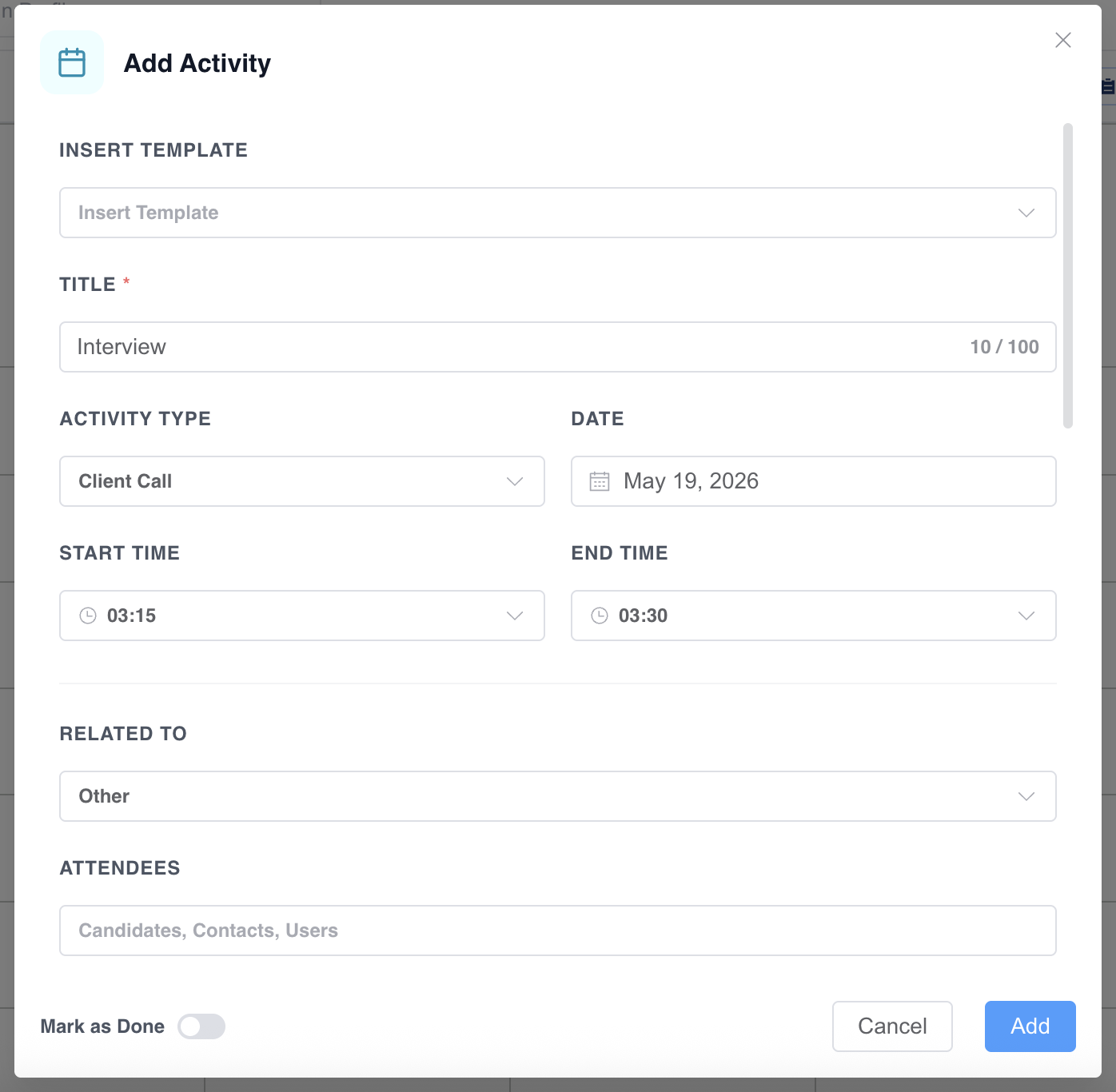
Provide an activity title.
-
Select the date and time.
-
Assign recruiters to the activity.
-
Add attendees’ email addresses.
-
Provide additional details (e.g., meeting location, description, or attachments).
Step 3: Save the Activity
Section titled “Step 3: Save the Activity”Click Add to save the activity.
How to Edit Activities
Section titled “How to Edit Activities”- Click on the activity’s name or select it from the list to open the detailed view.
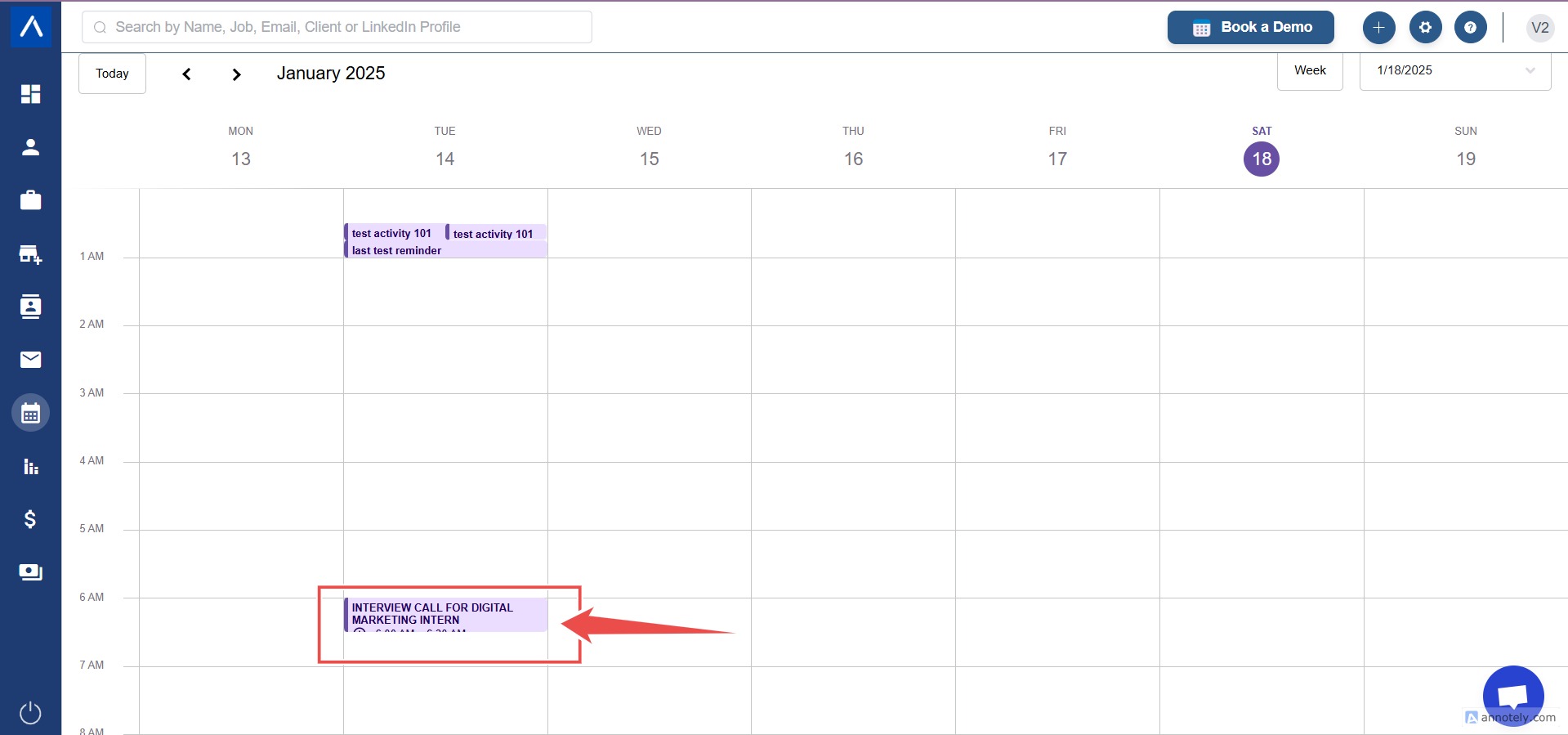
- Update the required fields, such as the activity’s title, date, time, description, or associated contact.
- Save Changes
The activity will now appear in the ATZ CRM calendar.
By utilizing the “Activities” module, users can track deadlines, organize schedules, and ensure timely follow-ups, improving overall productivity and client satisfaction.
Ready to get started?