
Radius Search in ATZ CRM
Find candidates within a specific geographic area using Google Maps integration.
What is Radius Search?
Section titled “What is Radius Search?”ATZ CRM’s Radius Search allows you to locate candidates within a selected distance from any specific location.
This feature is powered by Google Maps, and works effectively when the “Address” field is populated for your records.
How to Run a Radius Search
Section titled “How to Run a Radius Search”Example Scenario: You want to find iOS Developers within 10 km of Central Park, New York.
Step 1: Make the ” Address ” Field Visible
Section titled “Step 1: Make the ” Address ” Field Visible”- Go to the L ist View of your chosen entity (e.g., Candidates).
- Click the Edit Columns near the Advanced Search bar.
- Check the “Address” field to make it visible.
Step 2: Open Advanced Search
Section titled “Step 2: Open Advanced Search”- Click the “Advanced Search” button on the list page.
Step 3: Enter a Location
Section titled “Step 3: Enter a Location”- In the Radius Search field, type your desired location (e.g., Central Park ).
- Select the correct suggestion from the dropdown.
- Choose your radius distance (e.g., 10 km).
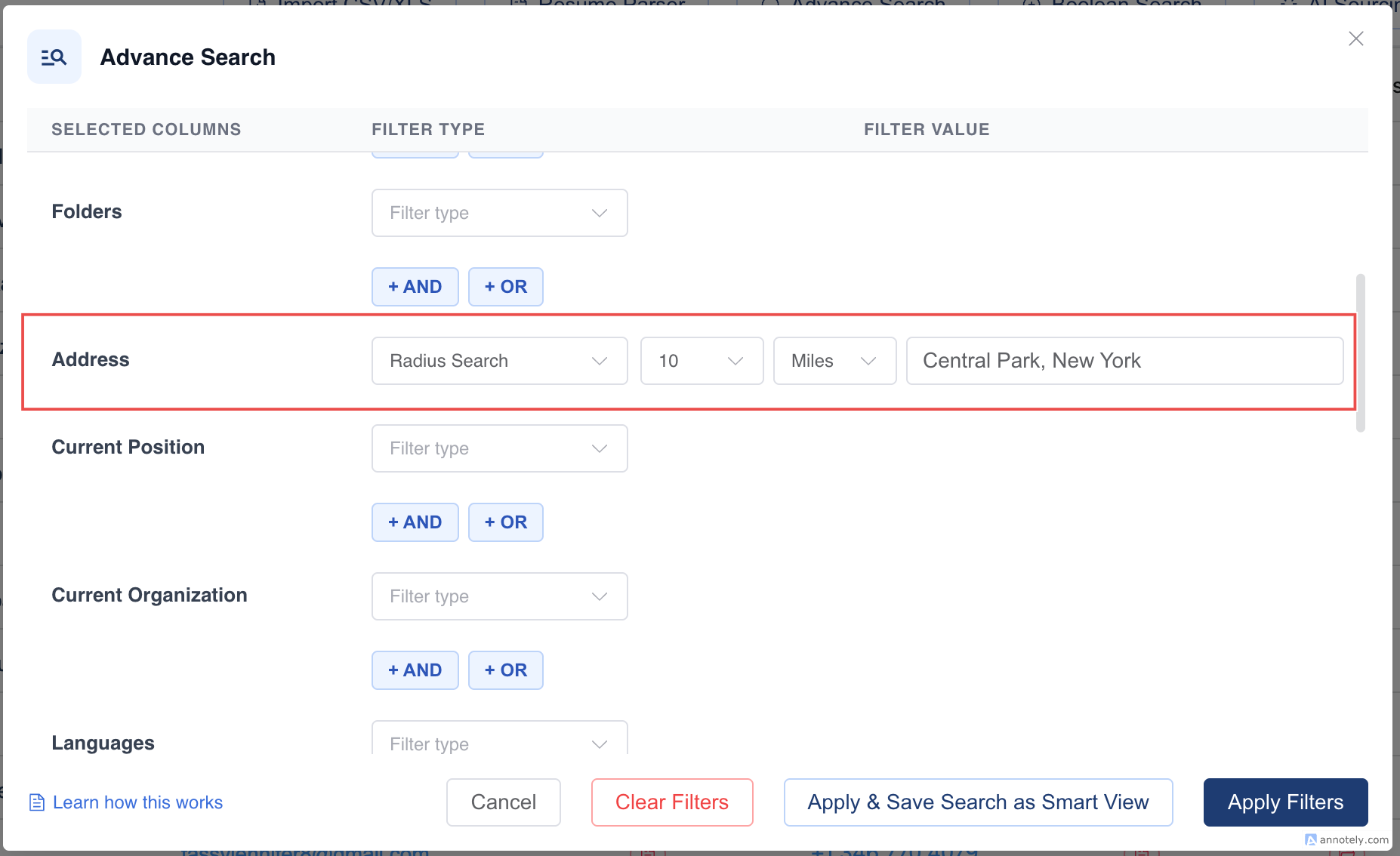
You can combine this with other filters like skill, job title, or availability to refine your search.
Step 4: Apply the Filters
Section titled “Step 4: Apply the Filters”- Click “Apply Filters” to view your results.
- Matching candidates within the defined radius will be shown instantly.
Hope this helps:)