
Integration with Google Meet in ATZ CRM
Easily schedule and manage activities in ATZ CRM with integrated Google Meet links. This integration simplifies virtual meeting setup, ensuring seamless communication and productivity.
How to Integrate Google Meet with ATZ CRM
Section titled “How to Integrate Google Meet with ATZ CRM”Follow these simple steps to add Google Meet links to your activities:
Step 1: Go to Activities
Step 2: Click on the activity / Create a new activity
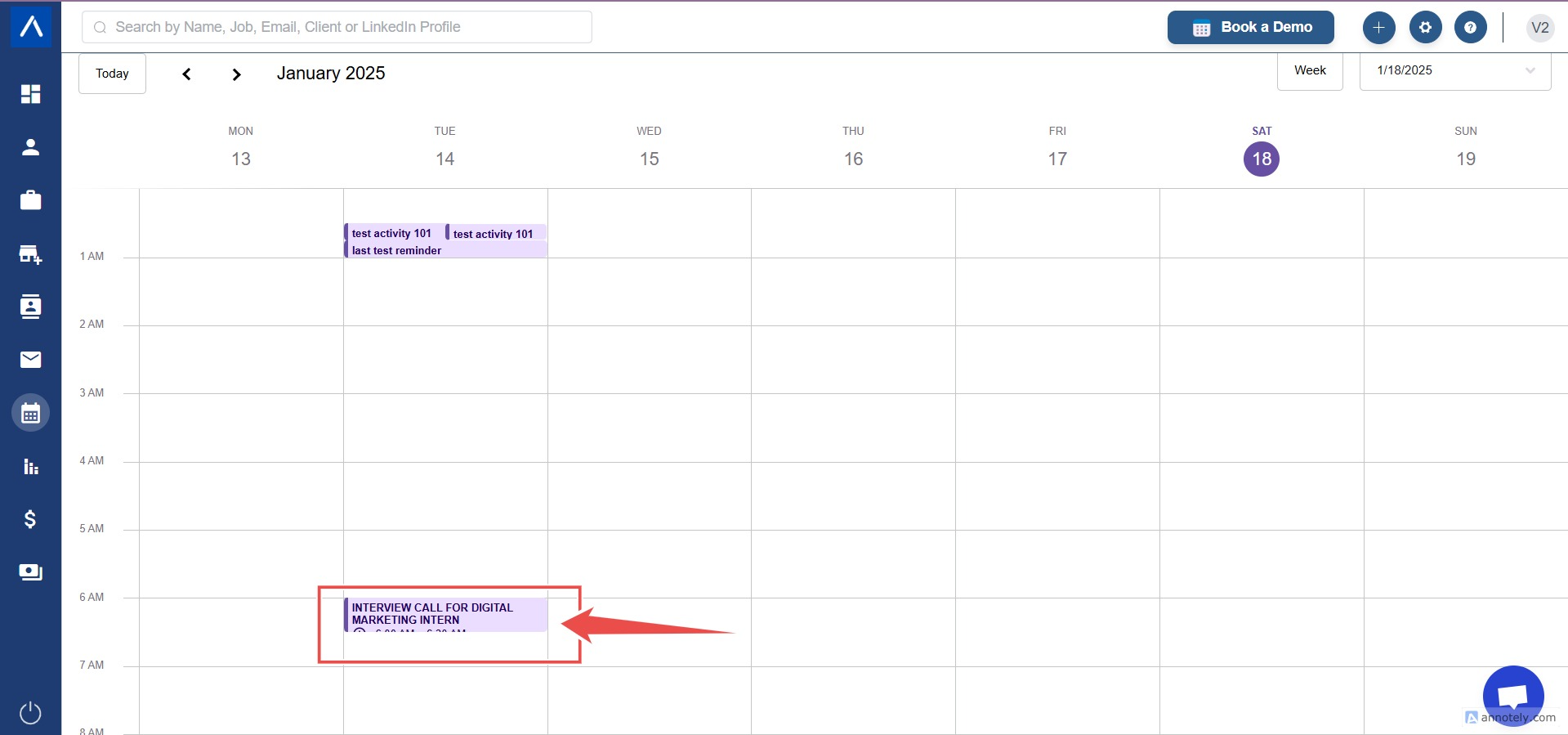
Step 3: Add Google Meet Link
While creating a new activity or adding a google meet link to a current activity locate and click the “Add Google Meet Link” option.
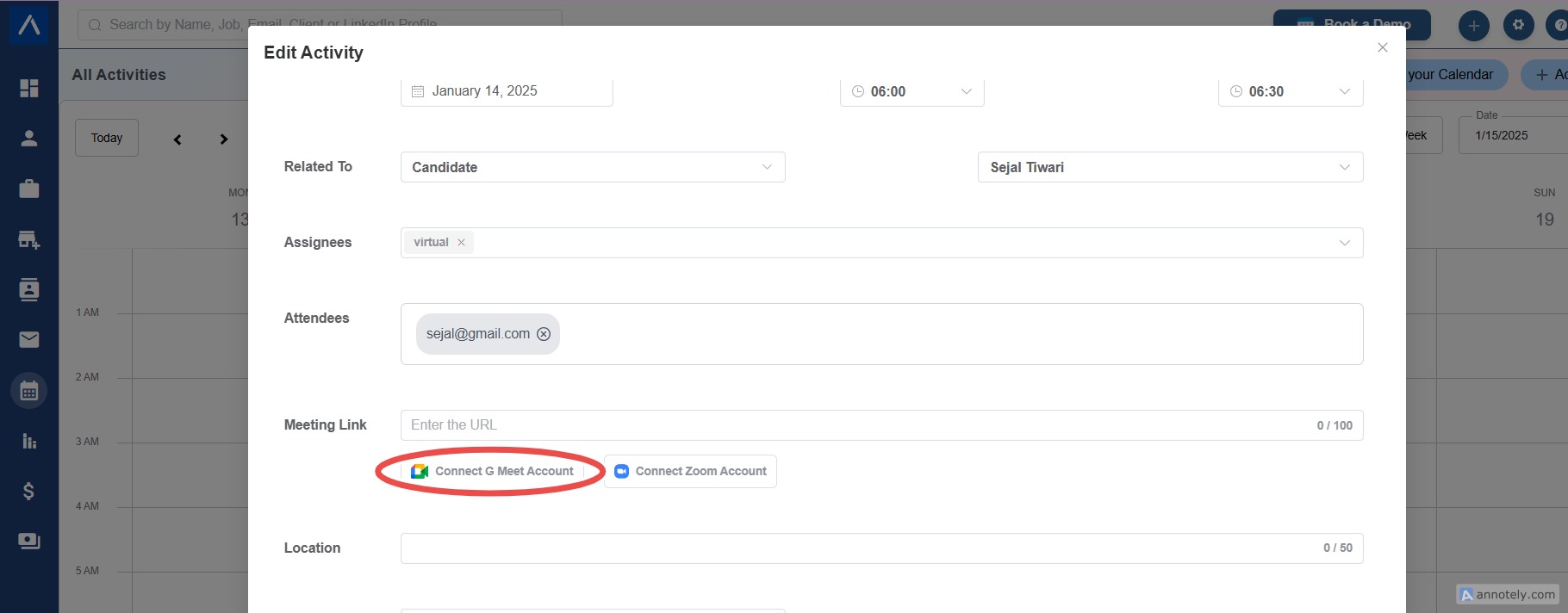
Step 4: Authenticate Your Google Account
If this is your first time using the feature, you’ll be prompted to authenticate and connect your Google account
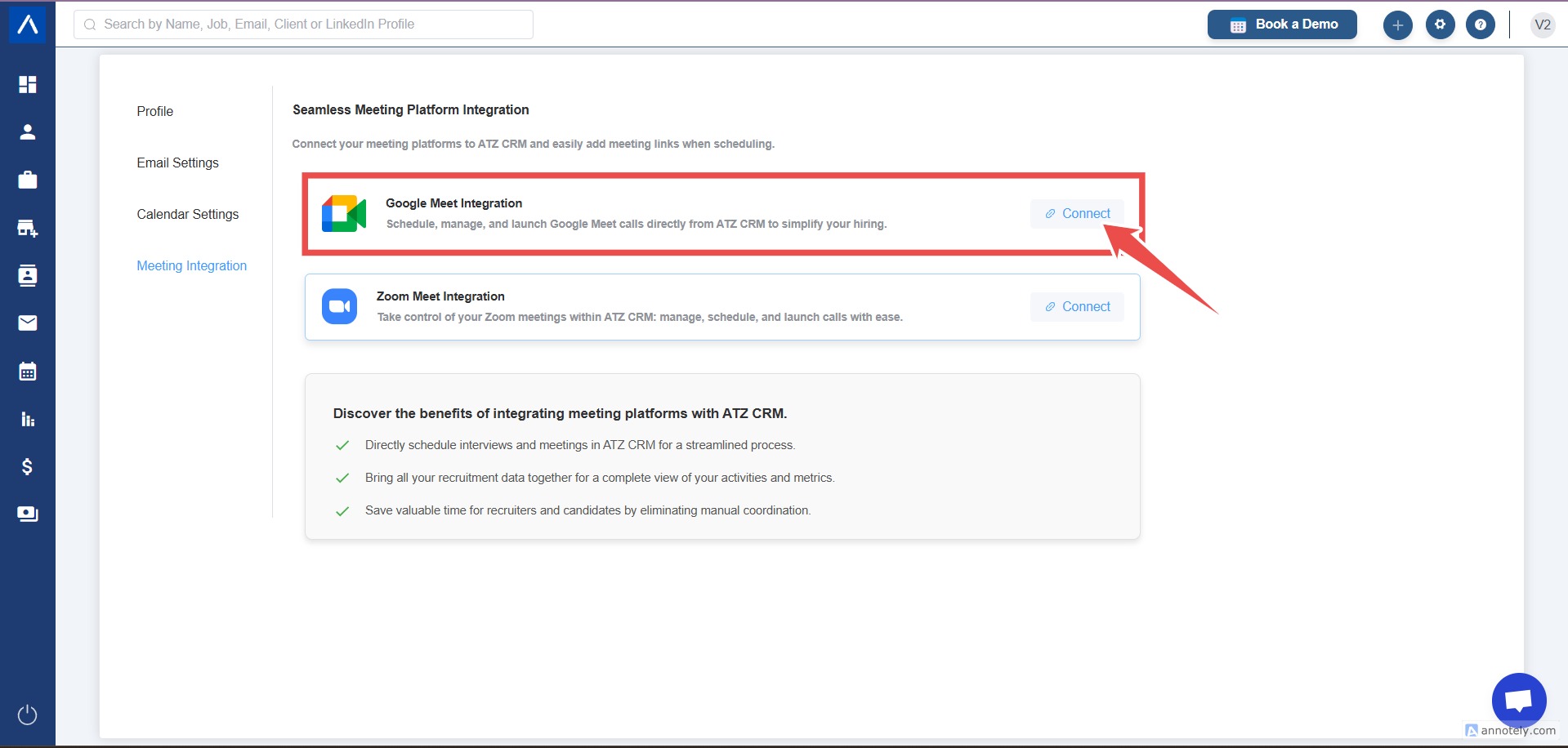
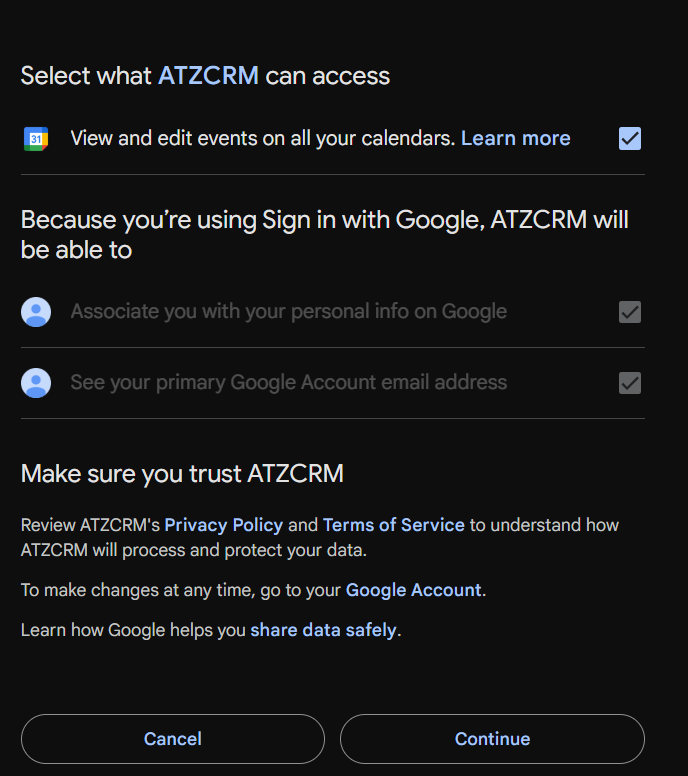
Step 5: Generate the Meet Link
Once authenticated, a Google Meet link will be automatically generated and attached to the activity.
The link will be visible to all participants included in the activity.
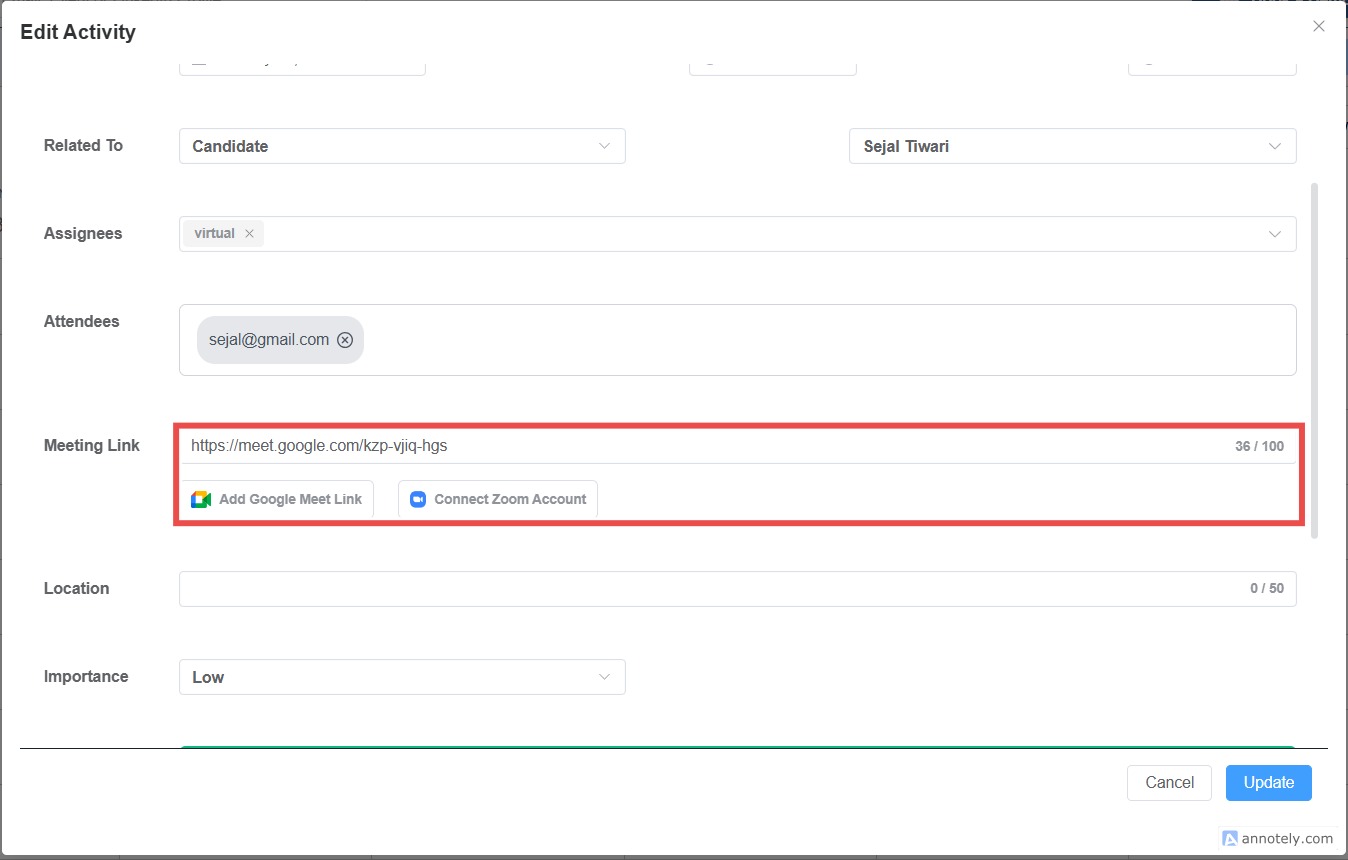
Step 6: Click on save or update
ATZ CRM is constantly evolving to enhance user experience. Stay tuned for:
Zoom Integration: Currently under development, this feature will provide similar functionality for users preferring Zoom as their virtual meeting platform.
By leveraging the Google Meet integration, you can enhance your team’s efficiency and focus on what truly matters: achieving your goals. For further assistance, feel free to contact our support team.
Hope this helps:)