
Multiple Ways to Change Candidate Stages in ATZ CRM
Managing candidate stages efficiently is crucial for smooth recruitment workflows. ATZ CRM offers multiple ways to change candidate stages based on your preferences and workflow requirements.
METHOD 1- Board View Drag-and-Drop
Section titled “METHOD 1- Board View Drag-and-Drop”Step 1: Access the Jobs Section
Step 2: Select a Specific Job
Step 3: Open the Board View
Within the job details, locate and click on the Board View option
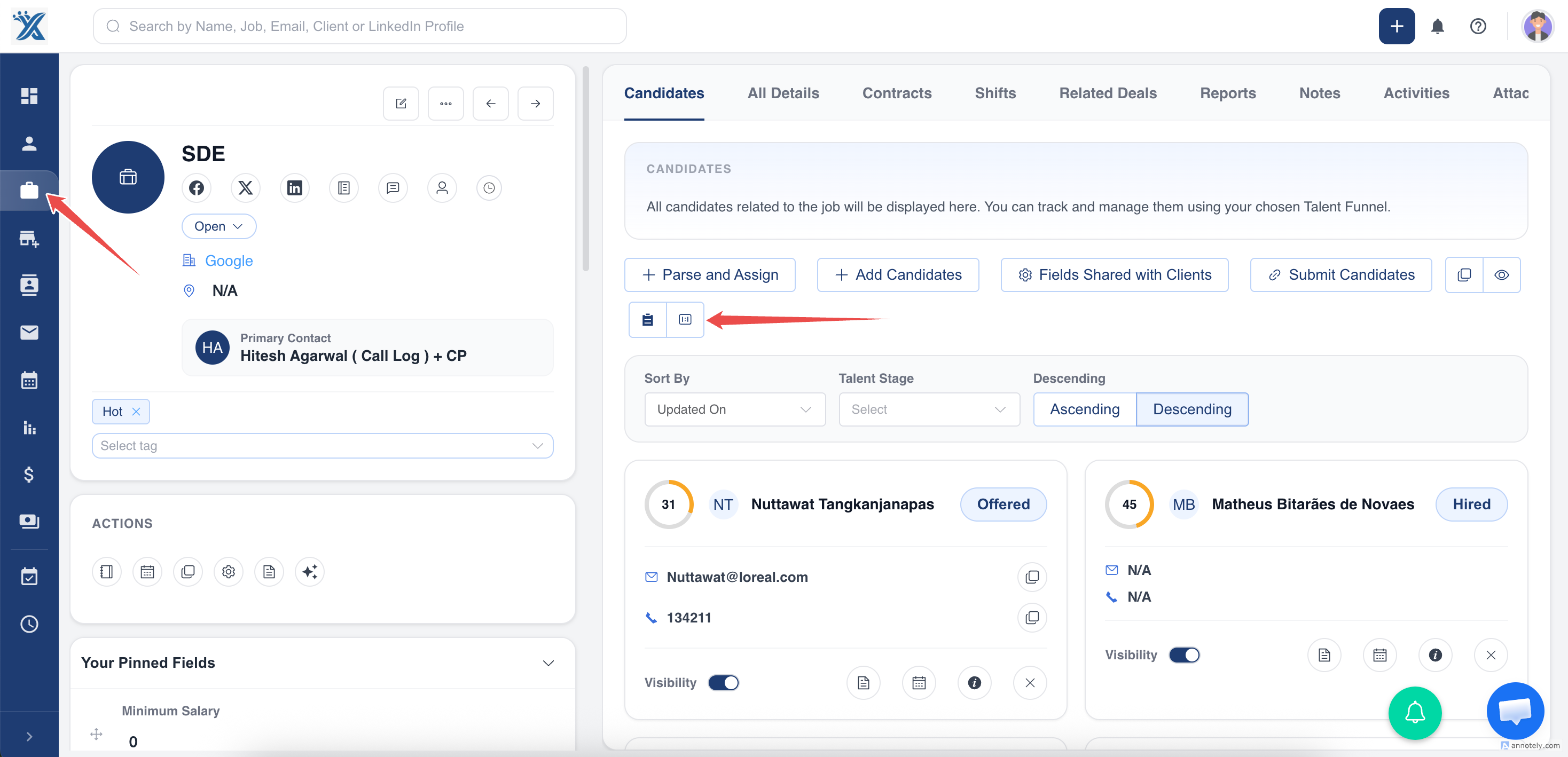
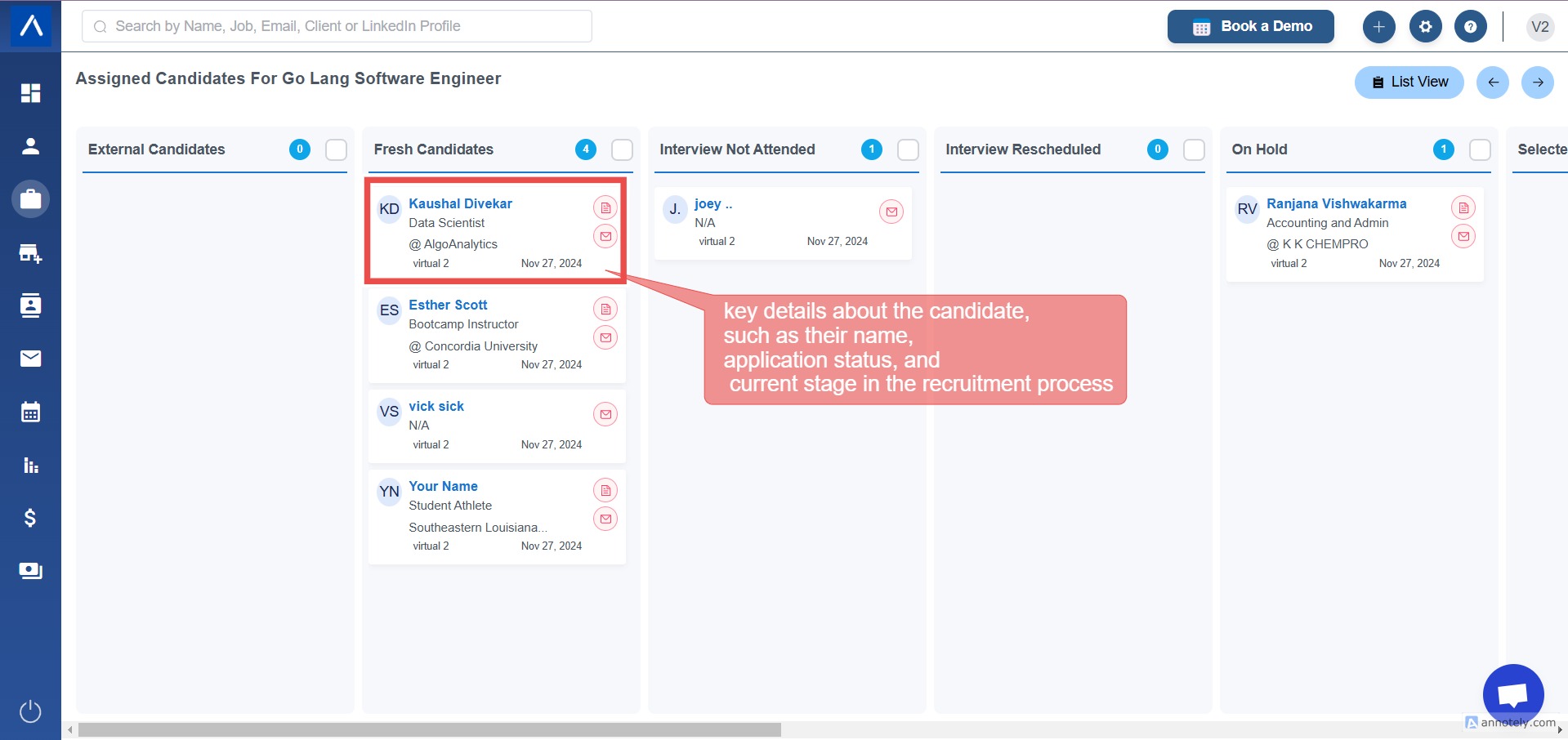
The Board View provides a visual representation of all candidates categorized into different stages of the hiring pipeline, such as Interview, Selected, and Hired.
Step 4: Identify the Candidate Card
Find the candidate card you want to move.
**
 **
**
Step 5: By drag and drop you can put the candidate in the different stages and add a reason to change in the stage
METHOD 2 - Update on candidates talent stage
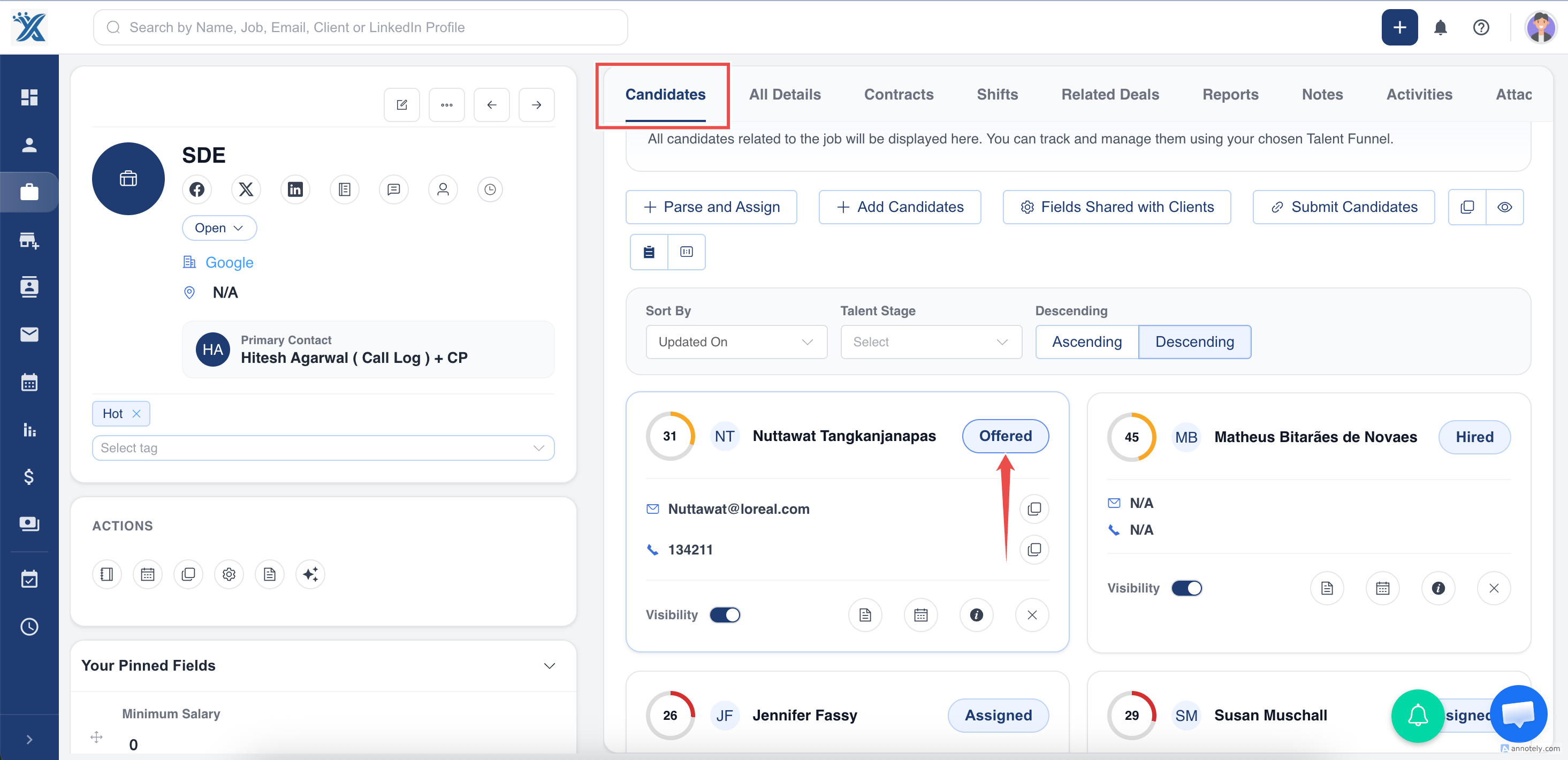
Section titled “METHOD 2 - Update on candidates talent stage”Step 1: Go to the jobs section > select the job you want to update status
Step 2: See the candidates section
Step 3: Click on the stage in the candidates list
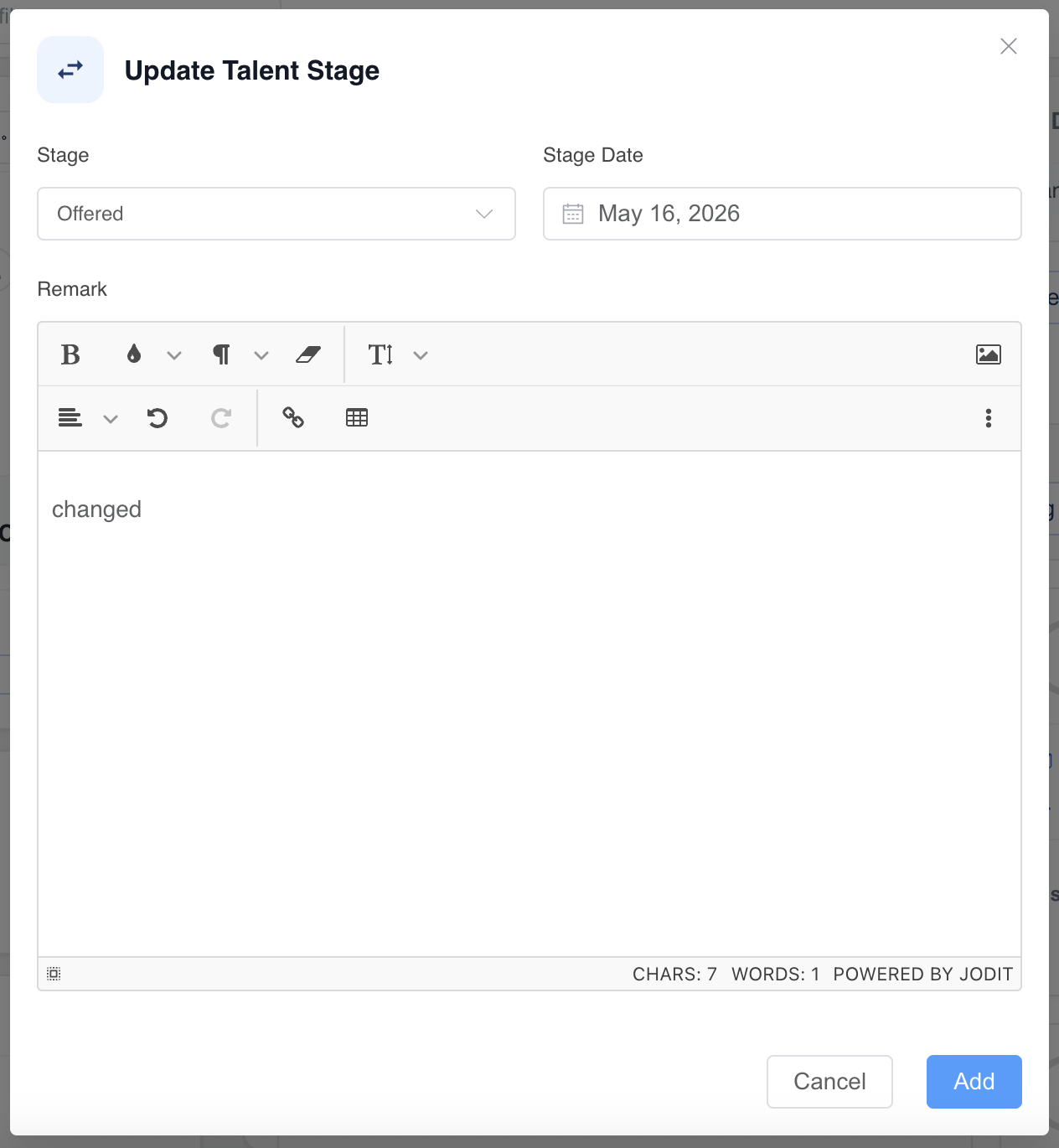
Step 4: Update the talent stage and add the remark
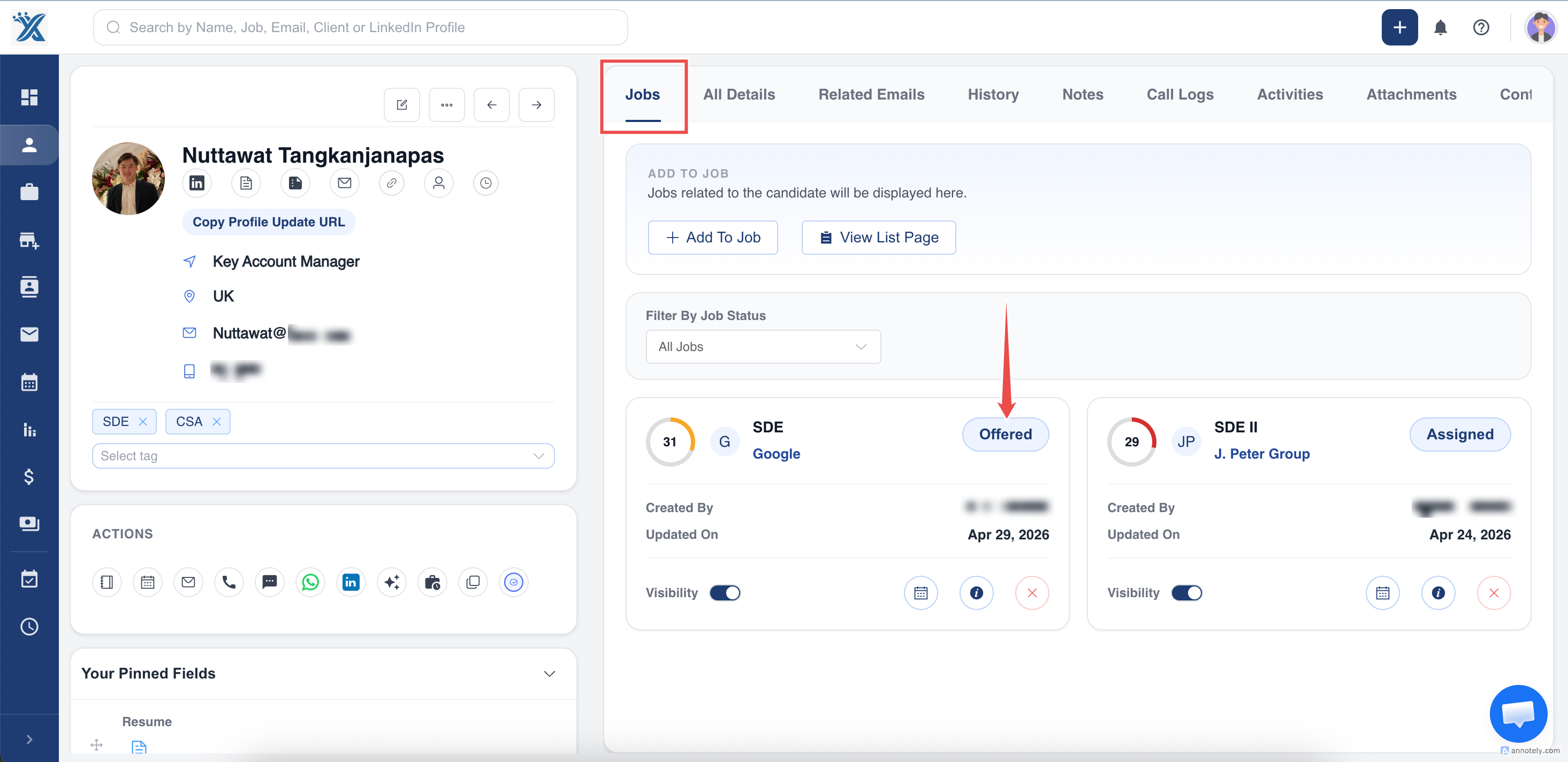
METHOD 3- Updating the stage via candidates profile
Step 1- Go to the profile of candidate
Step 2- You will see job stage and job details in the jobs section
Step 3- Click on the talent stage and update the stage and add remark
That’s it we are done.