
How to Email Candidates and Contacts in ATZ CRM
ATZ CRM provides a streamlined way to send emails to candidates and contacts. This guide covers the basic steps to send emails, use email templates, and ensure your email system is connected.
Let’s get started.
Step 1: Locate the Candidate or Contact
Navigate to the desired candidate or contact profile within the CRM.
Ensure the profile has a valid email address. If there’s no email address, you won’t be able to proceed with sending an email.
Step 2: Access the Email Feature
Click on the email icon or button associated with the candidate/contact.
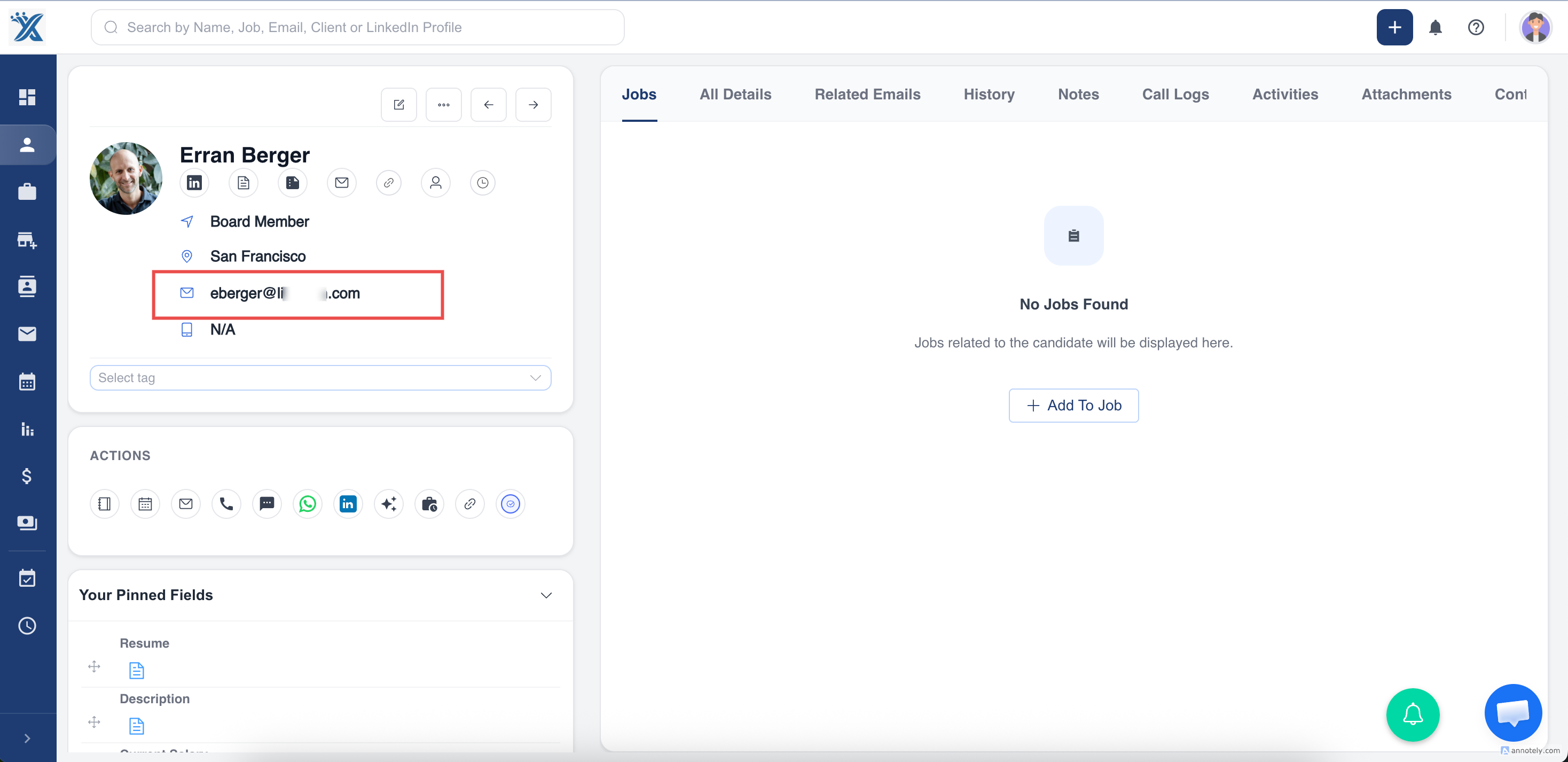
A pop-up window will appear for composing the email.
Step 3: Connect Your Email
If your email is not connected, the pop-up will display a message
Follow the guide to connect your email account. Once connected, you can send emails directly from ATZ CRM.
Step 4: Use Email Templates
Once the email pop-up is active, you can select from predefined email templates.
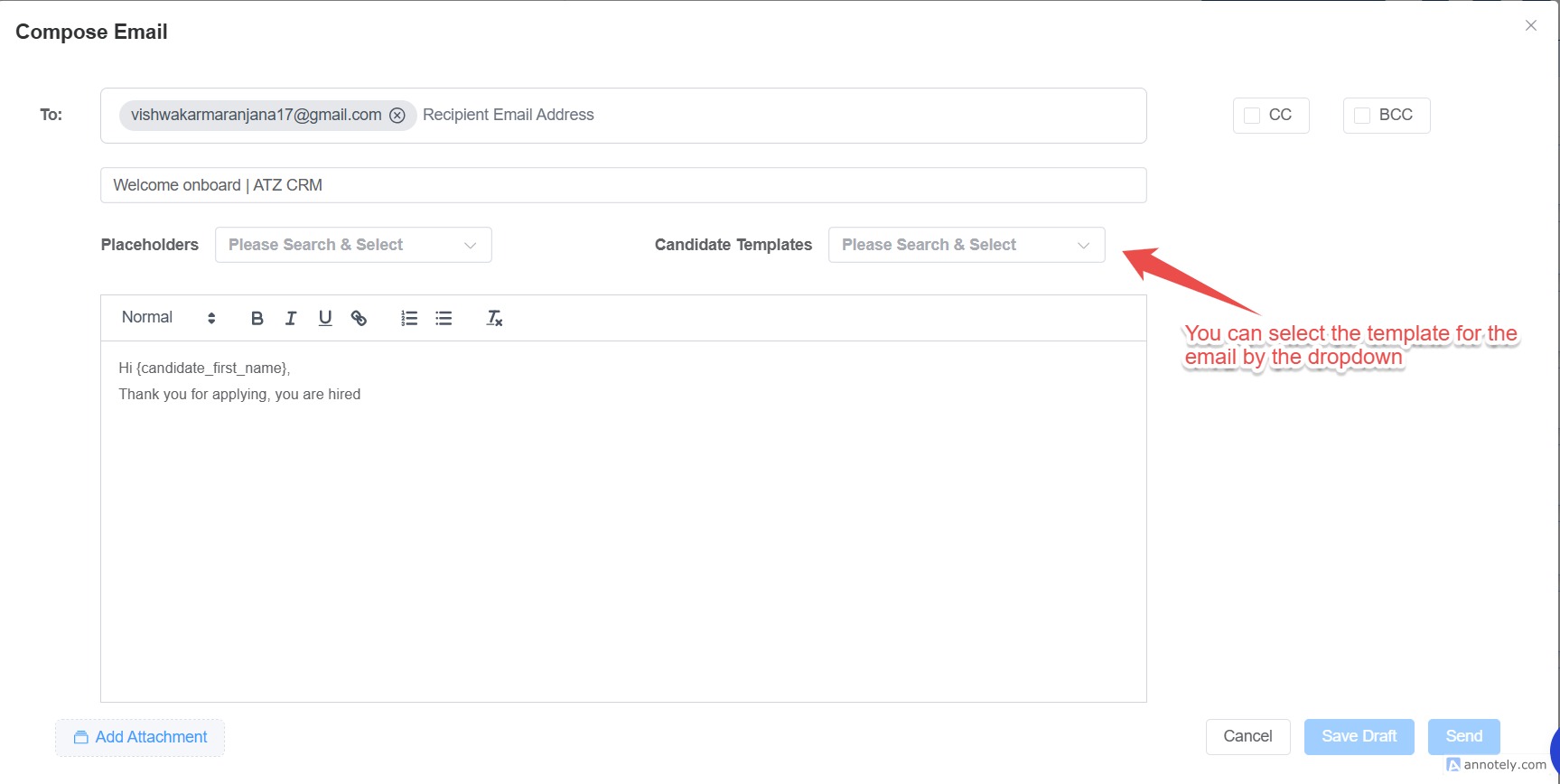
Select the desired template, and the system will auto-fill the details.
S tep 5: Send the Email
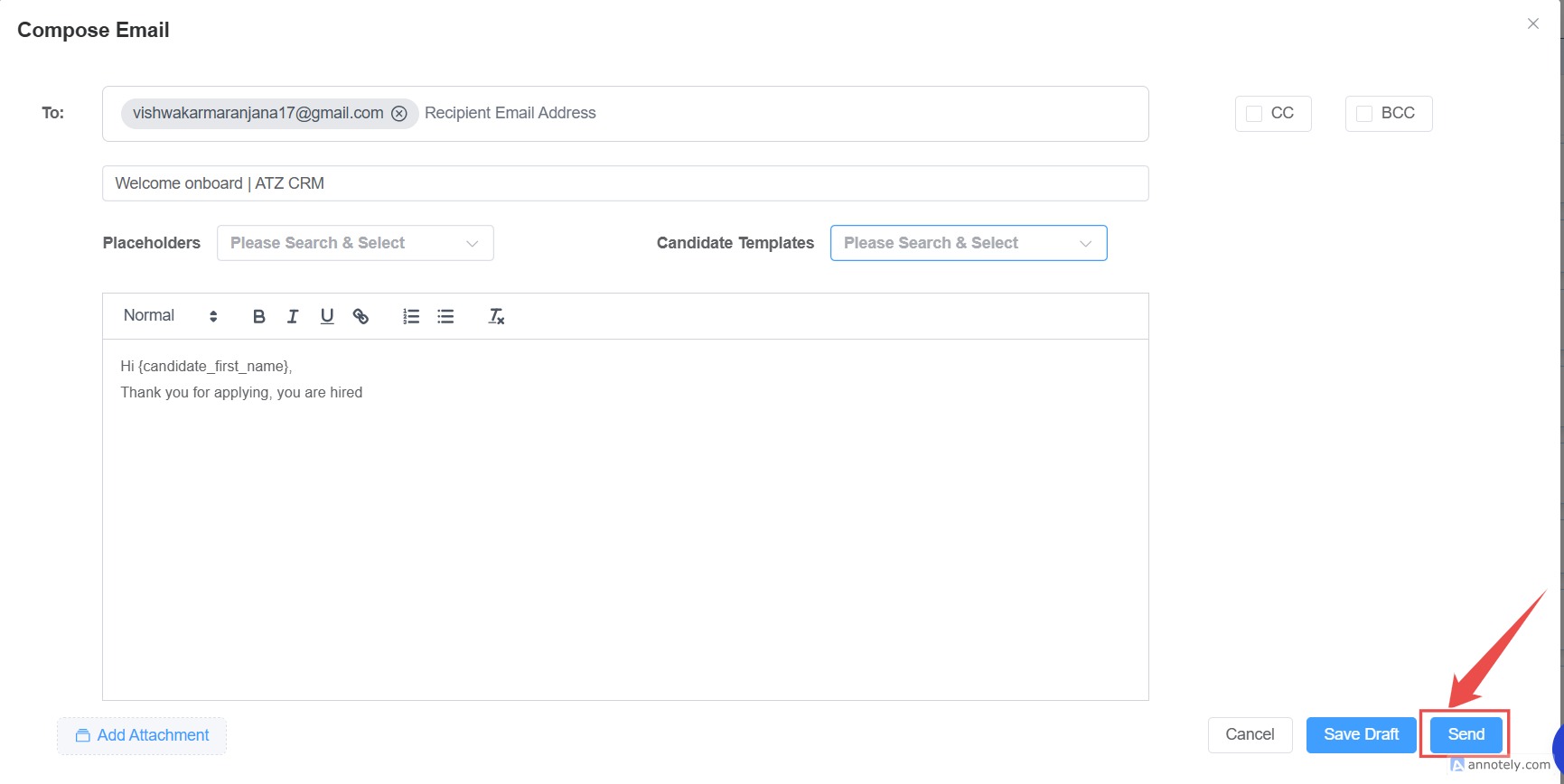
After customizing the email as needed, click the Send button. If your email is properly connected, the message will be sent instantly.
This article focuses on basic email functionality. We’ll cover advanced topics like setting up email a utomation triggers in another guide.
Stay tuned for more tips on leveraging ATZ CRM to streamline your workflows!