
Deals Pipeline
This guide outlines how to effectively utilize deal pipelines in ATZ CRM to track and manage your recruitment deals, ensuring an organized and efficient process.
What is a Deal Pipeline?
Section titled “What is a Deal Pipeline?”A deal pipeline in ATZ CRM is a visual tool that illustrates the progression of deals through various stages, from initial outreach to final closure. It helps recruitment teams monitor potential revenue opportunities and streamline their workflow by organizing deals into customizable phases.
Accessing the Deal Pipeline
Section titled “Accessing the Deal Pipeline”To view and manage your deal pipelines:
- Log in to your ATZ CRM account.
- Navigate to the ” Admin Settings ” section from the top right corner.
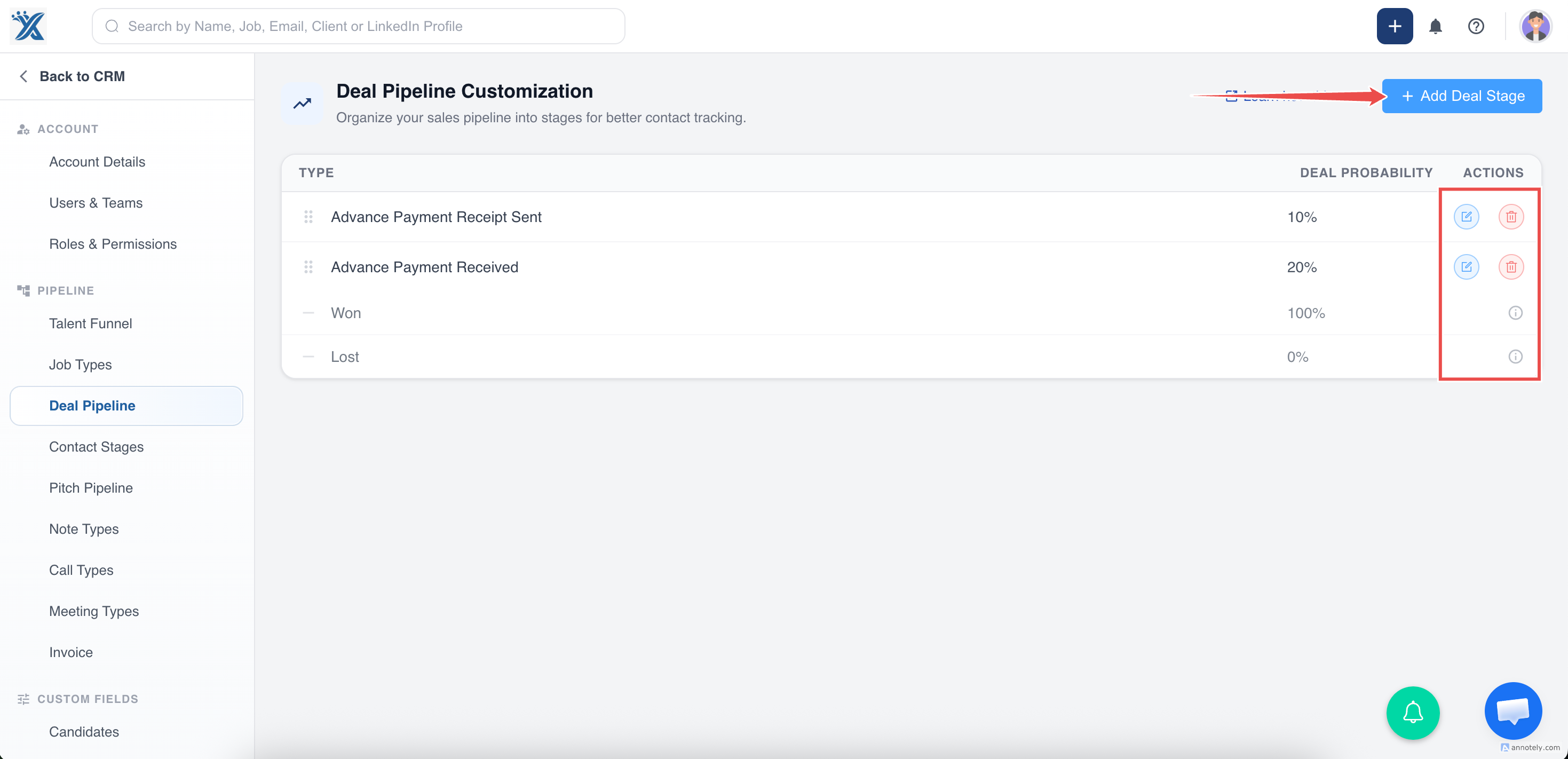
- Select the ” Deal Pipeline Customization ” option to customize Deal Pipeline.
Creating Stages in the Deals Pipeline
Section titled “Creating Stages in the Deals Pipeline”The stages in the Deals Pipeline are responsible for the amount calculated in the Total Weighted Pipeline.
ATZ CRM has two default stages in the Deals Pipeline that cannot be removed:
- Won
- Lost
After navigating to the Deals Pipeline, you can add Stages to the Deals Pipeline along with the probability of winning deals at every stage and reorder the stages as per your workflow.
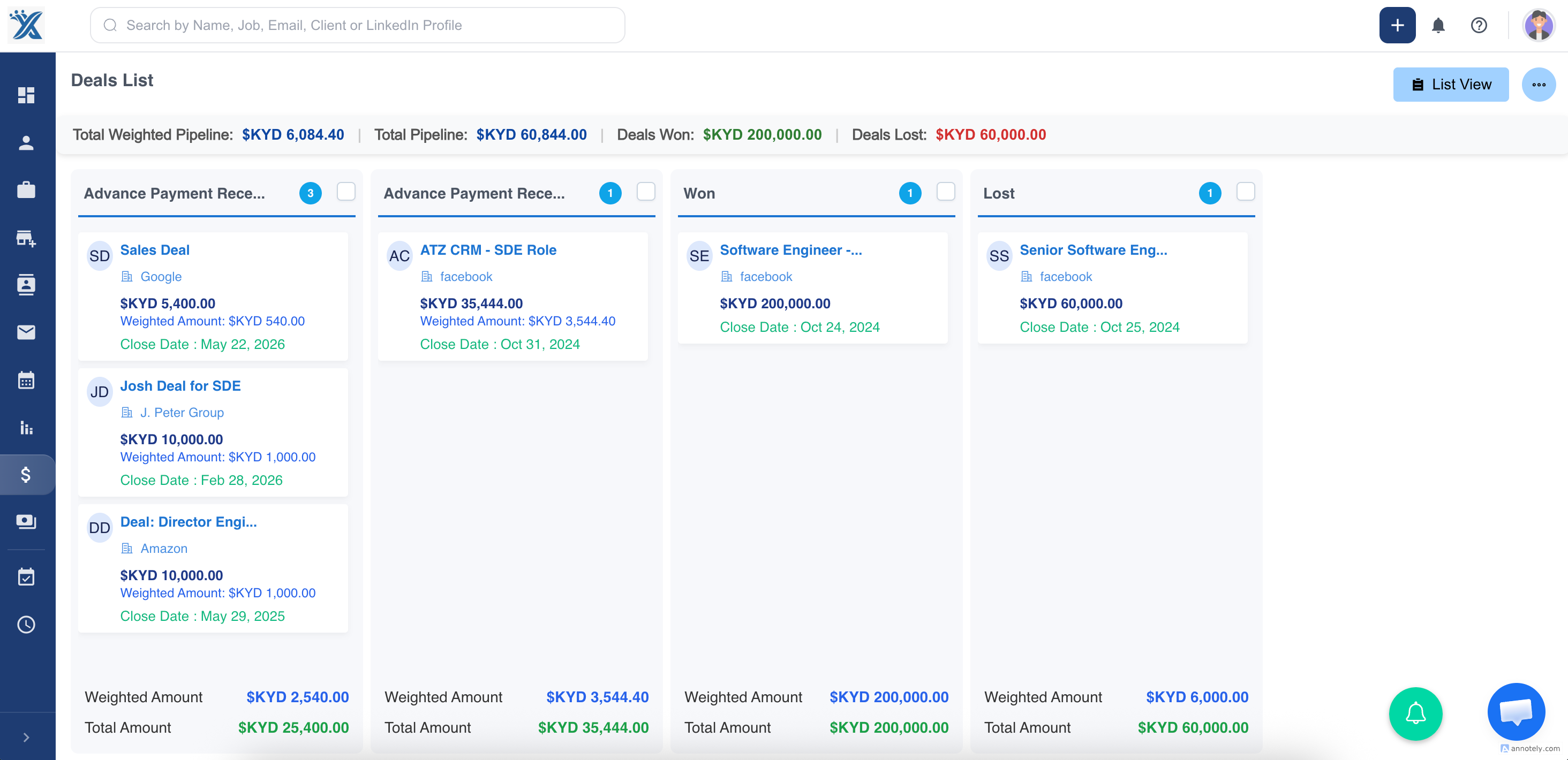
Your Deals Pipeline is now ready to use in both List & Kanban Views! You can now track your revenue pipeline on both a total & weighted basis:)
Changing the deal stages
Section titled “Changing the deal stages”You have the flexibility to view your deal pipeline in both List and Kanban views. In the Kanban view, you can change the deal stage by simply dragging and dropping the deal to the desired stage.
When you change the stage, a pop-up window will appear, allowing you to enter a remark or reason for the stage change.
You can also change the deal stage by directly accessing the deal profile.
Please don’t hesitate to contact us with any further questions about setting up deals!?