
How to Track If a Sent Email Has Been Opened
Tracking email opens is a valuable feature for recruiters and client managers who want to monitor engagement. This guide explains how you can track if an email sent via the CRM has been opened and how the open-tracking mechanism works.
How Email Open Tracking Works
Section titled “How Email Open Tracking Works”When an email is sent through the CRM, a tiny invisible tracking image (also called a pixel) is embedded in the message. When the recipient opens the email and images are loaded, the CRM detects that action and registers it as “opened.”
Where to See Opened Email Information
Section titled “Where to See Opened Email Information”There are three main ways to track opened emails:
1. Candidate or Contact Detail Page
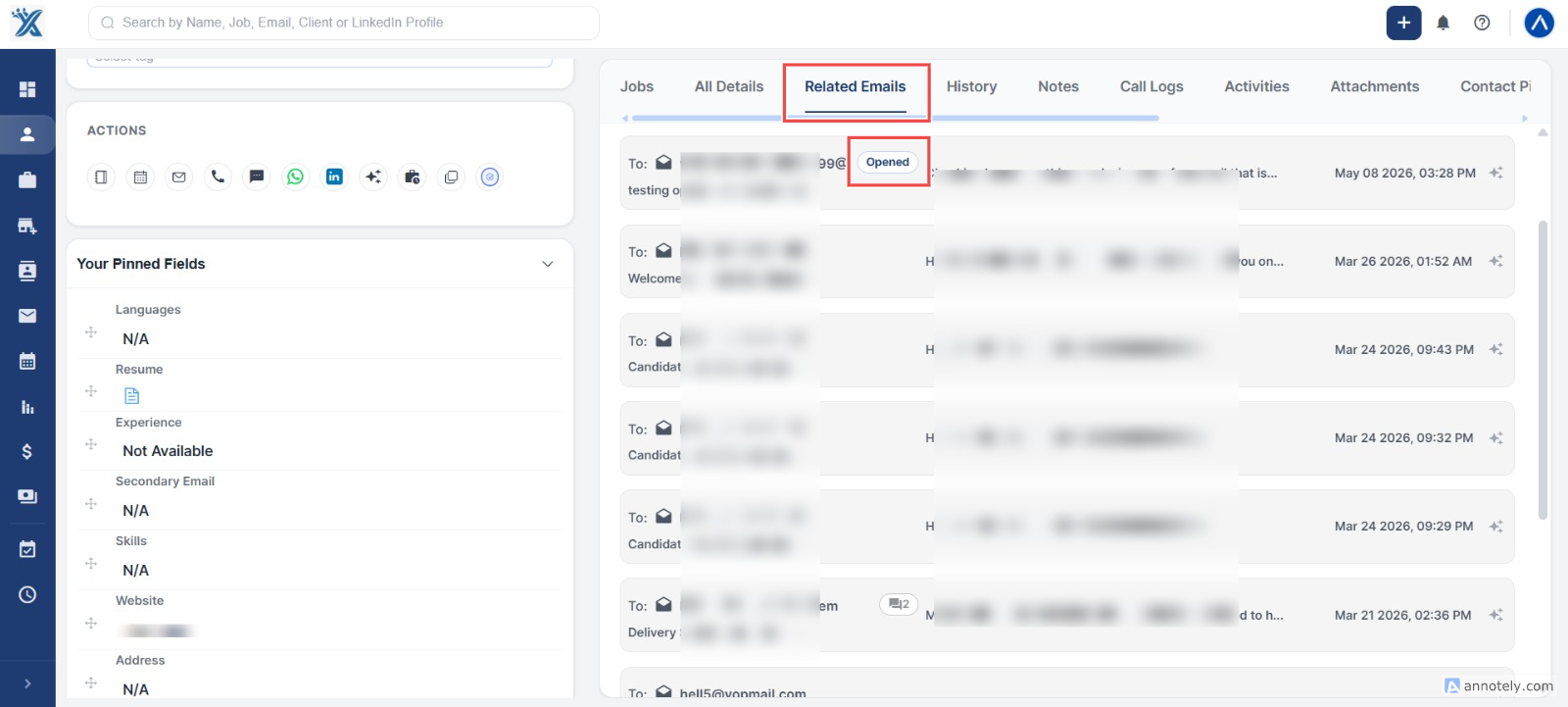
Section titled “1. Candidate or Contact Detail Page”- Navigate to the candidate’s or contact’s detail page in the CRM.
- Under the Related Emails section:
- You’ll see the open status.
- It will display the open count (how many times it was opened).
- It will show the last opened date and time.
2. Email List View – Open Folder
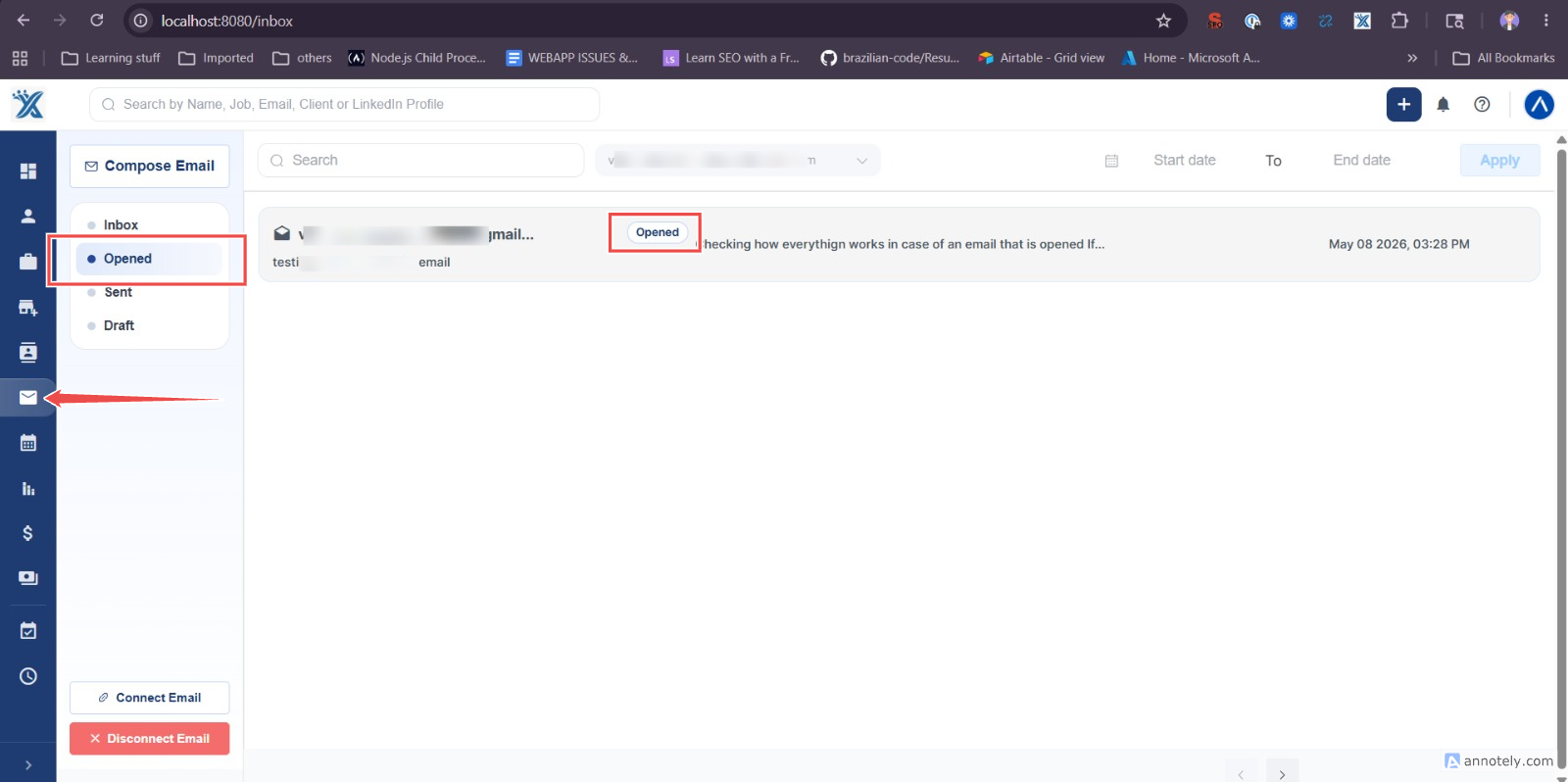
Section titled “2. Email List View – Open Folder”- Go to the Email List View section in the CRM.
- Then open the “Open” folder.
- This folder will display all the emails that have been opened.
- Each email entry will show:
- Open status.
- Open count.
- Last opened timestamp.
3. Email Detail Page
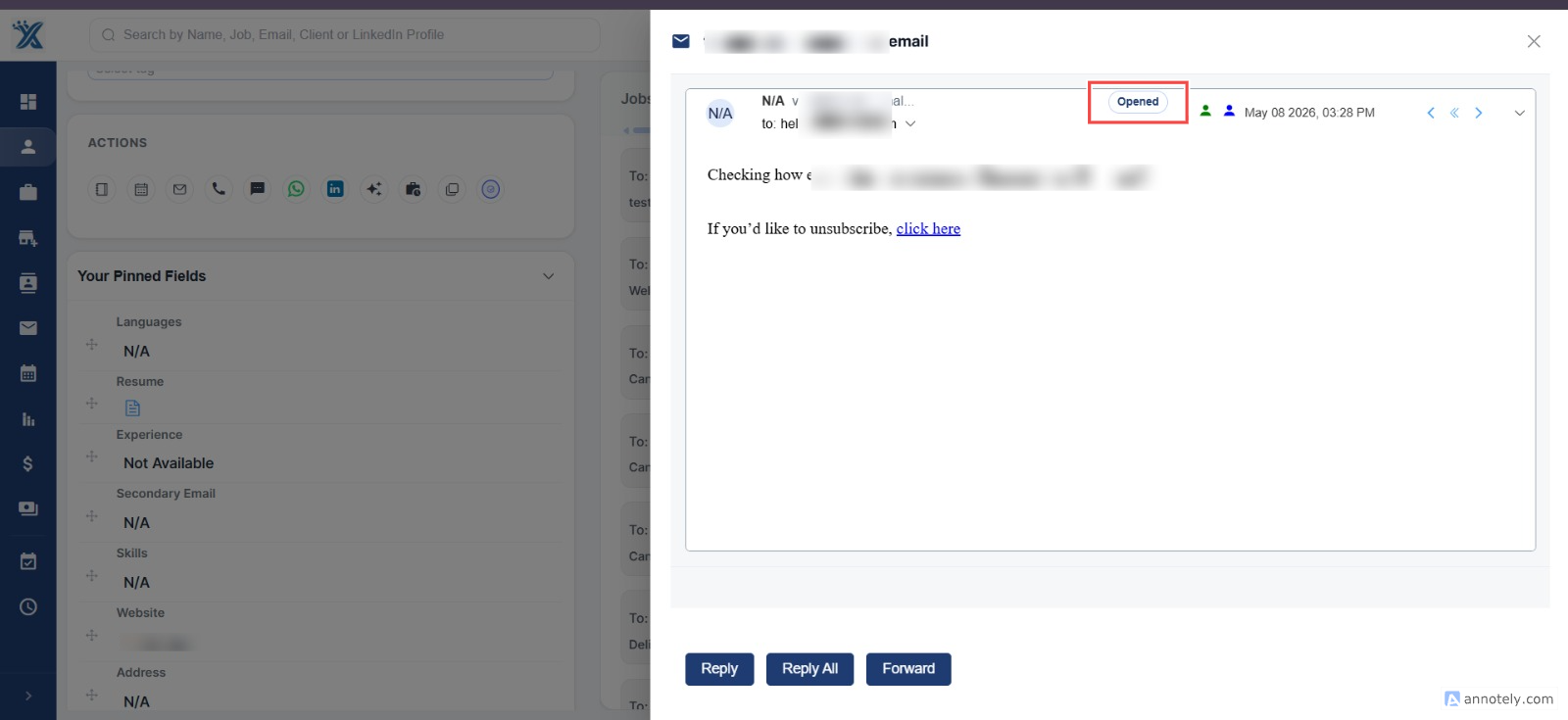
Section titled “3. Email Detail Page”- Click on any individual email from the list.
- On the detailed view of the email, you’ll see:
- Whether the email was opened.
- How many times it was opened.
- When it was last opened.
Additional Notes
Section titled “Additional Notes”- Images must be enabled in the recipient’s email for the open to be tracked.
- Some email clients or recipients may have image loading disabled, which can prevent open tracking even if the email was read.
Hope this help:)