
Client Productivity Insights
The Client Productivity Insights provides a detailed snapshot of how each of your clients is performing.
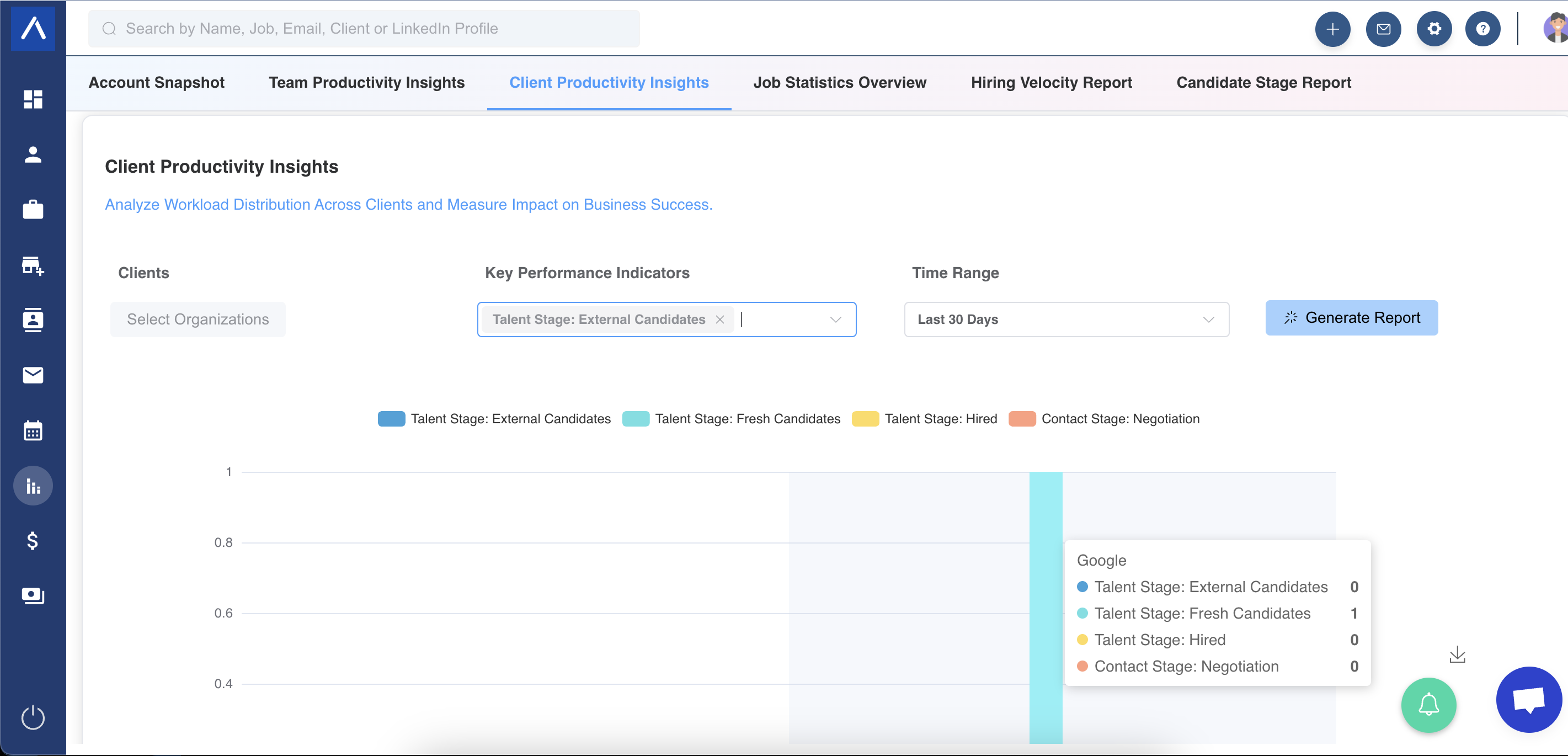
Easily create a report covering all your clients, incorporating key performance indicators (KPIs) to gain insights into whether operations are on track. This tool allows you to evaluate and compare client performance effectively.
Steps to Generate a Report
Section titled “Steps to Generate a Report”To produce a report within the Client Productivity Insights, follow these instructions:
- From the dropdown menu, select Clients or Organizations.
- Choose the desired KPIs from the KPI selection menu.
- Specify a Time Range and click “Generate Report.”
Available KPIs in the Report
Section titled “Available KPIs in the Report”- All stages in your Primary Recruitment Workflow.
- Notes and Activities linked to a specific client.
- Stages of candidates within the Candidates Pitched Pipeline.
- Contact Stages.
- Revenue generated and payments received from client-related deals.
Important Note: Data related to hiring stages (e.g., External Candidates or Hired) reflects historical information. This means candidates were in the reported stage at some point during the selected date range, but their current stage may differ.
Exploring Report Data
Section titled “Exploring Report Data”Based on your selections, the report displays data in bar charts.
We hope this guide enhances your experience with the Client Productivity Insights!