
How to Customize Your Email Signature in ATZ CRM
ATZ CRM allows you to set up a personalized email signature easily through the Email Settings feature. Follow the steps below to create and customize your email signature.
Steps to Set Up Your Em ail Signature:
Step 1:
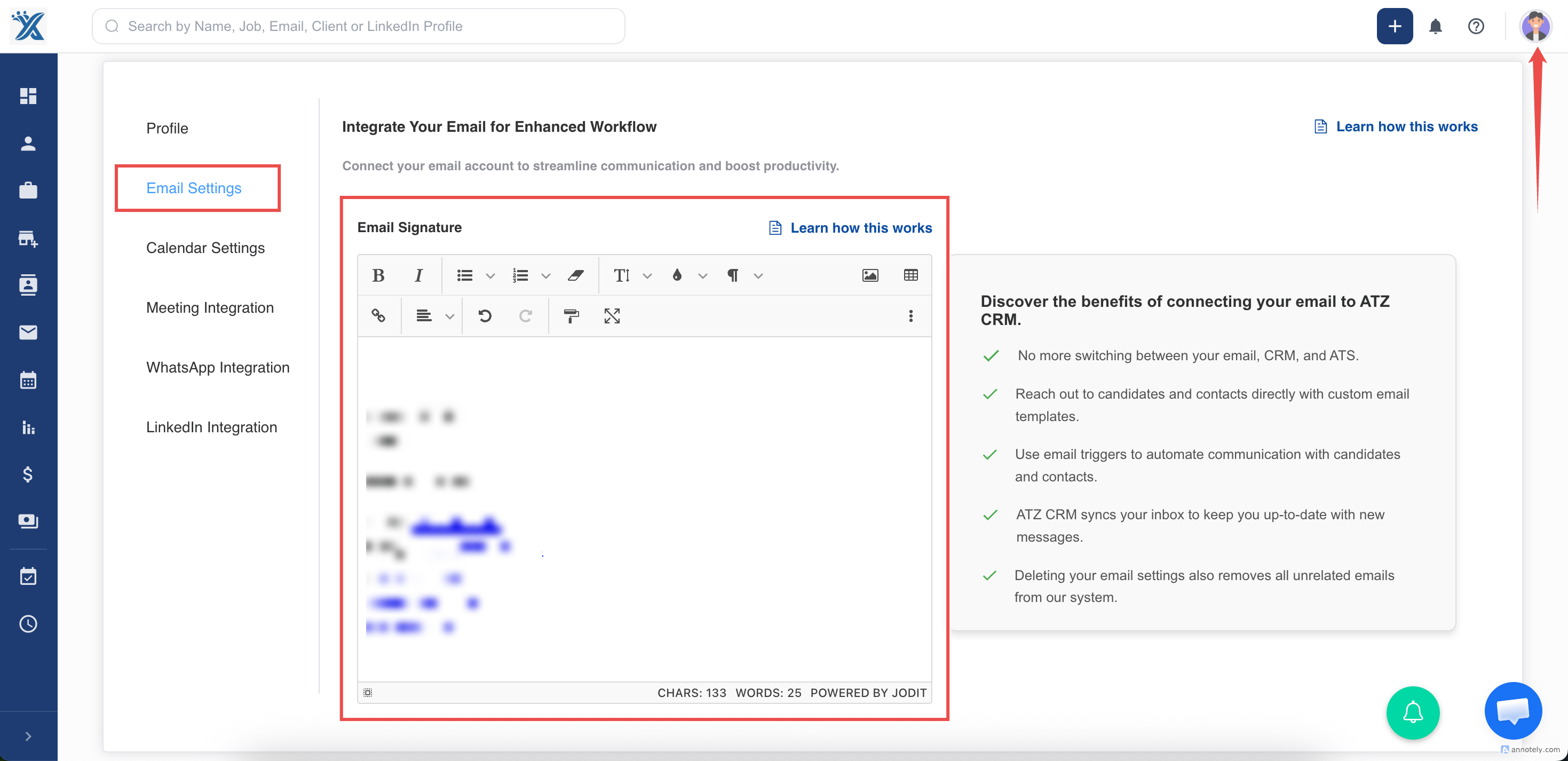
Navigate to the profile section
Step 2:
Click on Email Settings
Step 3:
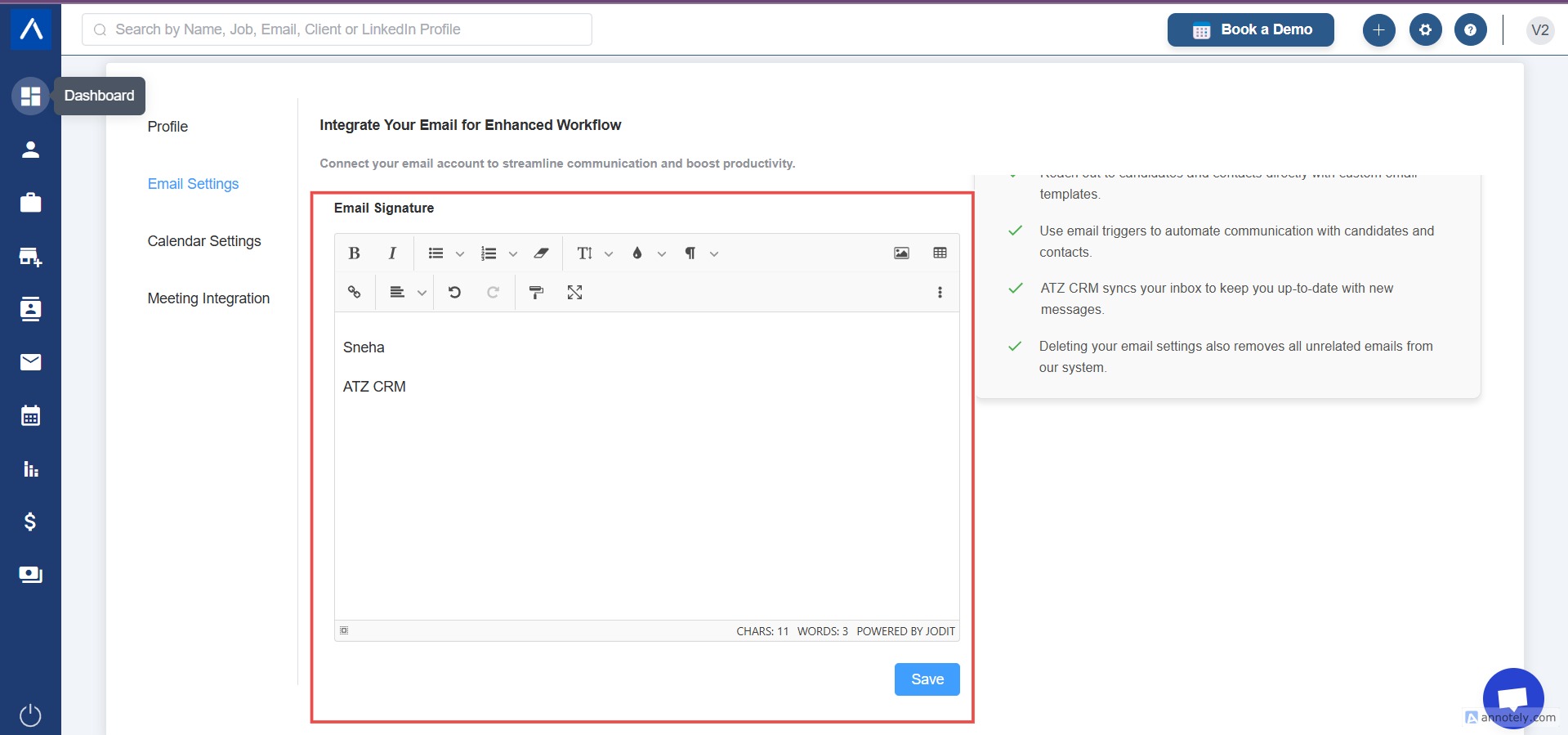
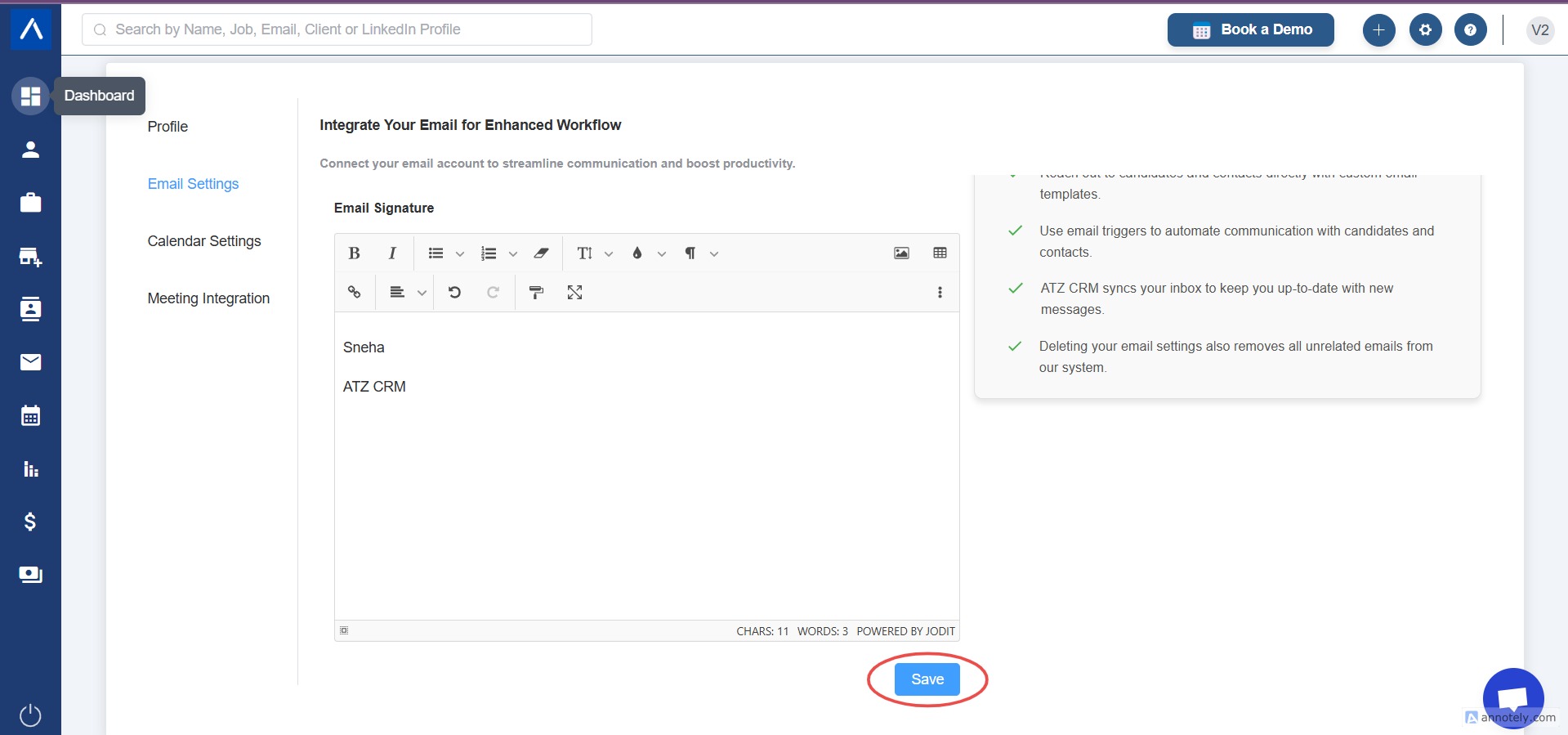
In the Email Settings section, locate the Email Signature option.
Step 4:
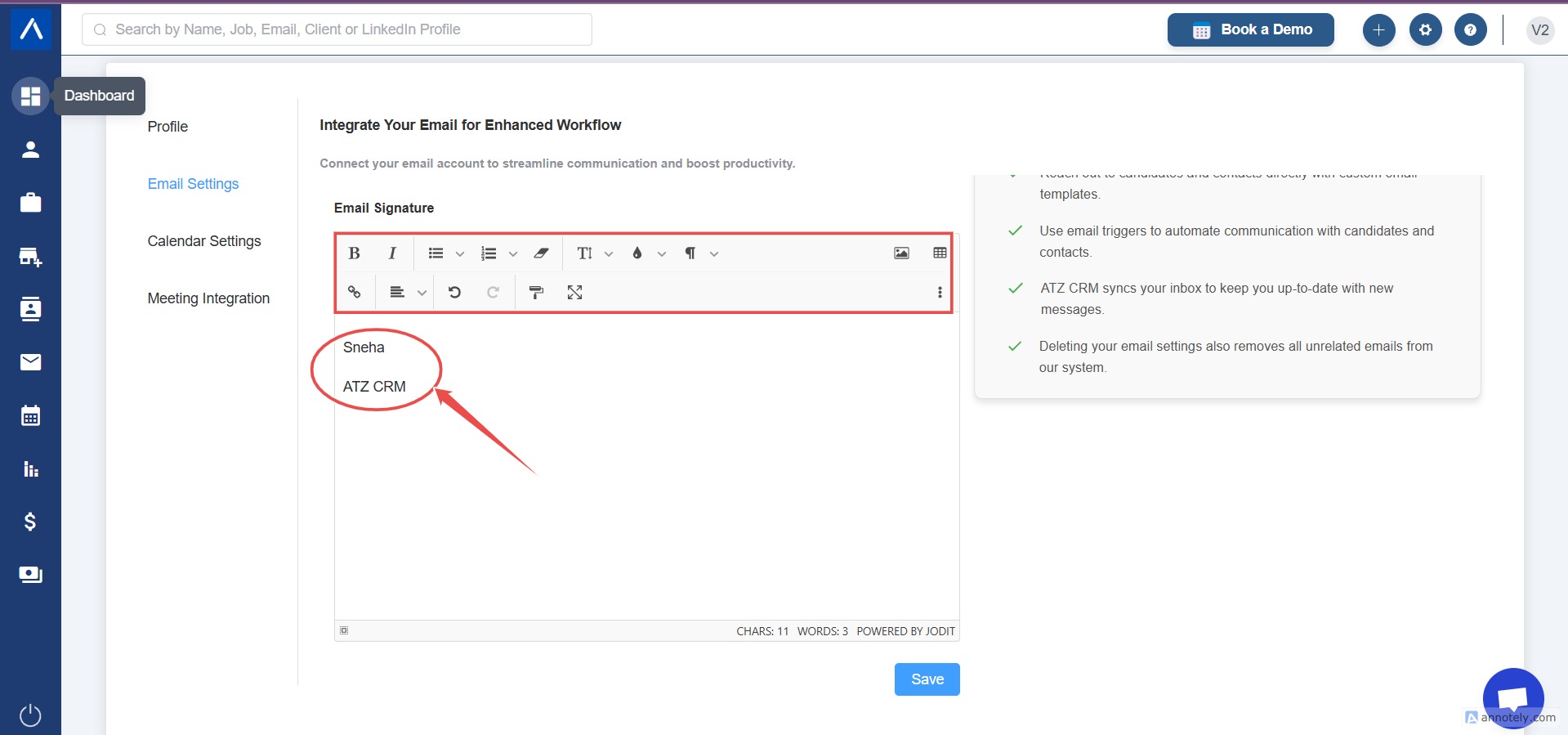
Enter your signature details, such as:
Your full name
Your designation (e.g., Marketing Manager, Sales Executive)
Your contact details (e.g., phone number, email address, website, or social media links)
Step 5:
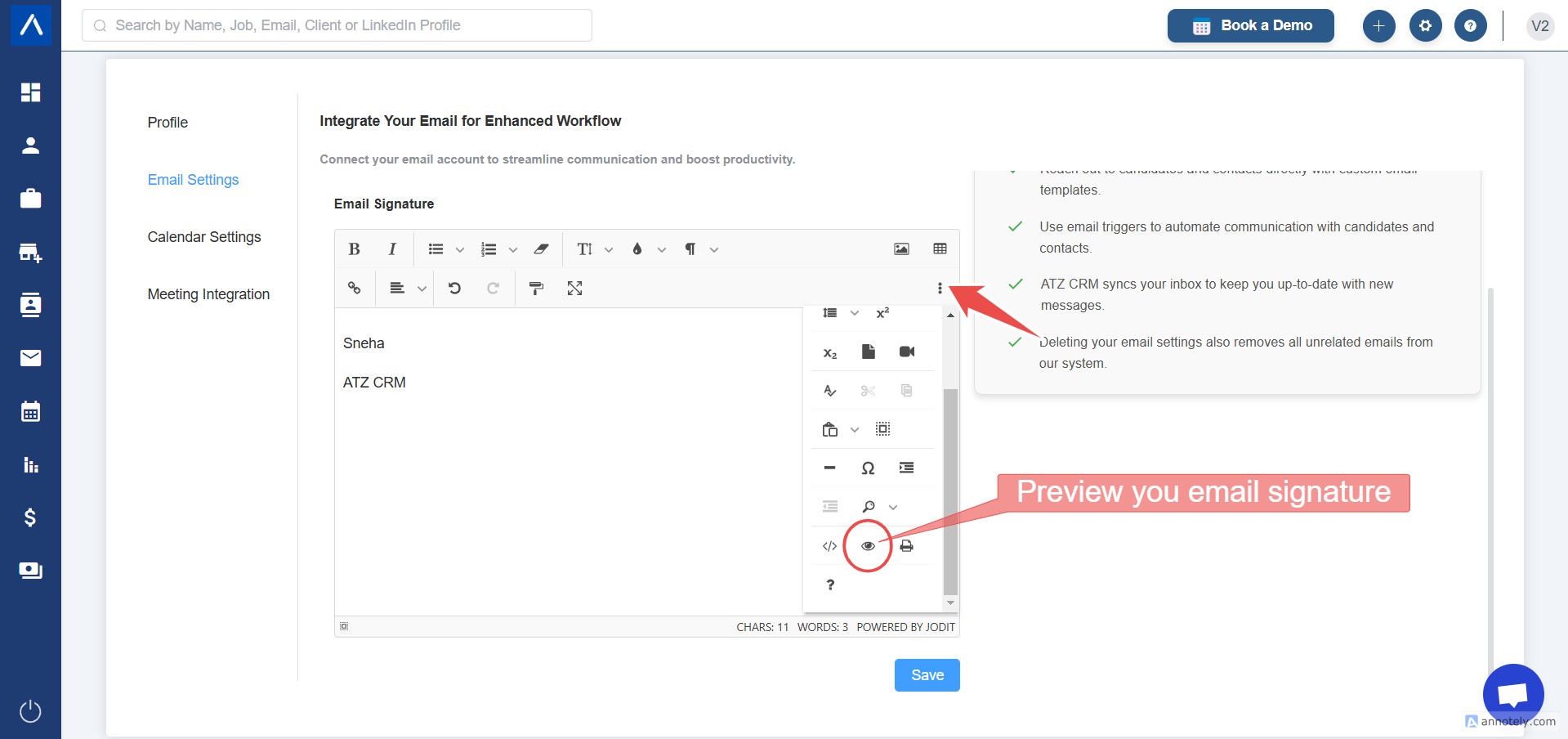
Once you have customized your signature, use the Preview option to see how it will appear in your emails.
Step 6: Save Your Signature:
If satisfied, click Save to apply the signature.
Need Help? If you have any questions or need assistance, don’t hesitate to reach out at ATZ CRM support team
Hope this help:)