
Customizing Fields Shared with Clients in ATZ CRM
In ATZ CRM, recruiters can fully customize the fields shared with clients on the client portal page. This includes renaming fields, controlling visibility, and adjusting job stages. Follow these steps to tailor the client portal to your needs.
1. Customizing Field Visibility and Labels
Section titled “1. Customizing Field Visibility and Labels”-
Open ATZ CRM and go to Admin Settings.
-
In the Custom Fields section, search for Fields Shared with Client.
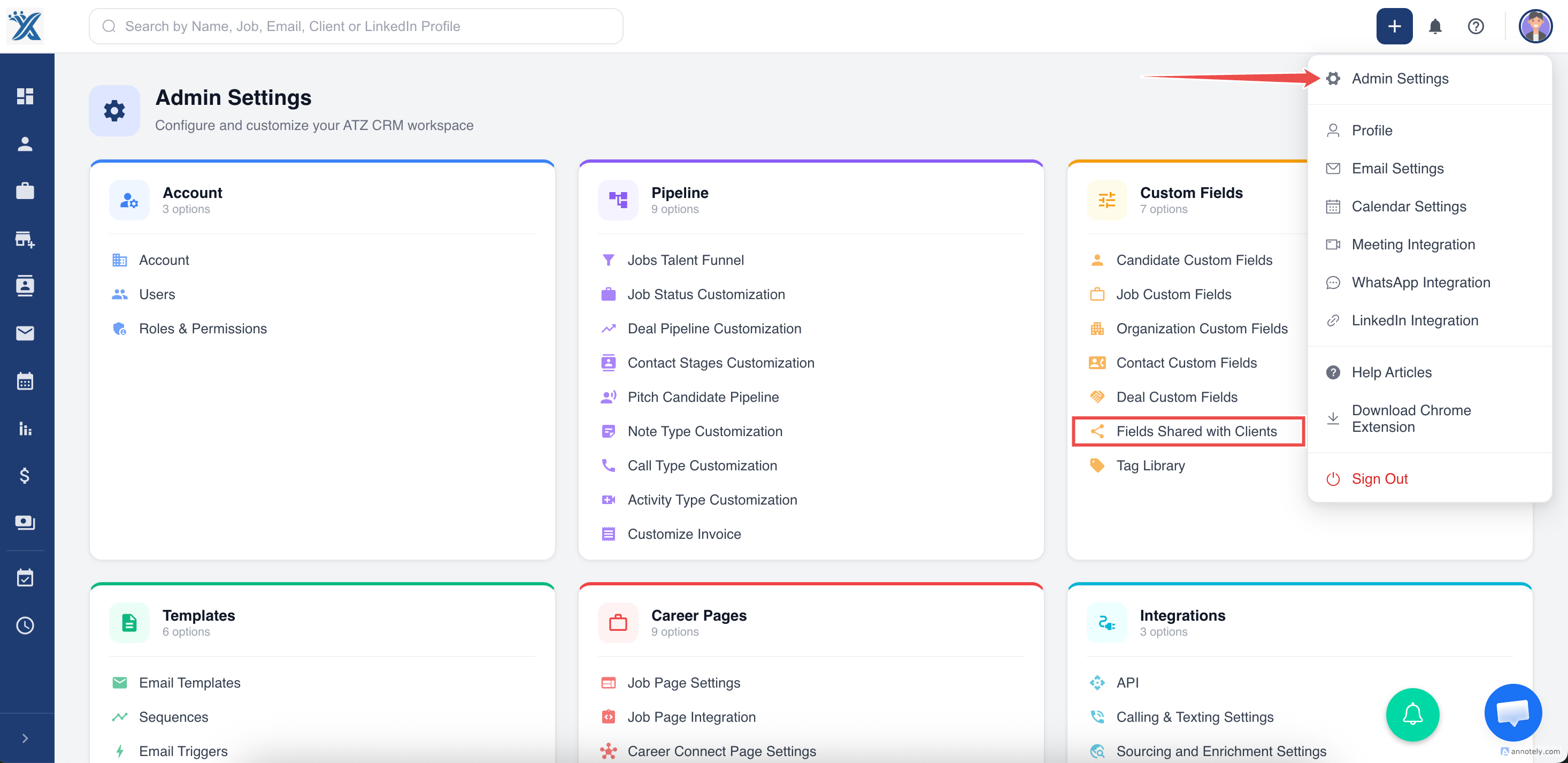
- Click on this section to access the field customization options.
Here, you can:
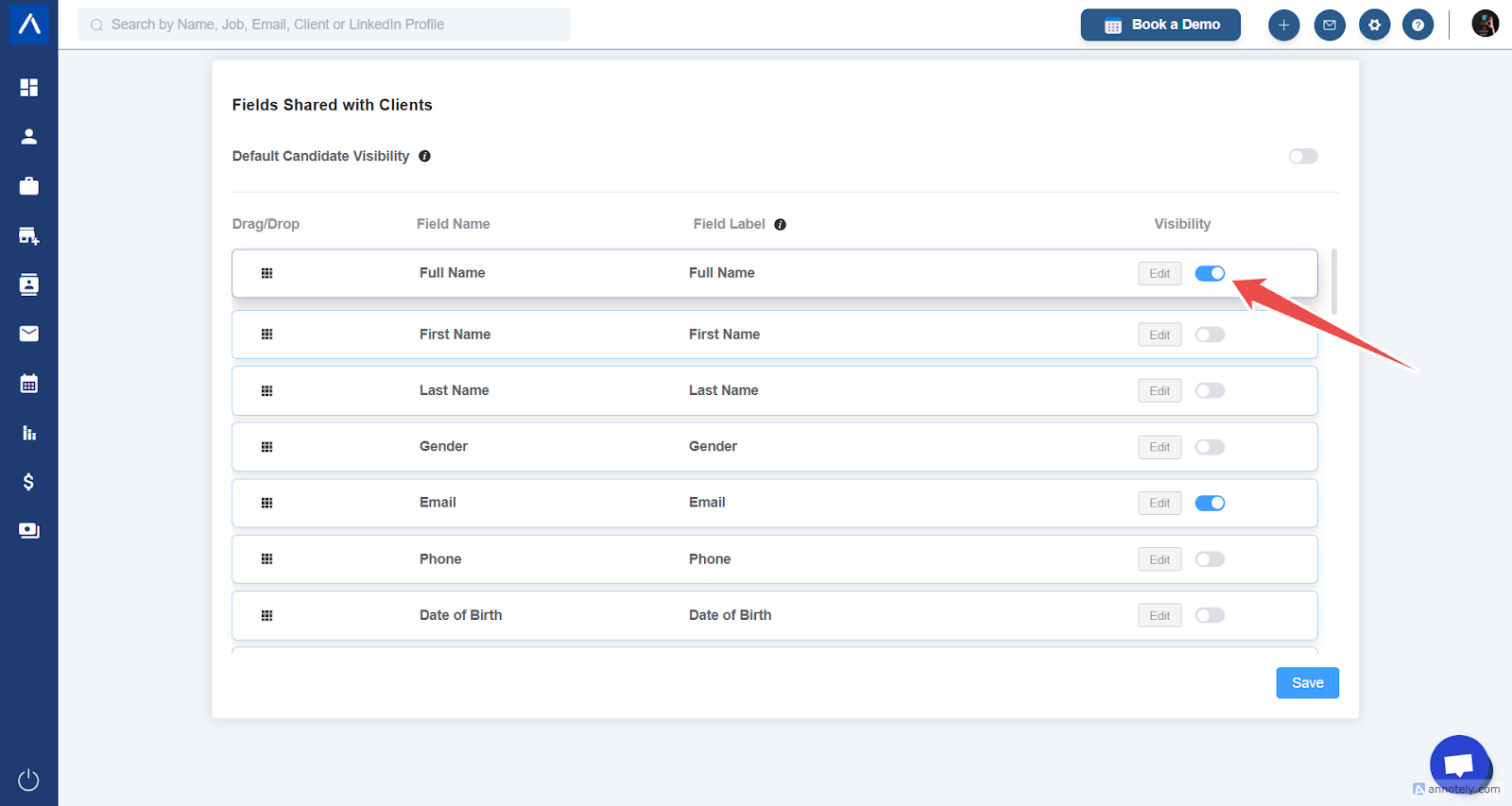
- Change Field Labels:
- Find the field you want to modify (e.g., “Full Name”).
- Edit the label (e.g., change “Full Name” to “Full Candidate Name”).
- Save your changes.
- Refresh the Client Portal Page to view the updated label.
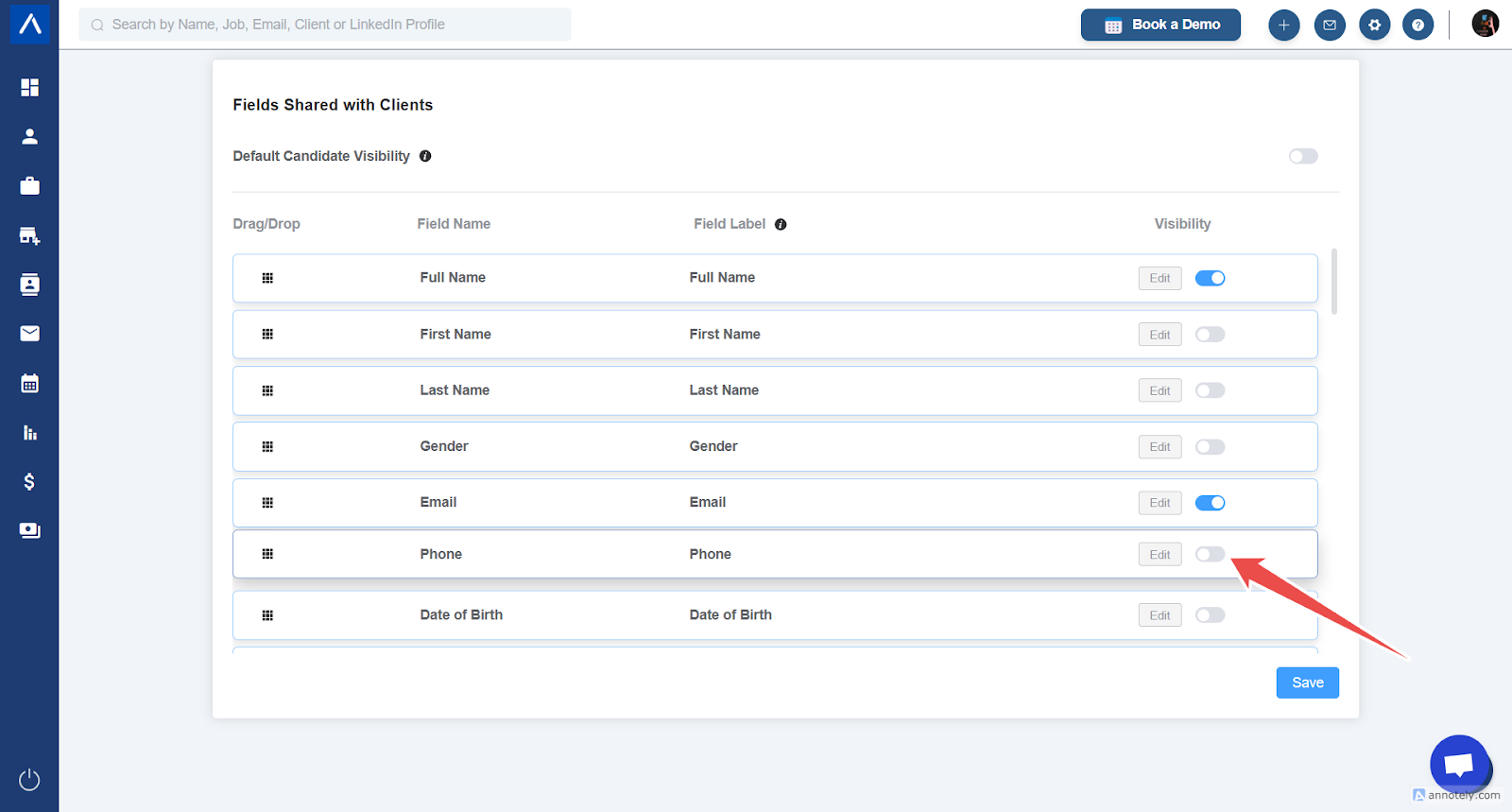
- Hide Fields:
- Locate the field to be hidden (e.g., “Resume”).
- Disable its visibility.
- Save your changes and refresh the Client Portal Page to ensure the field is hidden.
2. Customizing Job Stages for Clients
Section titled “2. Customizing Job Stages for Clients”Clients can move candidates through various job stages in the portal. To enable or disable these stages:
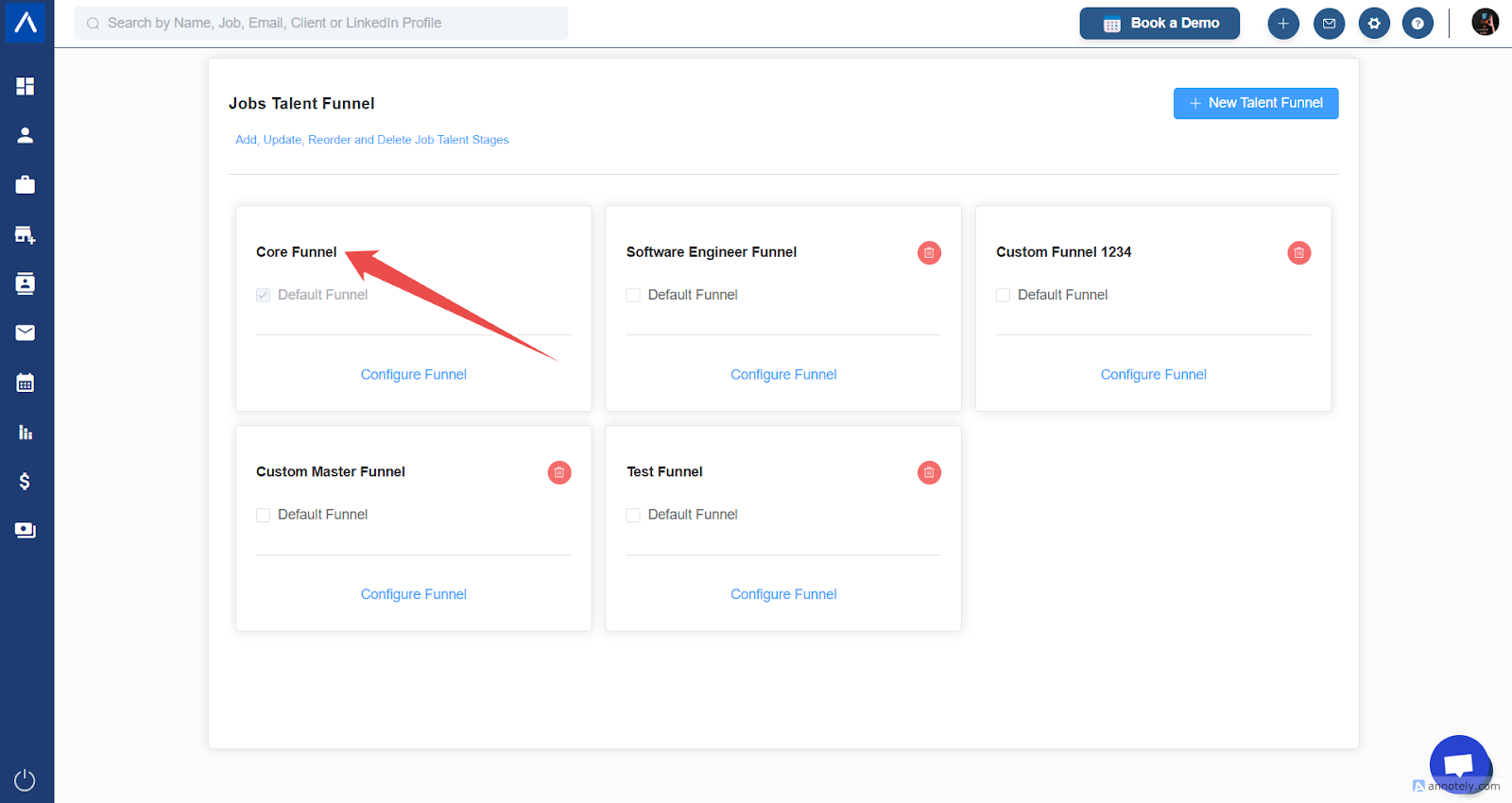
- Go to Admin Settings and select Jobs Talent Funnel.
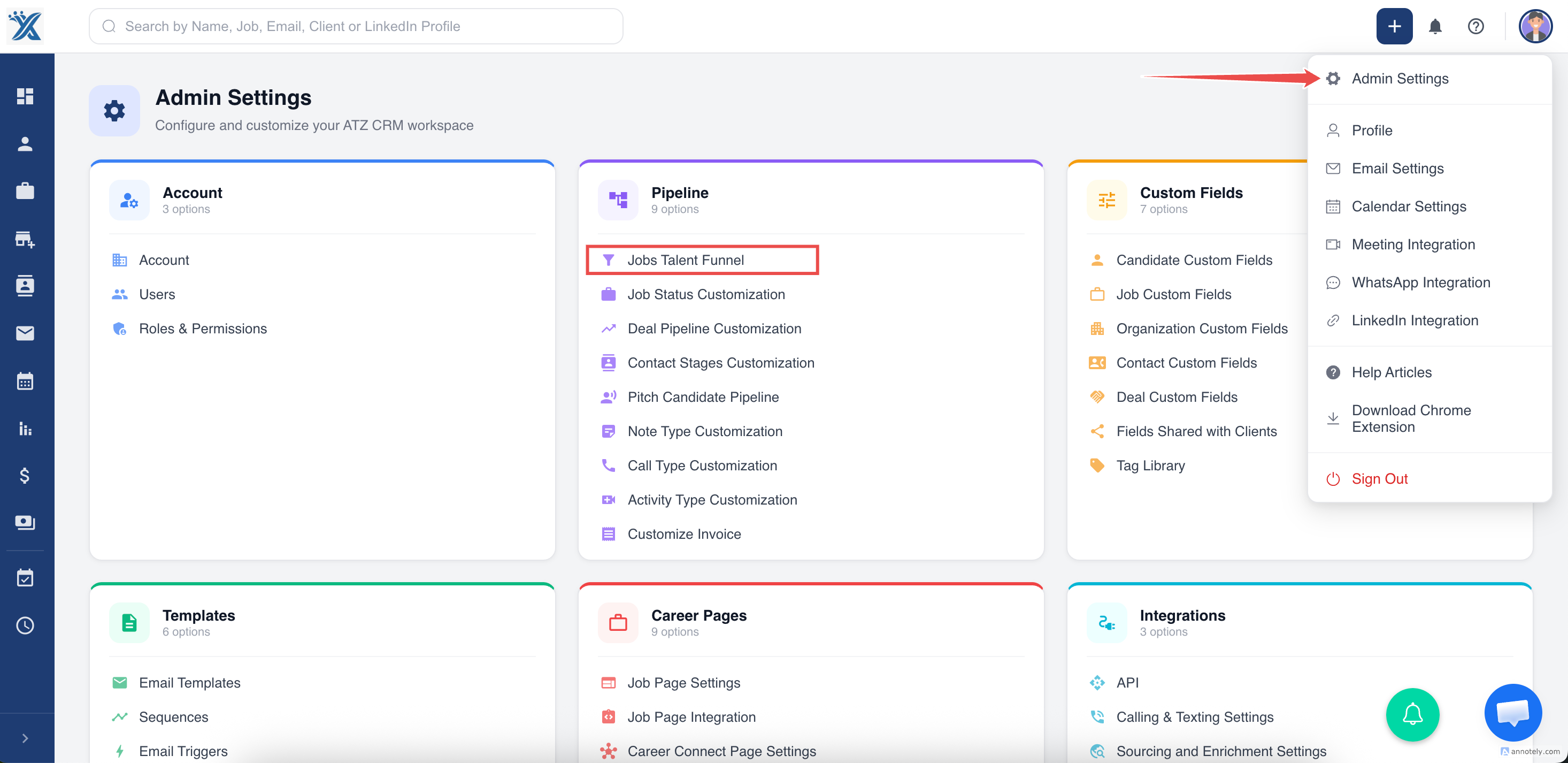
- Click on the Core Talent Funnel to view and modify the stages.
3. Managing Client-Accessible Stages
Section titled “3. Managing Client-Accessible Stages”- Open the Core Funnel (under Jobs Talent Funnel ).
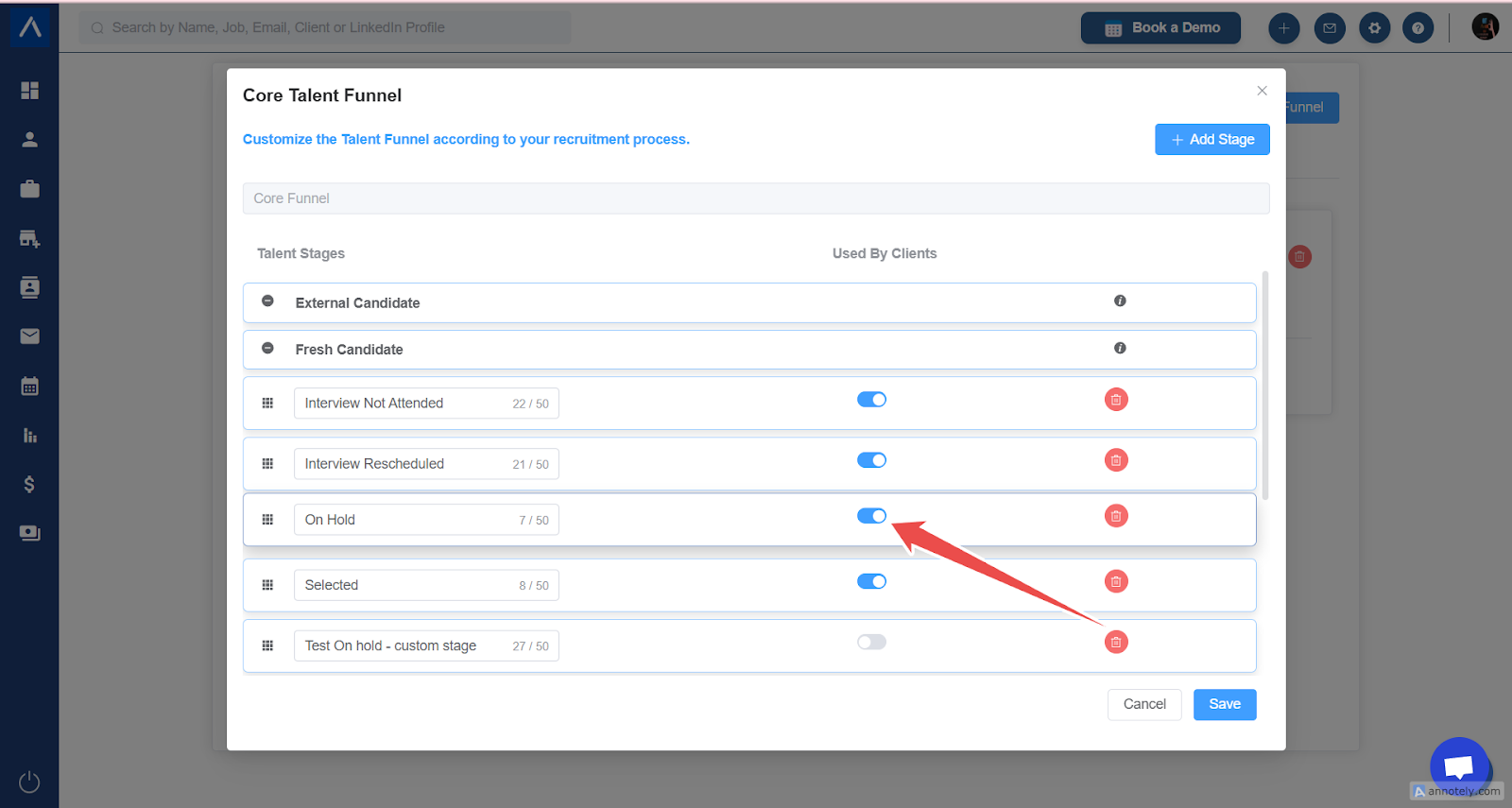
- Review the stages that are enabled (e.g., “Rejected”, “On Hold”, “Offered”).
- To adjust client access:
- Enable or disable specific stages from the Used By Clients column.
- For example, enabling the “Selected” stage allows clients to see and manage candidates in this stage.
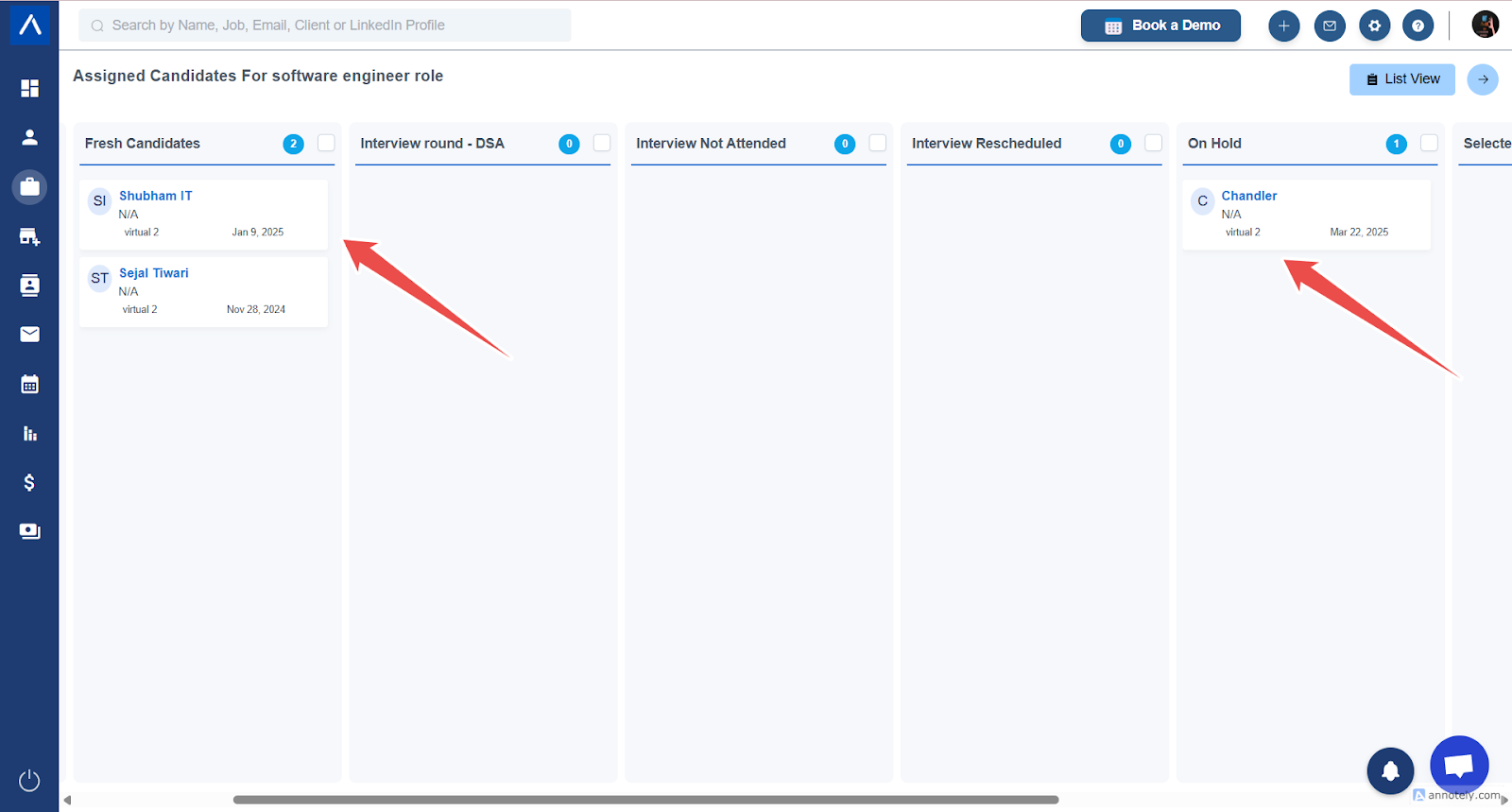
- Once updated, clients will only see and be able to move candidates within the enabled stages.
4. Client Actions on Candidates
Section titled “4. Client Actions on Candidates”- Clients can move candidates between the enabled stages.
- When moving a candidate, clients can add a remark (e.g., “Keep this candidate on hold”).
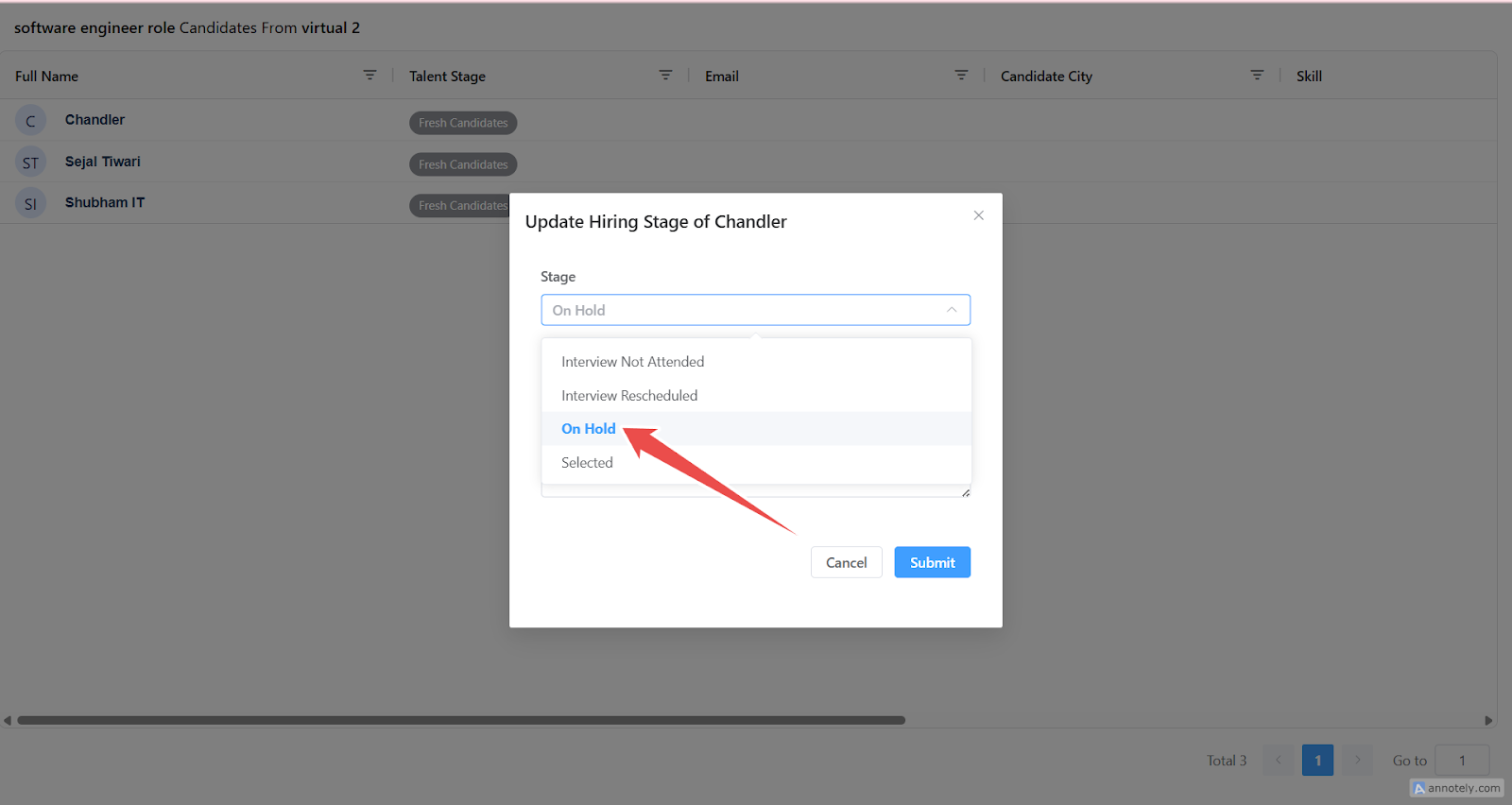
- All updates made by clients are reflected in the recruiter’s CRM account in real-time.
By customizing the fields and job stages shared with clients in ATZ CRM, recruiters have full control over the information displayed and edited by clients, creating a more streamlined and secure workflow.
Need further assistance? Don’t hesitate to reach out to the team!