
How to Apply a Candidate Profile Template on Candidates in ATZ CRM
Introduction
Section titled “Introduction”Candidate Profile Templates in ATZ CRM allow users to streamline candidate descriptions by automatically filling in placeholders. This guide provides a structured approach to applying these templates efficiently.
Steps to Apply a Candidate Profile Template
Section titled “Steps to Apply a Candidate Profile Template”1. Navigate to the Candidates Section
Section titled “1. Navigate to the Candidates Section”-
Open ATZ CRM and go to the Candidates tab.
-
Click on Add Candidate to initiate the process.
2. Enter Candidate Details
Section titled “2. Enter Candidate Details”-
Fill in necessary details such as Name and Current Position.
-
If a default template exists, the description field will be auto-filled.
-
If no default template is set, manually select one from the Profile Template Dropdown.
3. Save and Review
Section titled “3. Save and Review”-
Make any necessary modifications to ensure accuracy.
-
Click Create to finalize and store the candidate profile.
-
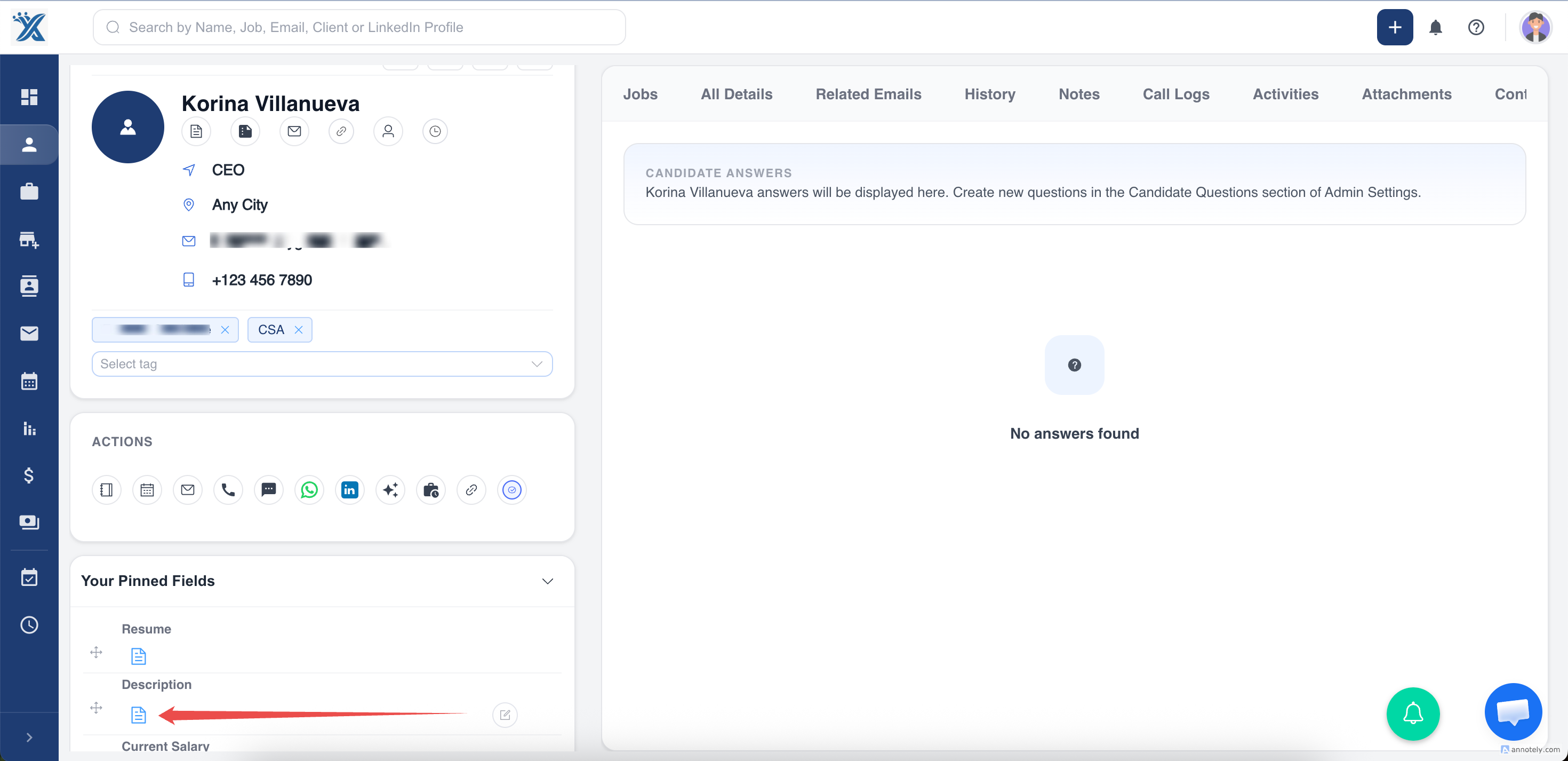
Verify that placeholders are replaced with the actual candidate data when clicking on the Candidate Description in Detail Page.
Hope this help:)