
How to Add Candidates Manually in ATZ CRM
Recruiting is all about finding the right talent, and ATZ CRM makes it easier than ever to manage candidate profiles. Let’s walk you through adding candidates step by step, with visual aids to keep things simple and engaging!
TABLE OF CONTENTS
- Step 1: Open the ‘Add Candidate’ Form
- Step 2: Fill in the Basic Details
- Step 3: Upload the Candidate’s Resume
Do You Know?
If you wanna add candidates from LinkedIn, You can now do it in just few clicks. introducing ATZ CRM chrome extension.
Step 1: Open the ‘Add Candidate’ Form
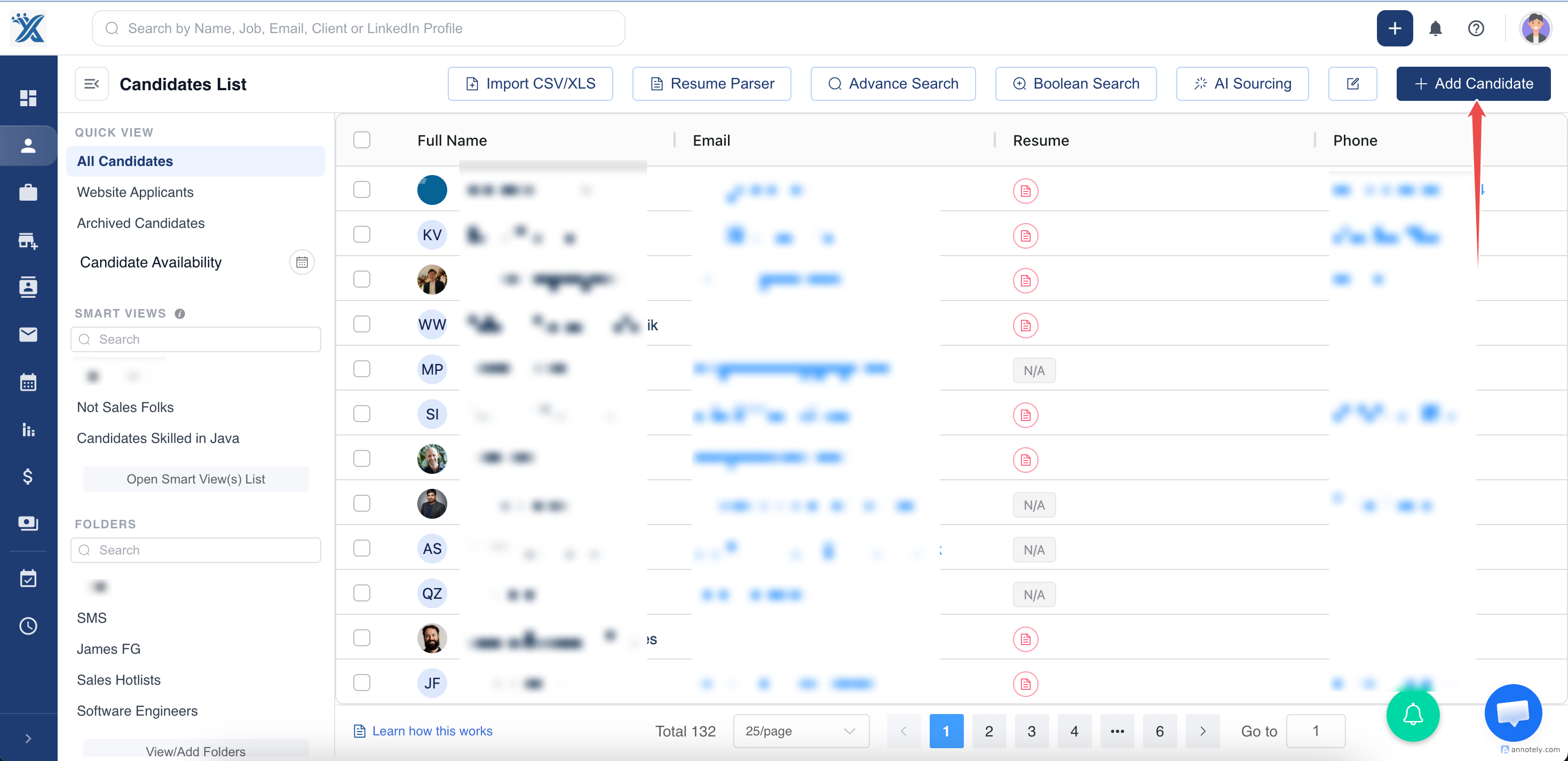
Section titled “Step 1: Open the ‘Add Candidate’ Form”Go to candidates and then click on Add Candidate as shown in the image.
Step 2: Fill in the Basic Details
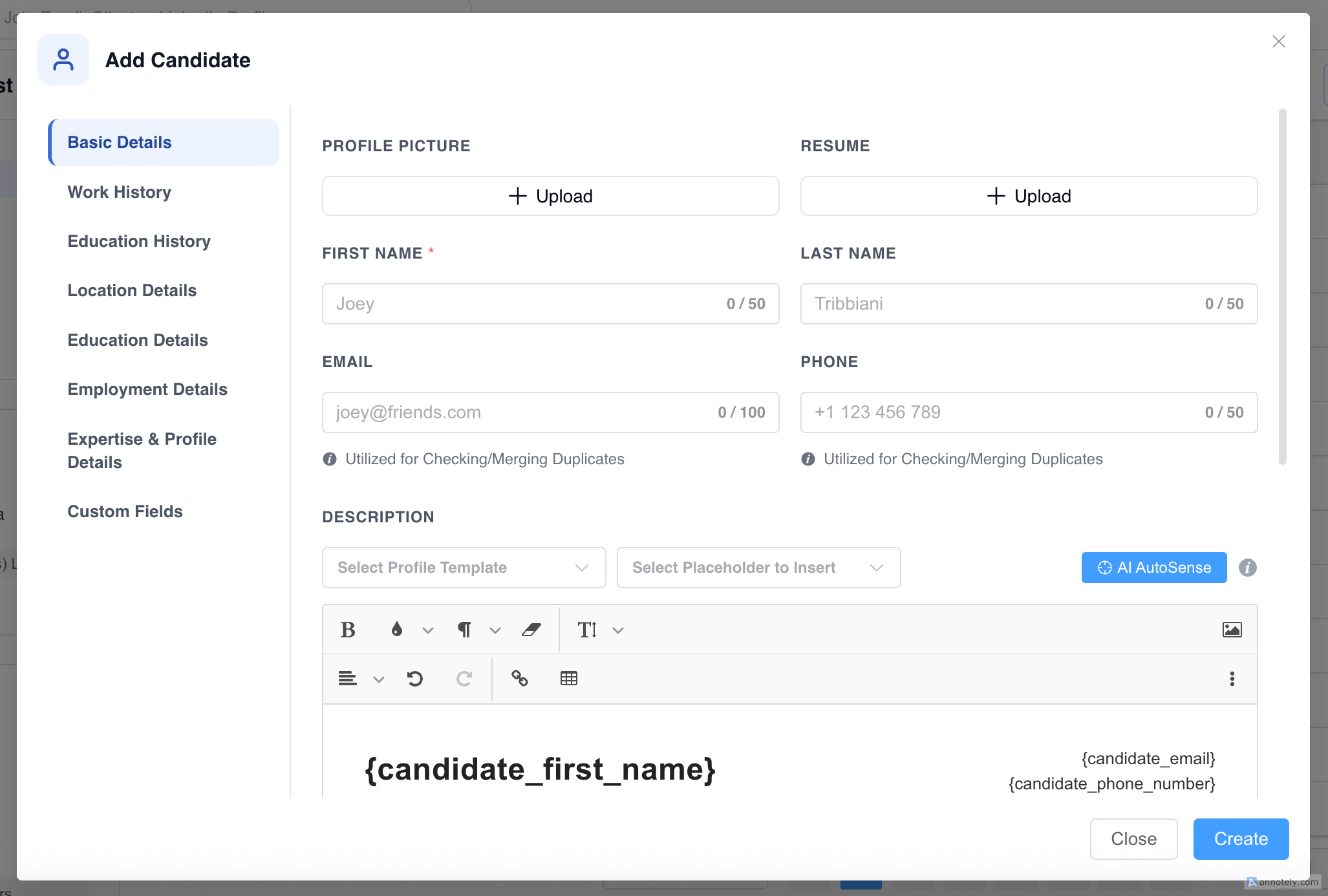
Section titled “Step 2: Fill in the Basic Details”The magic starts here. Click on the ‘Add Candidate’ button in the top-right corner to open the candidate form.
Pro Tip:
If you have a resume, please upload it first. Our resume parser will automatically extract the necessary details to fill in all required fields. For more info, check out our resume parsing.
Step 3: Upload the Candidate’s Resume
Section titled “Step 3: Upload the Candidate’s Resume”A profile is incomplete without a CV! Attach the resume using the ‘Upload’ button. Ensure it’s updated and well-formatted.
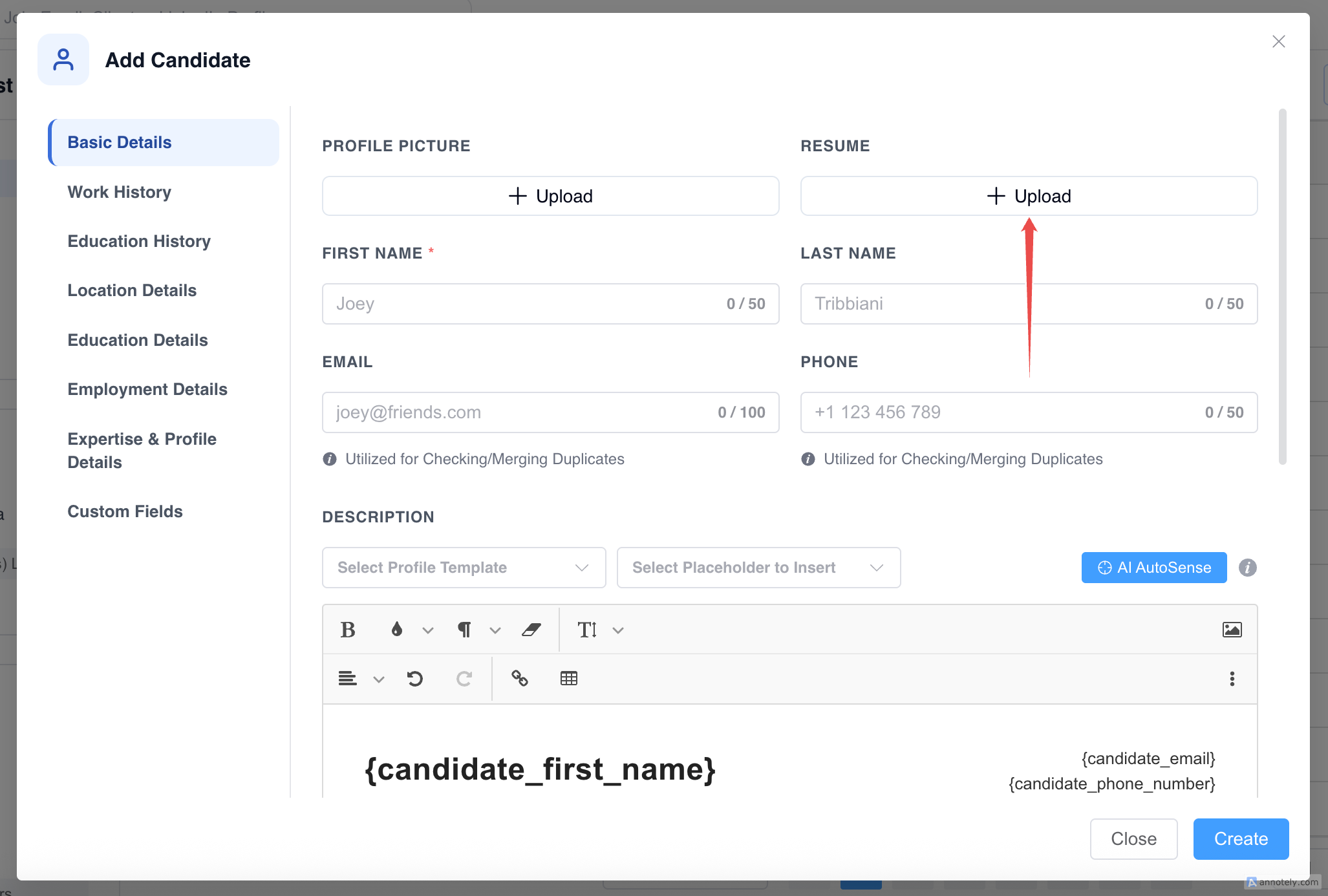
Double-check every detail—because accuracy is key. Once satisfied, hit the ‘Create’ button to save the profile.
With ATZ CRM, organizing candidate profiles is as easy as following these steps. Now you’re ready to build a recruitment database that works for you!