
How to Share a Job Requisition to ATZ CRM via the Client Portal
The Client Portal makes it simple for organizations to submit job requisitions directly to recruiters using ATZ CRM. This ensures a smooth workflow where recruiters instantly receive and manage job requests.
Note: The Client Portal is an add-on feature of ATZ CRM, available separately from the standard ATZ CRM subscription. For details on accessing this feature or pricing, contact our support team via the in-app chat or email us at support@atzcrm.com.
Steps to Submit a Job Requisition
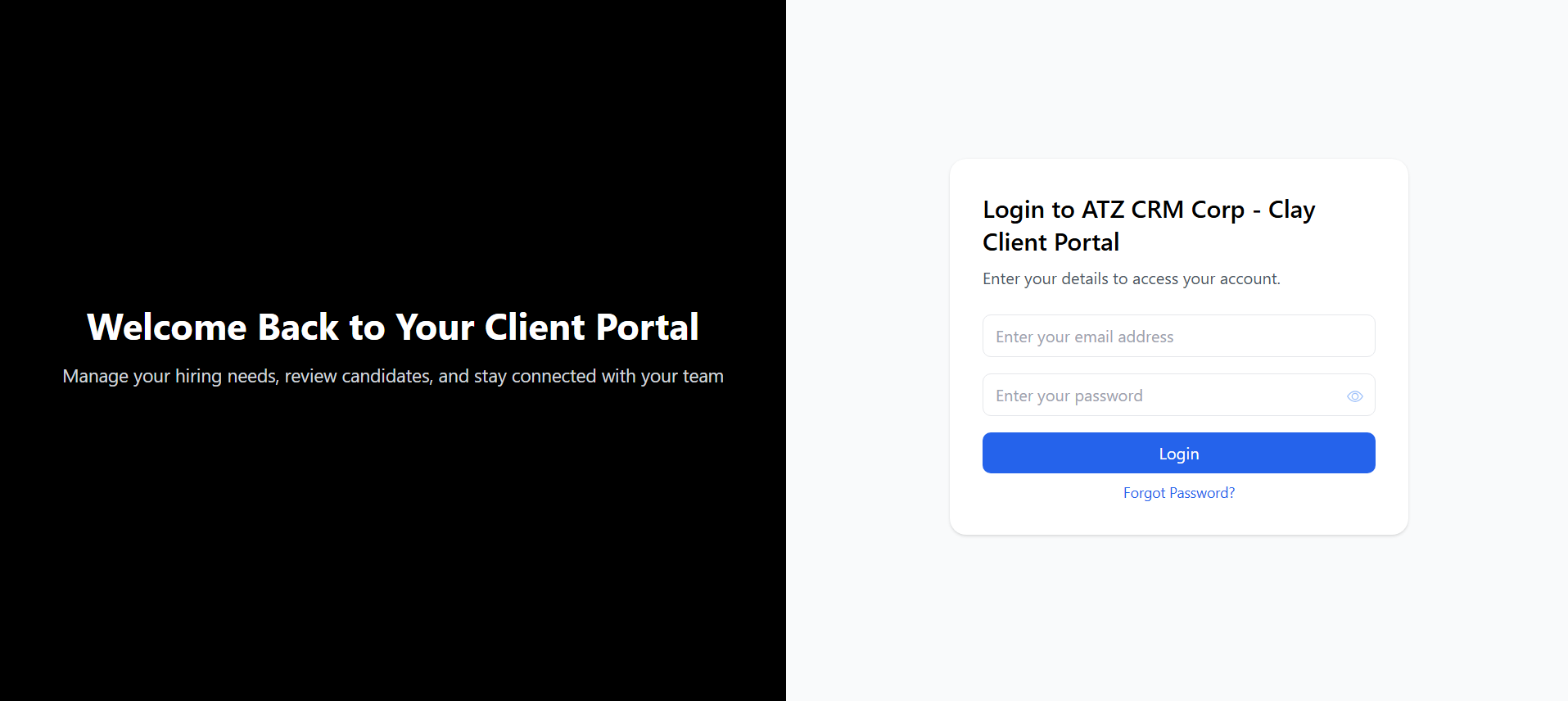
Section titled “Steps to Submit a Job Requisition”- Login to the Client Portal.
- Use your credentials to access the portal dashboard.
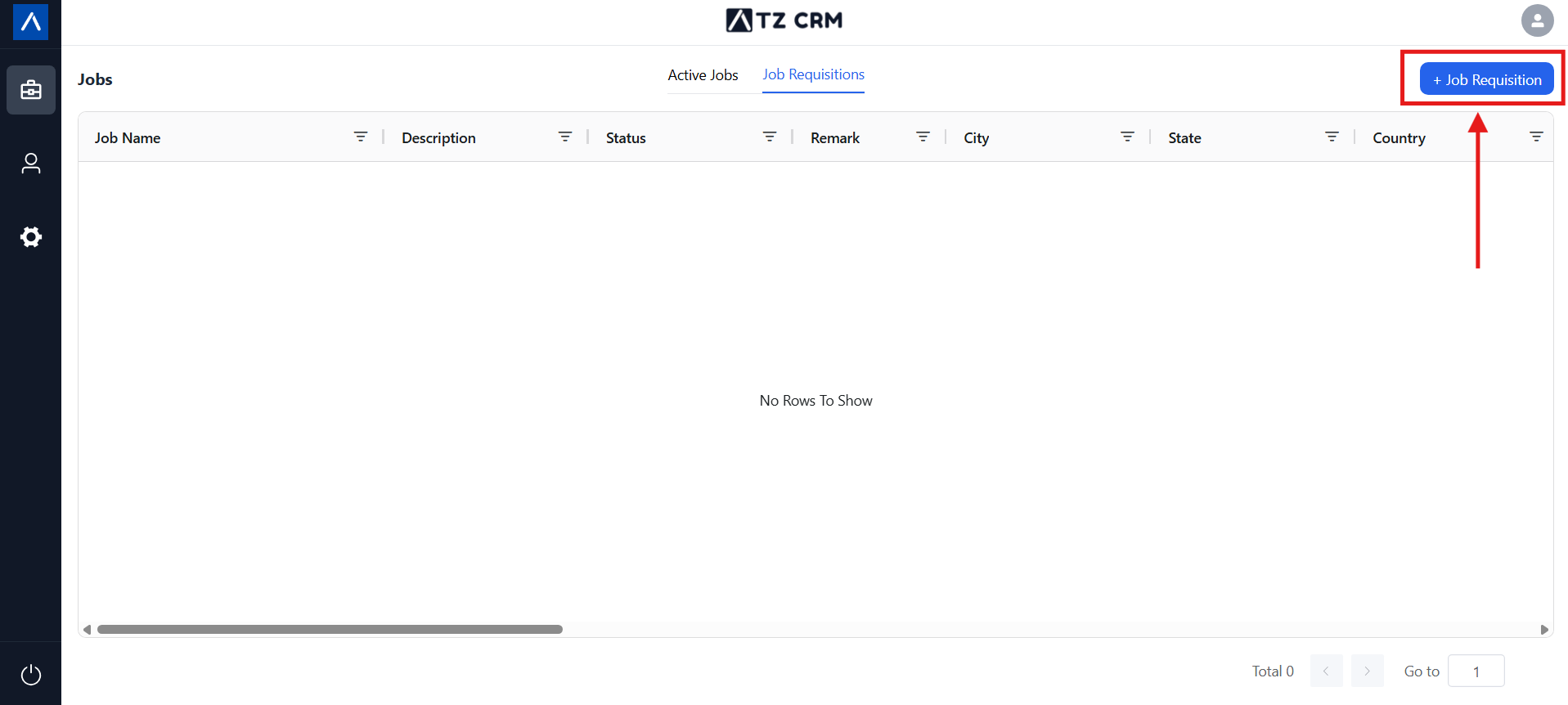
- Navigate to the Job List and Click on the “Add Requisition” button.
- From the dashboard, go to the Job List section and click on the add requisition button.
- This will open a new form for creating a job requisition.
 3. Fill in all the required fields.
- Provide details such as job title, description, qualifications, and other relevant information.
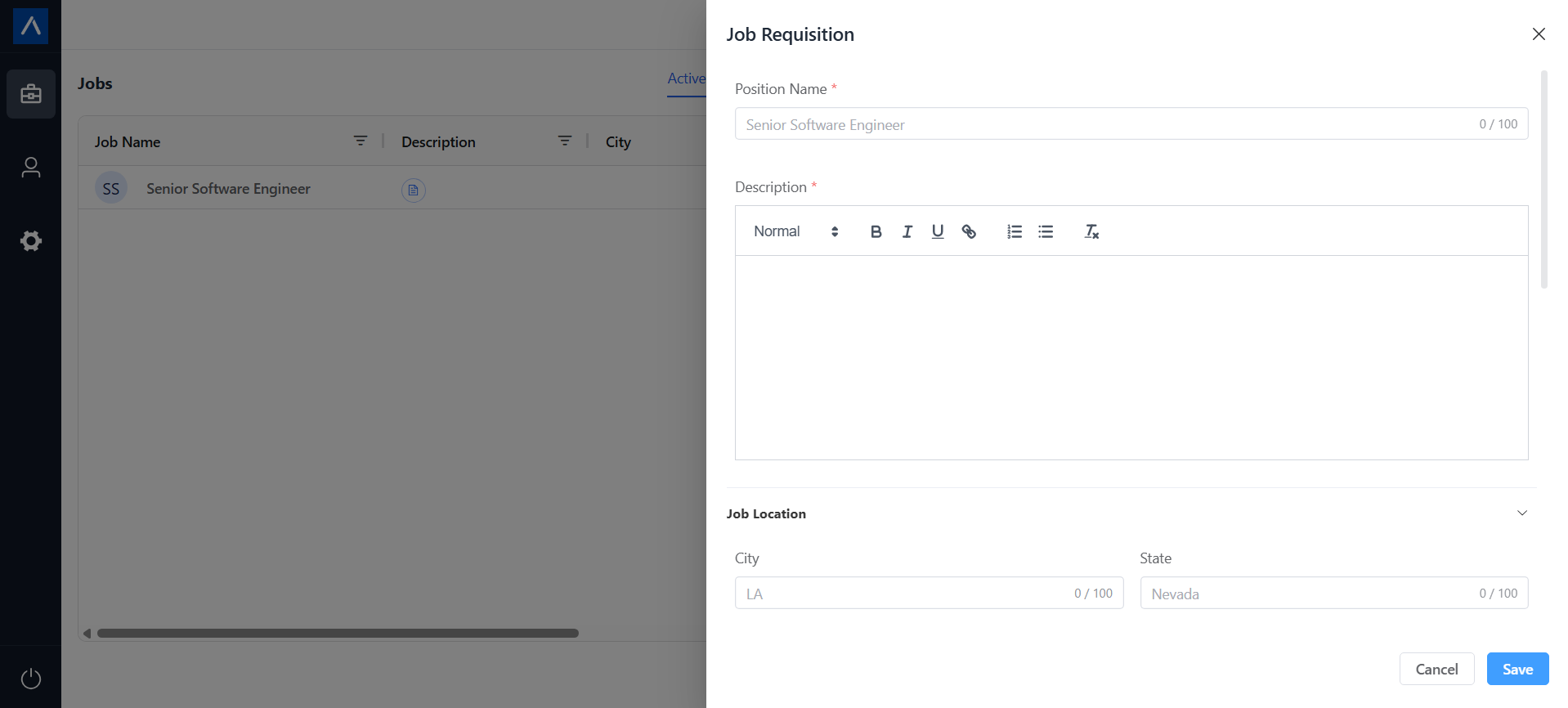 4. Click on “Create.”
- Once submitted, the job requisition will be automatically shared with the recruiter in ATZ CRM.
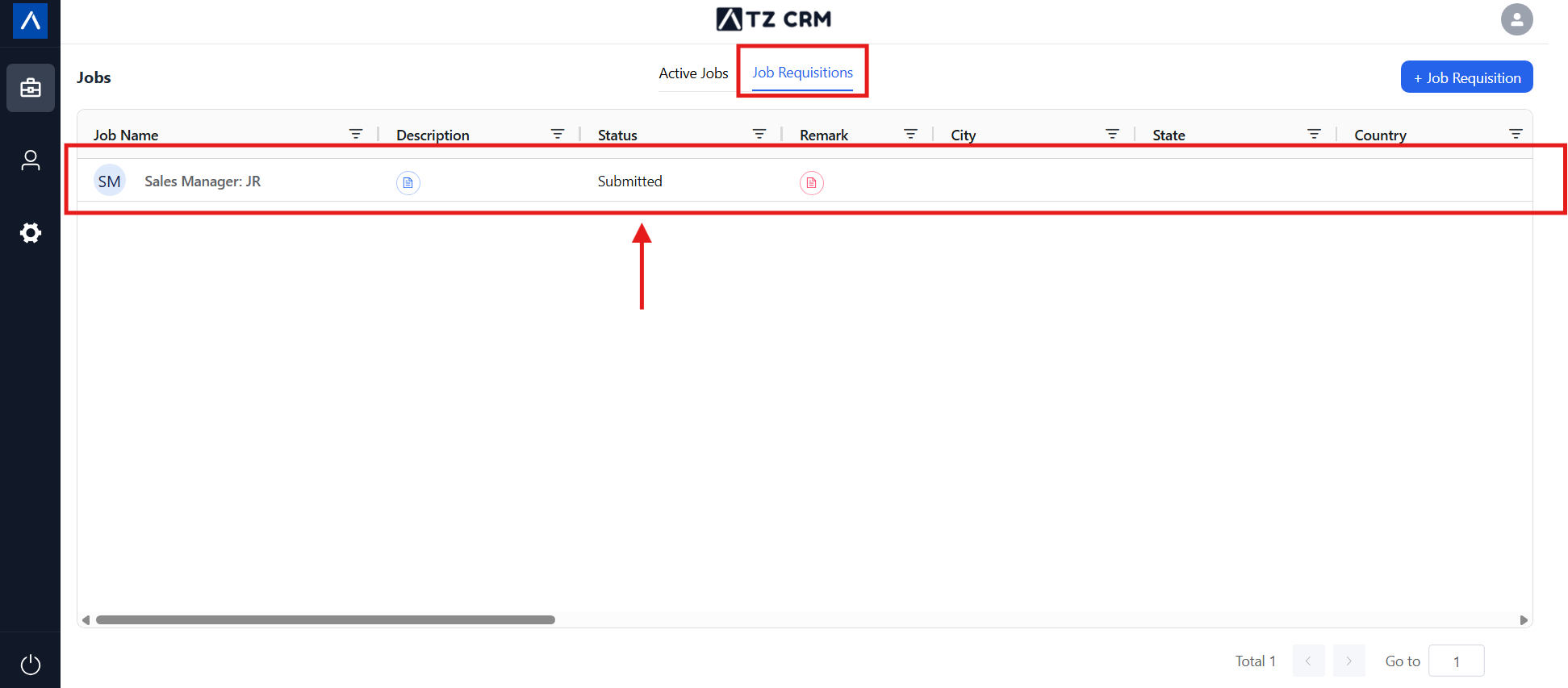
Managing Job Requisitions
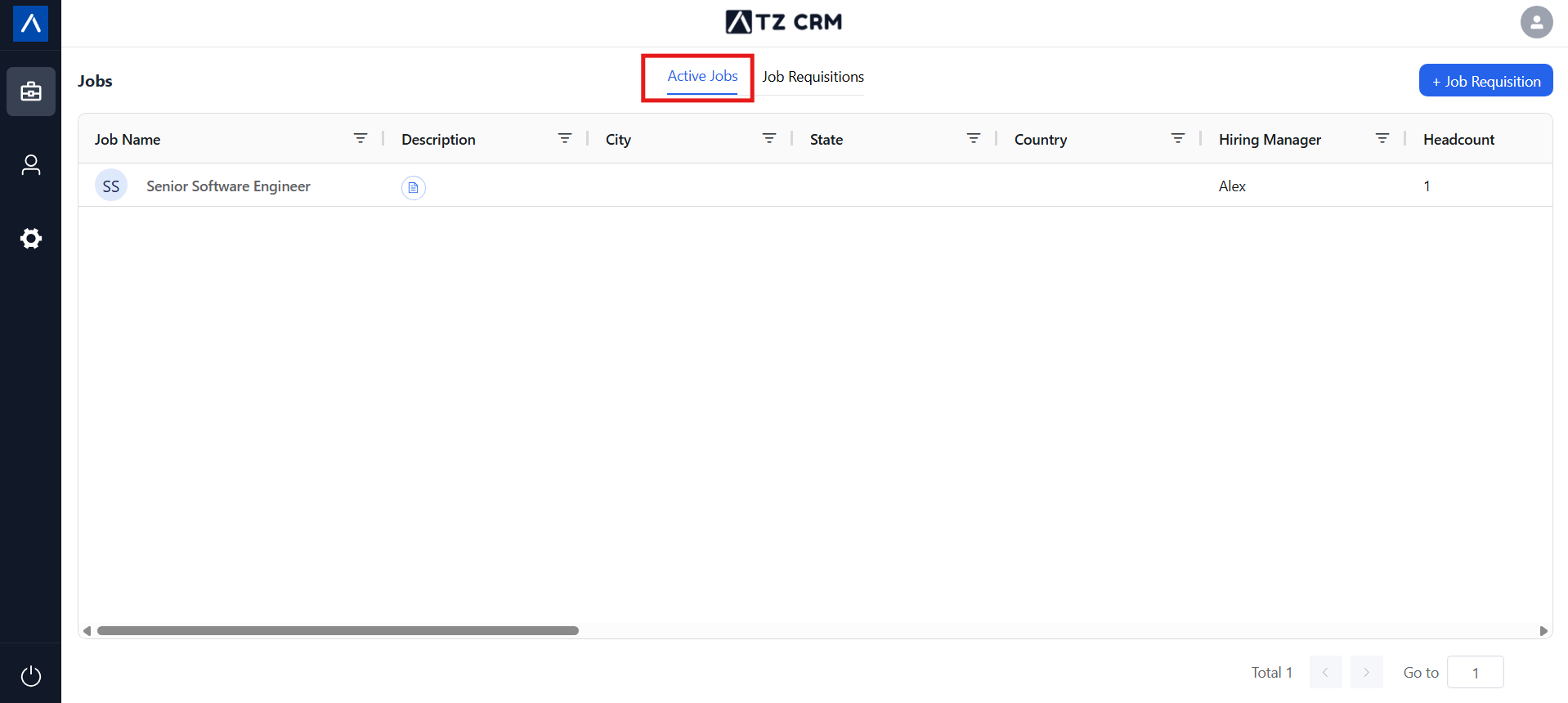
Section titled “Managing Job Requisitions”- Job Approval: If the recruiter approves the requisition, it will move to the Active Jobs list.
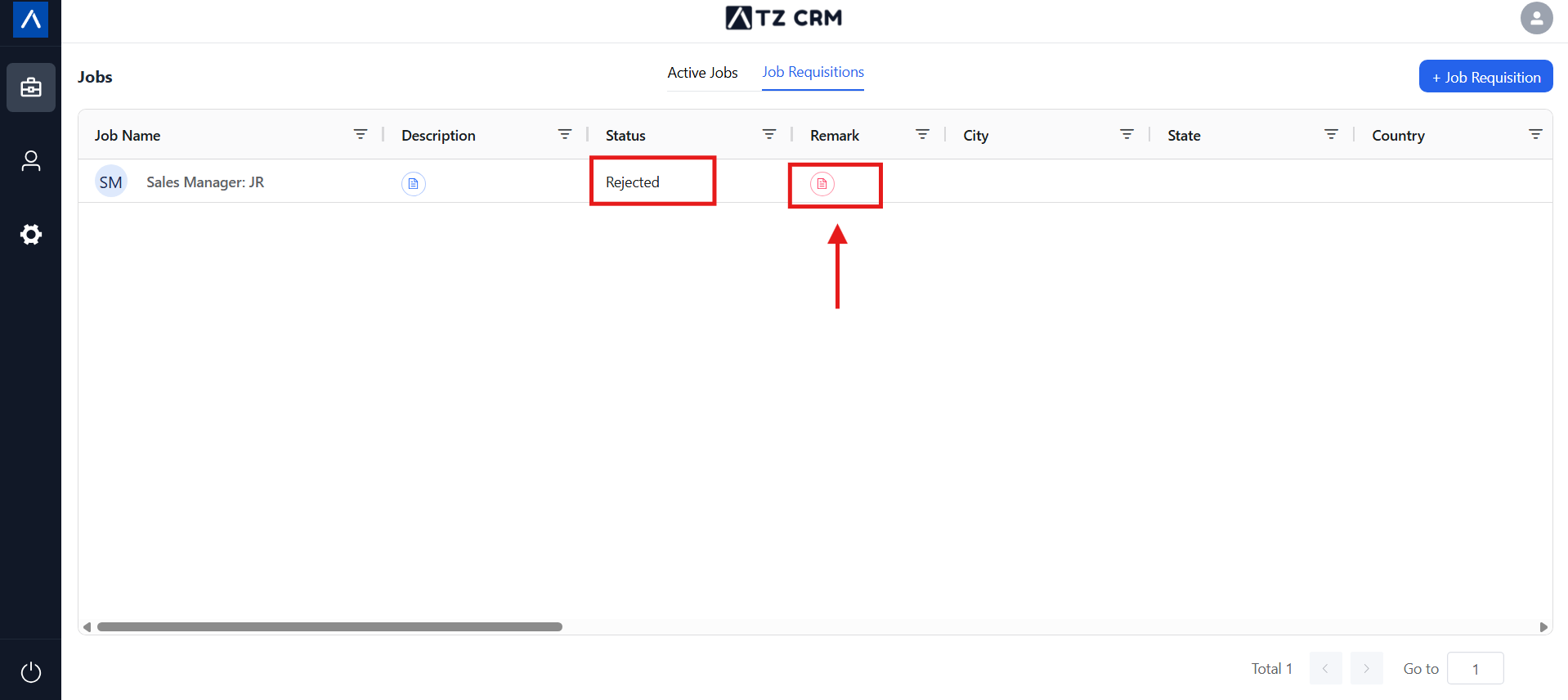
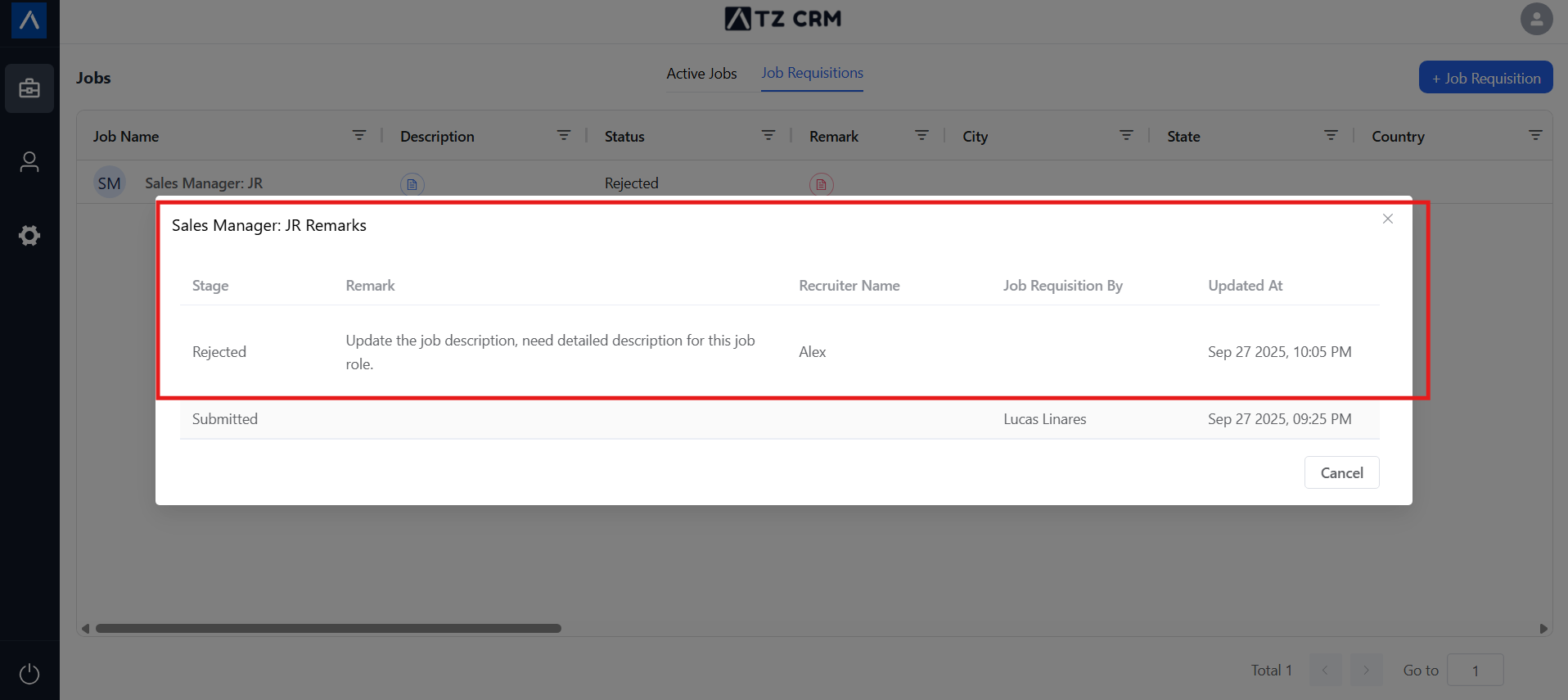
- Job Rejection: If the requisition is rejected, it will remain in the Job Requisition List with a visible rejection remark.
Notes & Tips
Section titled “Notes & Tips”- Ensure all required fields are completed before submitting.
- Approved jobs go live instantly in the recruiter’s ATZ CRM.
- Rejected jobs stay visible with remarks for clarity and transparency.
✨ That’s it! You’ve successfully created and shared a job requisition with your recruiter via the Client Portal.